Document AI for Salesforce

Read, understand, and act on every document inside Salesforce

CloudFiles Document AI extracts fields, classifies files, answers questions, and maps the data straight onto Salesforce records automatically, all inside Salesforce, without your files ever leaving your storage.

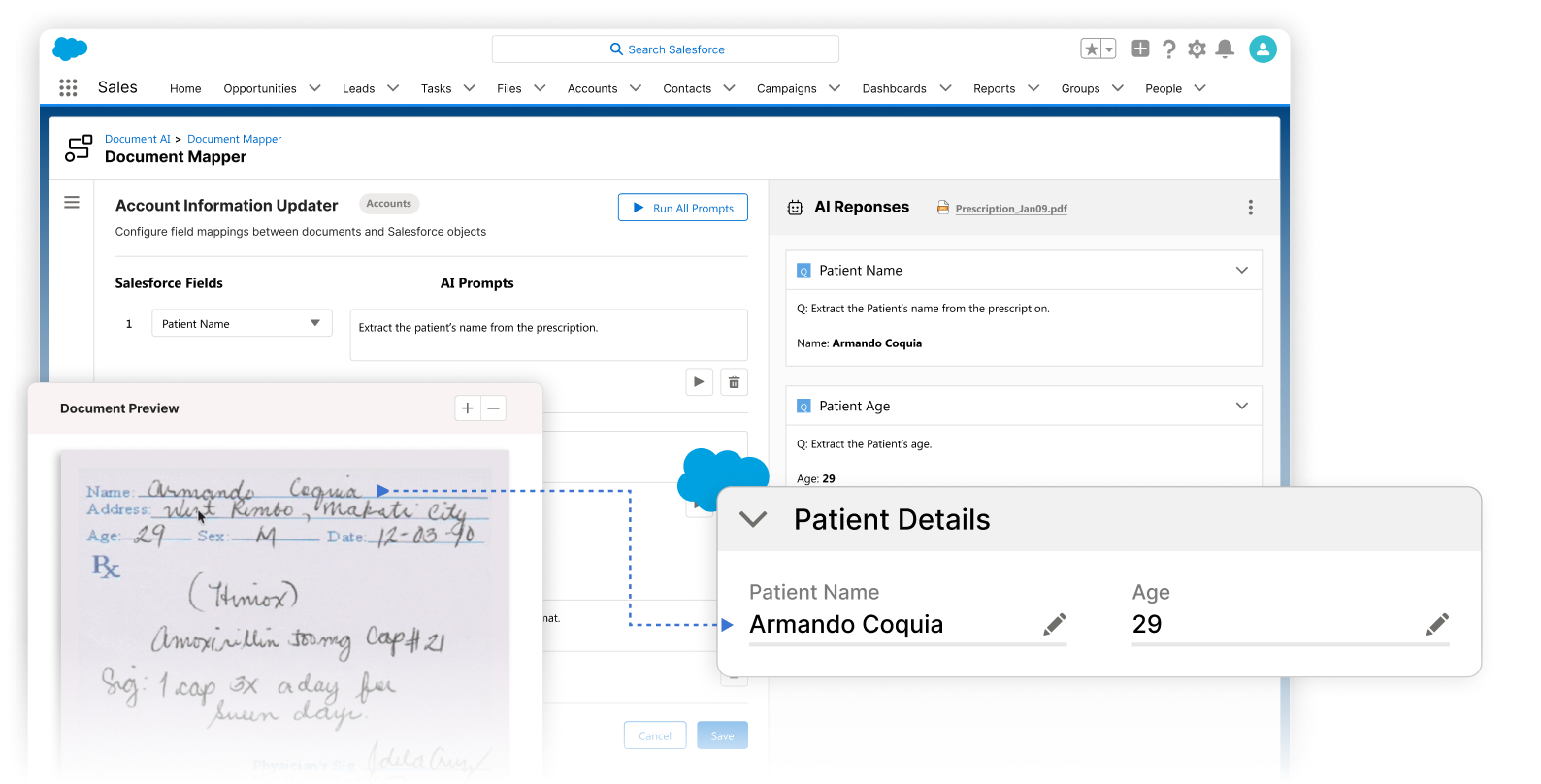
CloudFiles Document AI mapper inside a Salesforce record
Trusted by leading teams worldwide
What is CloudFiles Document AI?

One platform to read, understand, and act on every document

CloudFiles Document AI brings AI-powered OCR and language understanding directly into Salesforce. It reads the files in your connected storage (PDFs, scans, images, and Office files), extracts and validates the data, and maps it straight to Salesforce fields, lookups, picklists, and related records, creating or updating parent and child records with no code. It runs natively inside Salesforce, your files stay where they live and are not copied into CloudFiles, and your documents are never used to train our AI models.

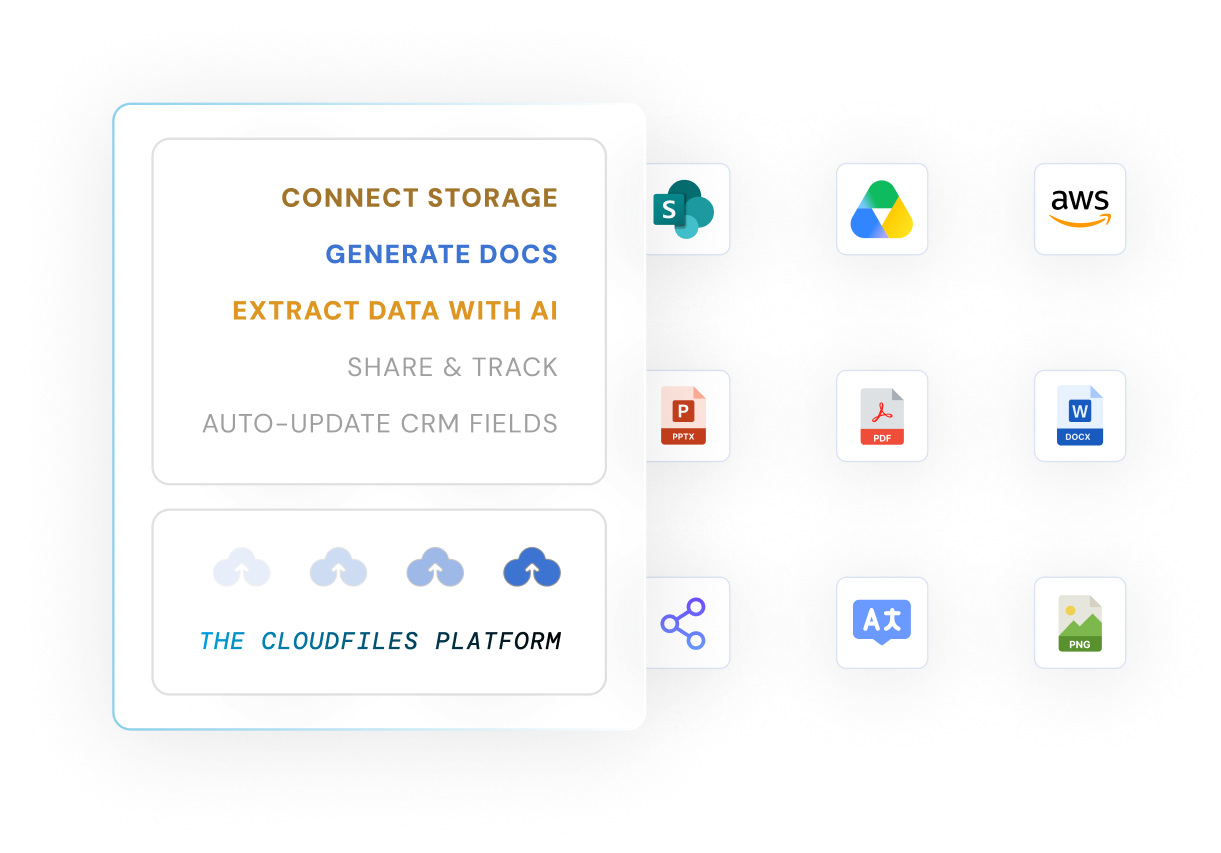
The CloudFiles platform connects storage providers SharePoint, Google Drive, and AWS, generates and extracts data from document types like PPTX, PDF, and DOCX, and feeds files out through CloudFiles actions like share, translate, and image conversion
By the numbers

The proof behind the platform

4.9 ★

Average rating on the AppExchange

99.7%

Accuracy extracting fields, signatures, and line items

3x

Faster file processing, from classification to record creation

The problem with documents in Salesforce

Salesforce was never built to read your documents

Every invoice, contract, and form that lands on a record still has to be opened, read, and typed in by hand. Salesforce stores the file, but it can't tell you what's inside it or put the data where it belongs. CloudFiles changes the starting point.

Without CloudFiles

  • Someone opens each file and keys the data into fields by hand, one document at a time.
  • Scanned and handwritten files can't be searched or extracted, so the data stays trapped in the PDF.
  • There's no way to ask a question of a document, compare versions, or classify files automatically, so every file is a manual read.

With CloudFiles

  • AI reads each file and maps the extracted data straight onto Salesforce records, fields, lookups, and related child records, with no manual entry.
  • OCR and NLP handle scanned, printed, handwritten, and multilingual documents without conversion.
  • Ask a document a question in plain language, compare versions across a dataset, or let agents auto-label and route files.
What CloudFiles offers

Everything you need to turn documents into records

AI-powered OCR & NLP

Universal file intelligence

Read printed, scanned, handwritten, and multilingual documents (PDFs, images, and Office files) without converting a thing.

Queries, datasets & playground

Intelligent queries & datasets

Ask documents questions in plain language, run batch queries, and group files into datasets to compare or validate across many documents at once. Refine every prompt in the AI Playground first.

No-code record mapping

Document Mapper

Map extracted data straight to Salesforce fields, lookups, picklists, and related records, creating or updating parent and child records in a single no-code run.

Triggers, agents & events

Automation & agents

Launch AI the moment files arrive, run function-specific agents, auto-label and split files, and trigger downstream Salesforce flows automatically.

How it works

Live in three steps

Point CloudFiles at your documents, tell it what to pull, and let it write the data back to Salesforce, all without leaving the platform.

Step 1

Connect your files

Authorize your storage or point CloudFiles at any file on a record. Your files stay where they live and are not copied into CloudFiles.

Step 2

Read, classify & query

Extract fields, tables, and metadata, auto-label by document type, and query one file or a whole dataset in natural language.

Step 3

Map & act

Use Document Mapper to write data to fields and related records, then trigger Salesforce flows, splits, or approvals automatically.

Watch the demo

See how CloudFiles Document AI automates data extraction and document processing in real time, and how it can supercharge your workflows.

Don't just process, master your files

Extract answers with Query, refine with Prompt Builder, automate tasks with AI agents, split files intelligently, compare documents, and trigger Salesforce flows.

CloudFiles Document AI processing a file inside a Salesforce record

Features that power your document workflows

From reading a blurry scan to updating a connected Salesforce record, these are the capabilities behind CloudFiles Document AI.

Universal file intelligence

Harness AI-powered OCR and NLP to read and understand any document, from crisp PDFs to blurry scans, across languages, formats, and storages.

  • Reads handwritten, printed, scanned, and multilingual content accurately.
  • Processes PDFs, images, Word, Excel, and PowerPoint without conversion.
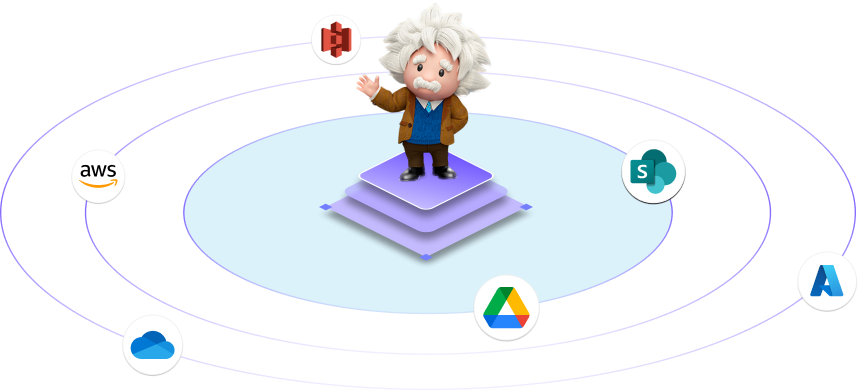
  • Reads files where they live across Salesforce, SharePoint, Google Drive, OneDrive, and AWS S3.
  • Pulls structured text, tables, and metadata, not just surface-level text.
CloudFiles AI-powered OCR reading and understanding documents across formats and languages

Intelligent queries & datasets

Ask questions of your documents in natural language and get structured answers back, then scale it across many files with datasets.

  • Use NLP-powered Q&A to surface answers buried deep in files.
  • Return results as summaries, tables, structured fields, or JSON/XML, and export to CSV, XLSX, or PDF.
  • Group processed files into a dataset to compare versions, spot changes, or validate across documents in one query.
  • Run multiple queries in a single batch action, and refine every prompt in the AI Playground before going live.
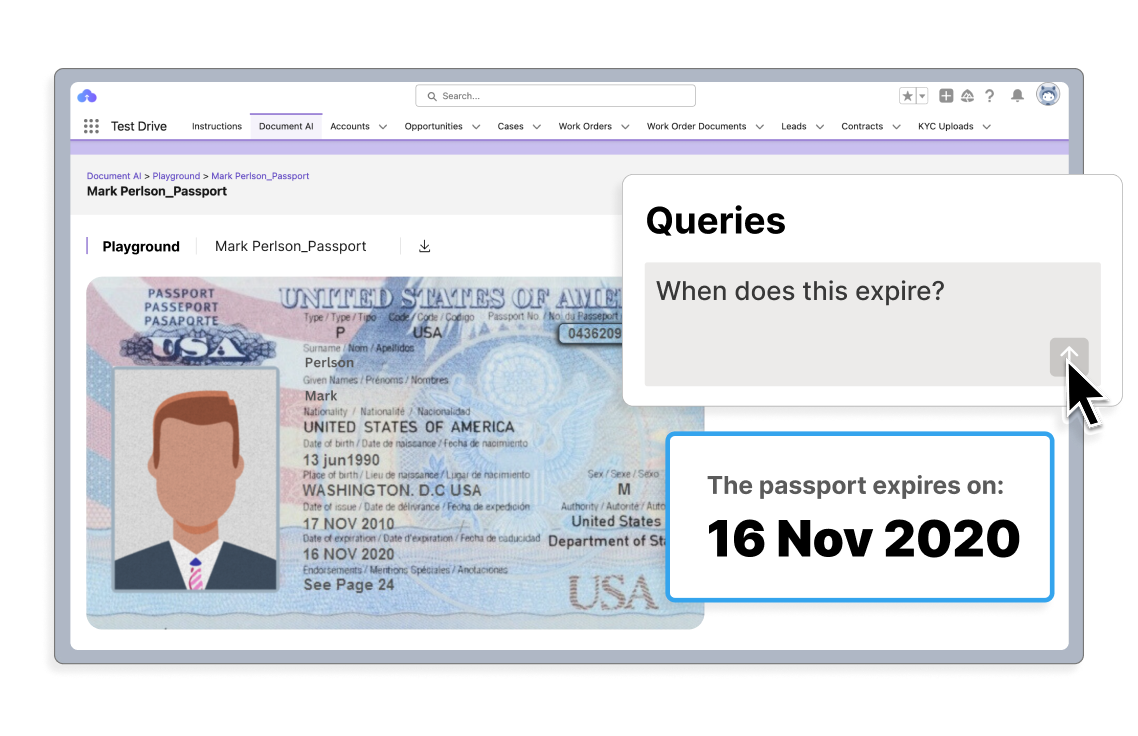
CloudFiles AI Playground answering a natural-language document query

Document Mapper

Turn what the AI reads into connected Salesforce records, with no code.

  • Map extracted data to fields, lookups, and picklists automatically.
  • Create or update both parent and child records, like an invoice and its line items.
  • Build mapping rules with the built-in List Builder and run them together in one pass.
  • Go straight from document to record, with no JSON or Apex to wire up.
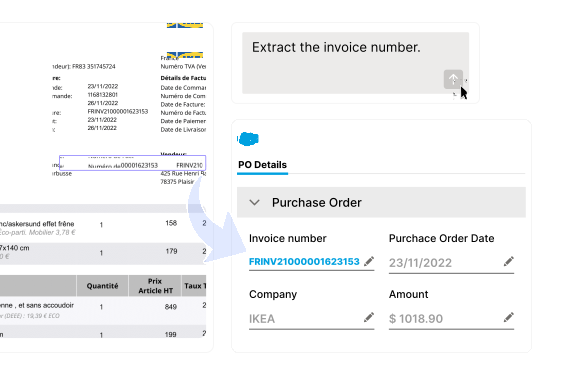
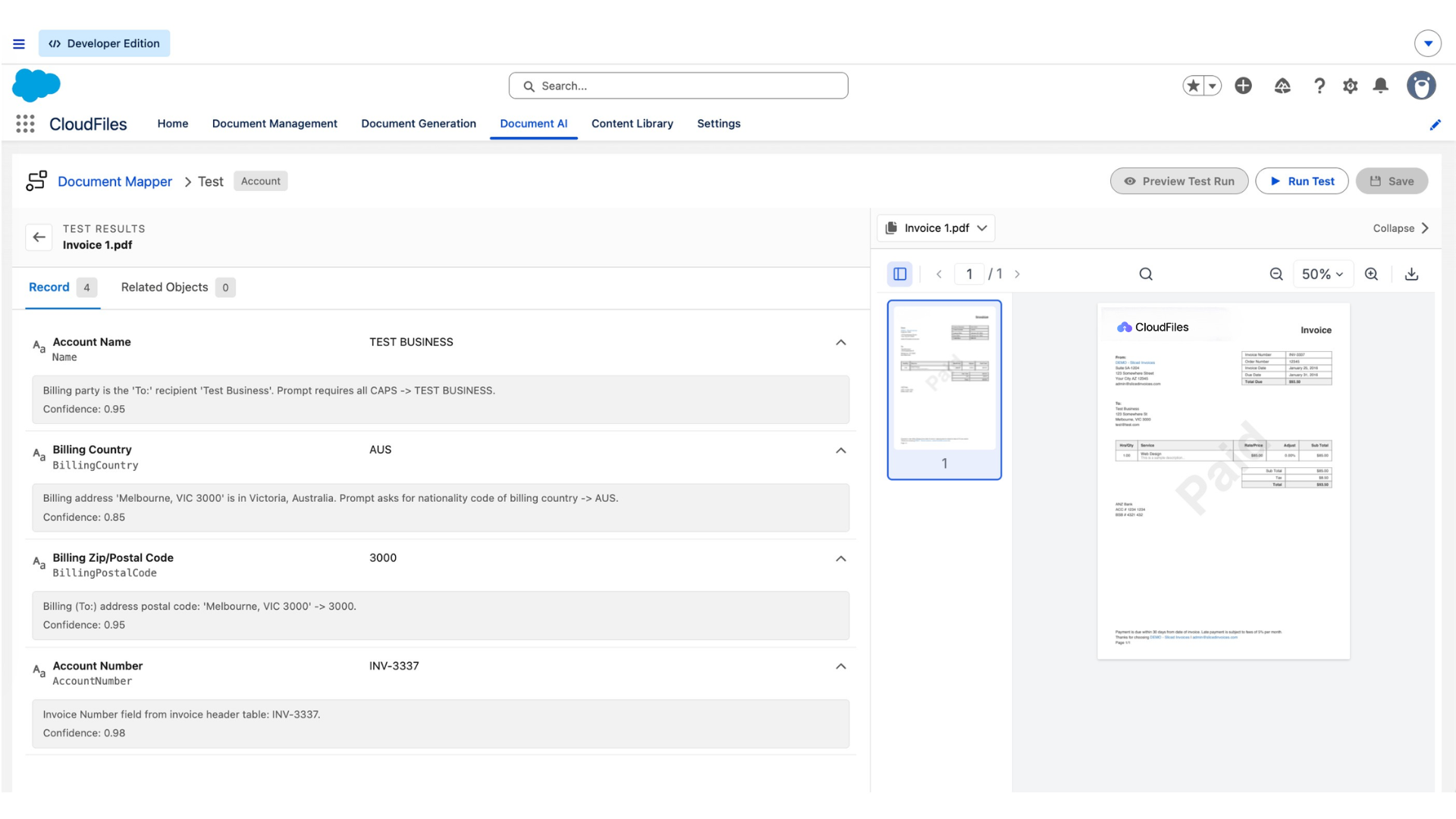
CloudFiles Document Mapper test results showing extracted invoice fields next to the source PDF

Automation & agents

Keep document processing running on autopilot with event-driven AI, from the moment a file lands to the follow-up action.

  • Launch AI automatically from Salesforce records, connected storage, integrations, or manually.
  • Deploy function-specific agents for extraction, classification, and comparison, solo or in sync.
  • Auto-label documents by content (Invoice, Contract, KYC) and split merged PDFs into the right records.
  • Trigger downstream flows, approvals, and error handling via Salesforce Flows, Apex, REST API, or Agentforce.
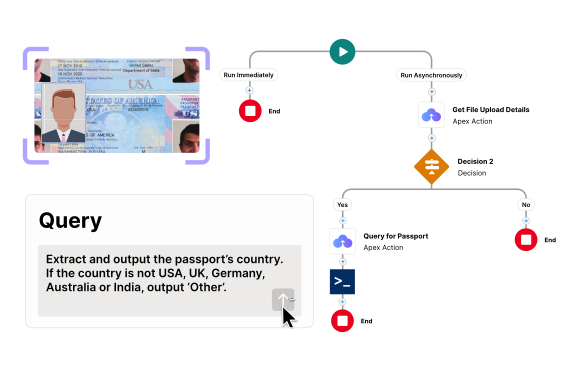
CloudFiles running bulk, event-driven document automations

Actionable AI outputs

Convert intelligence into impact by automating downstream actions - update records, manage files, generate new documents, or even compare cross-doc data.

  • Auto-update Salesforce records, workflows, and approvals.
  • Manage storage with smart file actions like copy, move, or delete.
  • Generate, split, or compare documents with AI-powered precision.
CloudFiles AI generating an actionable document output

Don't know where to start?

You don't have to figure it out alone. Book a 30-minute session with our experts and we'll guide you through what matters for your use case. 87% of people who book a demo get their answers in the very first call.

Explore test drives

Experience real-world document AI use cases instantly, no setup required. Fill in your info to access the test-drive org, then open the article from the Instructions tab.

CloudFiles vs. alternatives

Manual entry vs. other AI apps vs. CloudFiles

Most buyers arrive comparing options. Here is the honest starting point.

Capability
Manual / native SalesforceManual / native Salesforce
Other AppExchange AI appsOther AppExchange AI apps
CloudFiles

Reads scanned, handwritten & multilingual files

not supported

Read by a person

not supported

Often print/PDF only

fully supported

OCR + NLP, any format

Natural-language queries + a test playground

not supported

Not possible

not supported

Varies by vendor

fully supported

Ask, batch, and test live

Query & compare across many documents (datasets)

not supported

Not possible

not supported

Rare

fully supported

Built in

Maps to fields, lookups & related records

not supported

Typed by hand

not supported

Often JSON/Apex to map

fully supported

No-code Document Mapper

Auto-labels & splits files by content

not supported

Manual

not supported

Varies

fully supported

Automatic on upload

Runs natively inside Salesforce

supported

Native (storage only)

not supported

Often middleware

fully supported

Native flows & Apex

Files stay in your storage, not used to train AI

not supported

Stored in Salesforce

not supported

Often copied or cached

fully supported

Not copied into CloudFiles

Resources

Guides, case studies & more

Installation & configuration

Complete setup guide covering installation, permissions, and storage integration, so you're ready to go in minutes.

AI flows - initial setup guide

Initial guide to set up Salesforce flows to process files, get a document ID, and prepare for AI querying, all in minutes.

Document AI tutorials

From document parsing to mass data extraction and insights, learn how to get the most out of CloudFiles AI.

Explore case studies

Real stories, real impact - discover how teams solved complex document challenges with speed and precision.

Document types

Explore how CloudFiles handles different document types and formats across industries, seamlessly.

ROI calculator

See how much time and money you can save with Document AI. Use our calculator to measure real impact in your CRM workflows.

Popular use cases

Power use cases of document AI

Whether you're in finance, real estate, healthcare, or somewhere in between, these use cases show what's possible when AI meets documents.

AI-powered search

Use natural language to search within large PDFs, legal documents, or scanned compliance files, without ever scrolling.

Document insights

Use AI to derive meaning from documents: summaries, insights, emotional tone, or financial calculations.

Document splitting

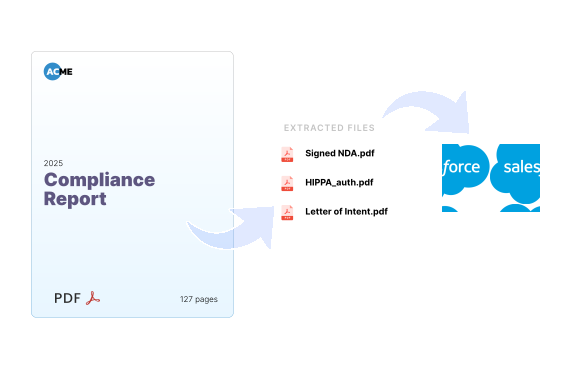
Split, rename, and route documents to the right record. Whether it's a single PDF with multiple documents or a bulk upload, CloudFiles routes each one automatically.

Used across industries

See how CloudFiles Document AI adapts to document workflows across the industries we serve.

Financial services

Automate KYC and loan document collection, share files securely, and track client engagement, right from CRM. Built for financial services compliance.

Healthcare & life sciences

Manage patient data, automate claims, and ensure HIPAA compliance. Streamline regulatory sharing and reduce manual tasks by up to 80%.

Technology & IT

Manage documentation, automate spec and contract workflows, and track engagement, all within the CRM using CloudFiles.

Loved by teams, backed by results

Don't just take our word for it, take theirs.

After testing multiple solutions, CloudFiles Document AI was the only one that worked reliably every time. The only dependable Document AI we found, and with white-glove service, expert onboarding, and strong enablement, the experience has been outstanding.

Nancy JacobsOvalis Group

CloudFiles Document AI strengthened our Flow-driven document processing in Salesforce, extracting data from complex documents and cutting manual entry. We run document classification, PDF splitting, file routing, and SharePoint sync through Salesforce Flows.

Sandy HarrisFifth Season Investment

CloudFiles Document AI extracts data and formats it Salesforce-ready before it lands in SF, with proper dates and clean currency values. Document Generation handled appending documents too, and their support made implementation seamless.

Rodney BallenerOvalis Group

Stay compliant & secure.

CloudFiles is independently audited for SOC 2 Type II, certified to ISO 27001, and compliant with HIPAA and GDPR. Data residency is supported in the US, EU, UK, and AU. Your files stay in your own storage - CloudFiles never re-hosts them - and are not used to train our AI models.

SOC 2
Type II
HIPAA
Compliant
ISO 27001
Certified
GDPR
Compliant
Take the CloudFiles audit

Get your document AI plan in 30 minutes

Book a free 30-minute CloudFiles audit. We map your document workflow live, show you where manual reading and re-keying are hiding, and demo the exact AI setup for your org. You leave with a clear plan, whether or not you buy.

Salesforce document AI FAQs

Document AI uses artificial intelligence to read, classify, and extract information from documents, automating document workflows and cutting manual data entry. CloudFiles Document AI runs these capabilities directly inside Salesforce document workflows.

Yes. Document AI extracts structured data from files such as invoices, agreements, and forms. With CloudFiles, that data flows straight into Salesforce records, reducing manual input and improving consistency.

The Document Mapper is CloudFiles' no-code mapping engine. It takes the data the AI extracts and maps it to Salesforce fields, lookups, and picklists, and can create or update both parent and child records (for example, an invoice and its line items) in a single automated run, with no JSON or Apex to wire up.

Both use AI to extract data from documents, but they hand off very differently. MuleSoft Intelligent Document Processing primarily returns the extracted data as JSON or an Apex class that your team still has to map into Salesforce through Flow. CloudFiles maps the data directly to Salesforce fields, lookups, picklists, and related records with the no-code Document Mapper, and reads files where they live in your own storage. If the goal is to turn documents into connected Salesforce records without building the mapping layer yourself, CloudFiles gets you there with far less setup.

Yes. Group processed files into a dataset and run one query across all of them. Teams use this to compare contract versions and surface only what changed, such as clauses, dates, or payment terms, and to validate or de-duplicate across related documents.

It reads each file, extracts and classifies the content, maps it to the record, and triggers downstream actions, so teams stop opening and re-keying documents by hand. CloudFiles combines this with generation, storage, and automation for end-to-end workflows.

No. Your files remain in your external storage and are not copied into CloudFiles or used to train our AI models. CloudFiles is independently audited for SOC 2 Type II and certified to ISO 27001, with HIPAA and GDPR compliance.

Accurate extraction, native Salesforce integration, direct mapping to records, workflow automation, scalability, and clear data-handling. Solutions like CloudFiles that combine AI with document generation, storage, and management in one platform give a more complete approach.