CloudFiles has saved us many hours of repetitive work and boosted our productivity. It has taken our automation capabilities to new heights! Definitely recommended.
Jeremy AhoyoAtlante

Connect your storage, surface every file on the record, share with tracking, and automate the management - all in Salesforce, without a single file leaving your storage.
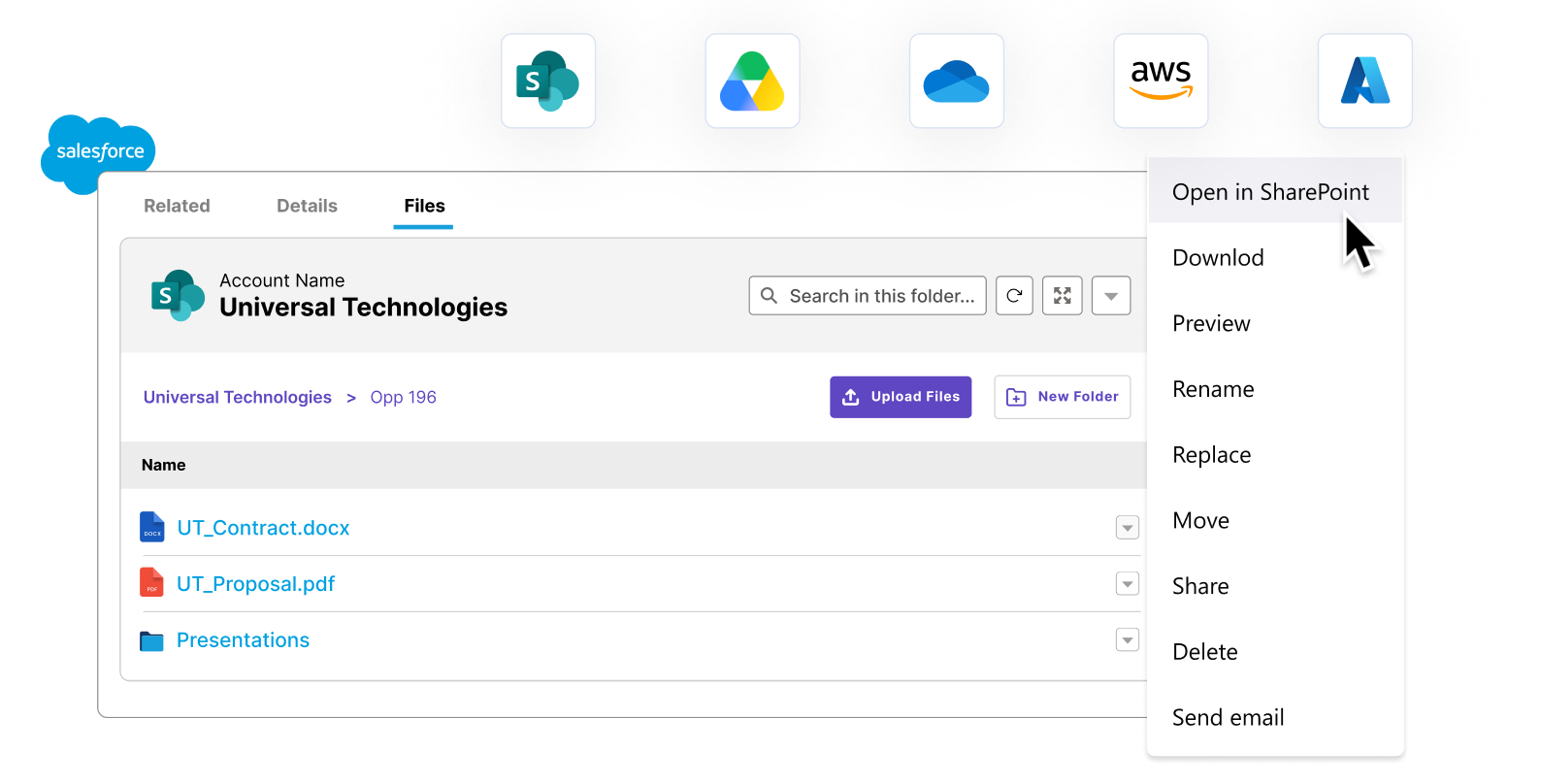


















CloudFiles is the leading enterprise document management solution for Salesforce, and the best way to connect SharePoint, Google Drive, S3, or more to your Salesforce records. It runs natively inside Salesforce, helping teams store, surface, share, and automate every document without leaving the record. Your files stay in your own storage, out of Salesforce limits, and are never re-hosted.
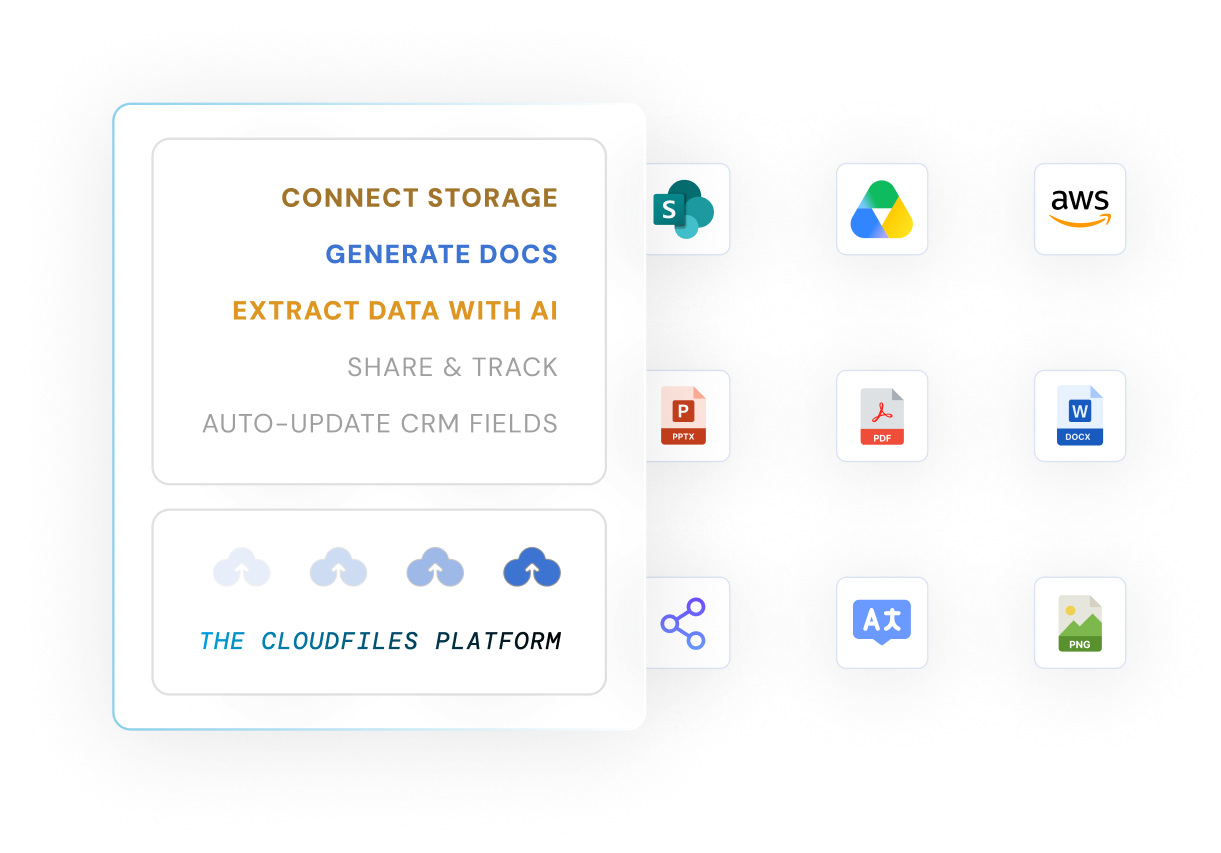
Salesforce teams trust CloudFiles
Average rating on the AppExchange
Independent certifications: SOC 2, ISO 27001, HIPAA, GDPR
Native Salesforce Files fills up storage, scatters documents across records, and gives you no link to the storage your company already pays for. CloudFiles changes the starting point.

Connect SharePoint, Google Drive, OneDrive or AWS S3 and manage those files without ever leaving Salesforce.

Auto-create folders per record, link files to any object, and find the right document in one click.

Move notes and attachments to external storage, embed widgets on records and Experience Cloud, and build with native flows.

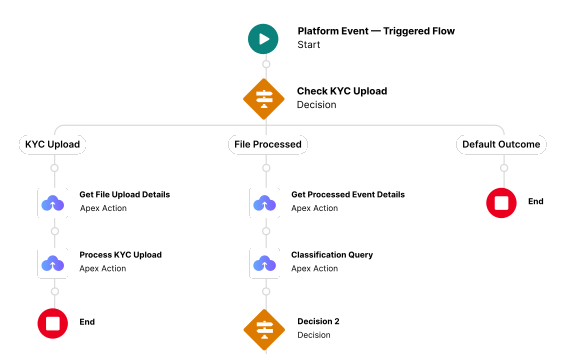
Trigger file transfers, record linking, metadata updates and archiving from your existing Salesforce automation.
Connect your storage, automate the busywork, and share documents - all without leaving Salesforce.
Authorize SharePoint, Google Drive, OneDrive or S3 from the AppExchange install. Your files stay in your own storage - CloudFiles never re-hosts them.
Set folder templates and rules so every record files, links and moves its documents automatically.
Send secure datarooms to external parties, control access, and see engagement back on the record.
See how CloudFiles Document Management connects your storage, auto-creates folders per record, and shares files with tracking, all without leaving Salesforce.
CloudFiles offers a plethora of document management features, from automated folder creation to daily file management.
Integrate seamlessly with leading platforms like SharePoint, AWS S3 and Google Drive to manage files directly within Salesforce. Automate file handling, centralize storage, and access documents instantly, no app-switching required.
CloudFiles automates folder creation, organization and linking to Salesforce records, no more manual sorting or lost files. Effortlessly store, retrieve and manage documents right inside Salesforce.
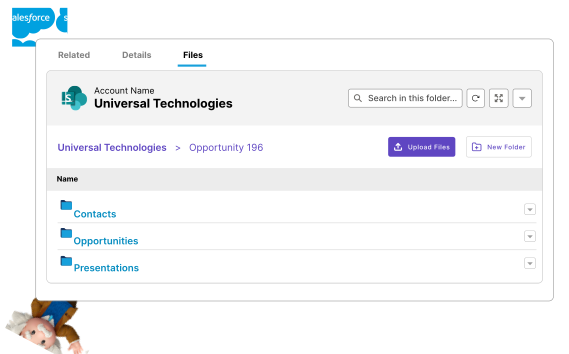
Free up Salesforce storage by automatically moving notes and attachments to external storage like SharePoint, Google Drive or OneDrive, without losing access or organization.
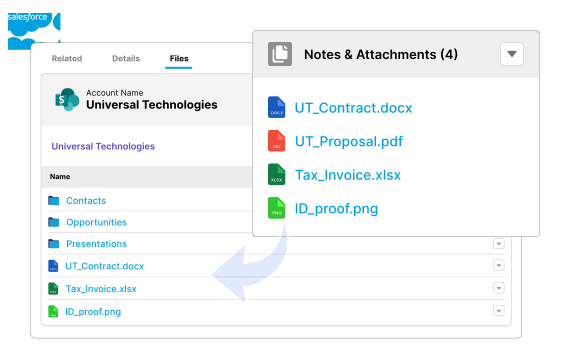
Revolutionize file handling through automated folder creation, file transfer, record linking, metadata updates and much more. Automate 80% of your document processes.
Side-by-side with native Salesforce Files and other AppExchange document apps.
Connect your preferred storage and explore what CloudFiles can do.

Best for enterprise file control within the Microsoft ecosystem.

Easy, collaborative file access for Google Workspace users.

High-volume, secure and scalable storage for enterprises.
You don't have to figure it out alone. Book a 30-minute session with our experts and we'll guide you through what matters for your use case. 87% of people who book a demo get their answers in the very first call.
Most buyers arrive comparing options. Here is the honest starting point.
CloudFilesNot supported
Varies by vendor
All four, natively
Stored in Salesforce
Often copied or cached
Never copied into your CRM
Manual
Varies
Automated
Native
Often middleware
Native flows & Apex
Basic links
Limited
Tracked & revocable
Increases
Usually reduces
Offloads it
From sharing to organizing, and everything in between.
Link files directly to Salesforce records for easy access and organization across teams.

Instantly create organized folders for every lead or opportunity, saving time and effort.
Securely share and receive documents with external parties using easy-to-manage, secure datarooms.
From real-world case studies to actionable guides - dive deeper into document workflows inside Salesforce.
Complete setup guide covering installation, permissions and storage integration, so you're ready to go in minutes.
From smart file organization to seamless sharing and storage - learn how to get the most out of CloudFiles document management.
Real stories, real impact - discover how teams solved complex document challenges with speed and precision.
Read our most popular guide to connecting SharePoint storage with Salesforce.
Unlock document workflows - from automated folder creation and dataroom sharing to external file collaboration and record linking.
Explore how CloudFiles handles different document types and formats across industries, seamlessly.
Is native Salesforce enough, or do you need a third-party app? Nine questions, three routes, and every claim dated and sourced.
Don't just take our word for it, take theirs.
CloudFiles has saved us many hours of repetitive work and boosted our productivity. It has taken our automation capabilities to new heights! Definitely recommended.
CloudFiles is an excellent, easy-to-use app. It quickly solved our Salesforce to SharePoint file transfer crisis with seamless implementation and outstanding customer support. Highly recommend!
CloudFiles' SharePoint integration with Salesforce has reduced data storage costs, simplified document management, and enhanced efficiency. Outstanding support. Highly recommend for reducing storage expenses.
CloudFiles offers great value for connecting storage solutions. Automate tasks like folder creation and file copying. Excellent support at no extra cost. Highly recommend!
Flawless app with exceptional support. CloudFiles exceeds expectations in testing, implementation, migration, and automation. Highly recommend exploring this solution for connecting file storage to Salesforce
CloudFiles is incredibly robust and handles our document processes flawlessly. The highly responsive team are true problem solvers. Worth every dollar. Absolutely recommend for Salesforce.
CloudFiles' SharePoint/Salesforce integration is excellent. The team is collaborative, responsive, and highly knowledgeable. They go the extra mile to meet our needs. Highly recommend.
CloudFiles seamlessly integrates OneDrive with Salesforce, offers flexible Apex actions, and provides outstanding support. Vishesh and team ensured a smooth setup and file migration.
Using CloudFiles' SharePoint integration with Salesforce has saved us on data storage costs. Their support and flow templates for file permissions are excellent. Highly recommended!
CloudFiles is independently audited for SOC 2 Type II, certified to ISO 27001, and compliant with HIPAA and GDPR. Data residency is supported in the US, EU, UK, and AU. Your files stay in your own storage - CloudFiles never re-hosts them - and are not used to train our AI models.



Book a free 30-minute CloudFiles audit. We map your workflow live, show you where storage cost and manual work are hiding, and demo the exact setup for your org. You leave with a clear plan, whether or not you buy.
Document management in Salesforce refers to organizing, storing, accessing and controlling documents linked to Salesforce records. It helps teams manage files across sales, operations and compliance workflows without relying on disconnected systems. Platforms like CloudFiles extend these capabilities with more advanced control and scalability.
Managing large file volumes typically requires structured organization, automation and external storage. Solutions like CloudFiles help teams handle scale by enabling external storage integration while keeping files accessible within Salesforce, reducing both complexity and storage costs.
Document management in Salesforce can be improved by automating file organization, enabling secure sharing and integrating external storage systems. Tools such as CloudFiles bring these capabilities together within Salesforce, helping teams streamline document workflows without switching systems.
Salesforce provides basic file management capabilities, but many organizations extend it with specialized solutions like CloudFiles to handle larger volumes of files, improve organization and enable automation directly within their workflows.
To manage storage limits, companies often store files in external systems such as AWS S3, SharePoint or Google Drive while keeping them accessible within Salesforce. Solutions like CloudFiles enable this approach seamlessly, allowing teams to reduce storage costs without disrupting user experience.
An effective solution should include document organization, external storage integration, secure sharing, automation and scalability. Platforms like CloudFiles that combine these features within Salesforce help teams manage documents more efficiently without relying on multiple tools.
We use cookies to run this site, understand how it is used, and measure our marketing. You choose what we may use. Read our Cookie Policy.
Choose which categories we may use. You can change this any time from “Cookie preferences” in the footer.
Required for the site to work — page delivery, security and bot protection on our forms (Cloudflare Turnstile), and remembering this cookie choice. These never store marketing identifiers and cannot be switched off.
Helps us understand which pages are useful, so we can improve them. Google Analytics 4 and Google Tag Manager (Google Ireland Ltd).
Powers our live chat so you can talk to us and we can keep your conversation history. Gist (Gist Applications Inc). You can always start a chat without this — we load it only when you click.
Lets us measure our advertising and reach people who have shown interest in CloudFiles. LinkedIn Insight Tag (LinkedIn Ireland), Google Ads (Google Ireland Ltd), and — outside the EEA/UK — ZoomInfo WebSights (ZoomInfo Technologies LLC).