
They built it live.
Now you can too.
Salesforce professionals from the Talent Stacker community spent three hours building document automation with CloudFiles, each in their own org. Here is what they built, and how to build it yourself.
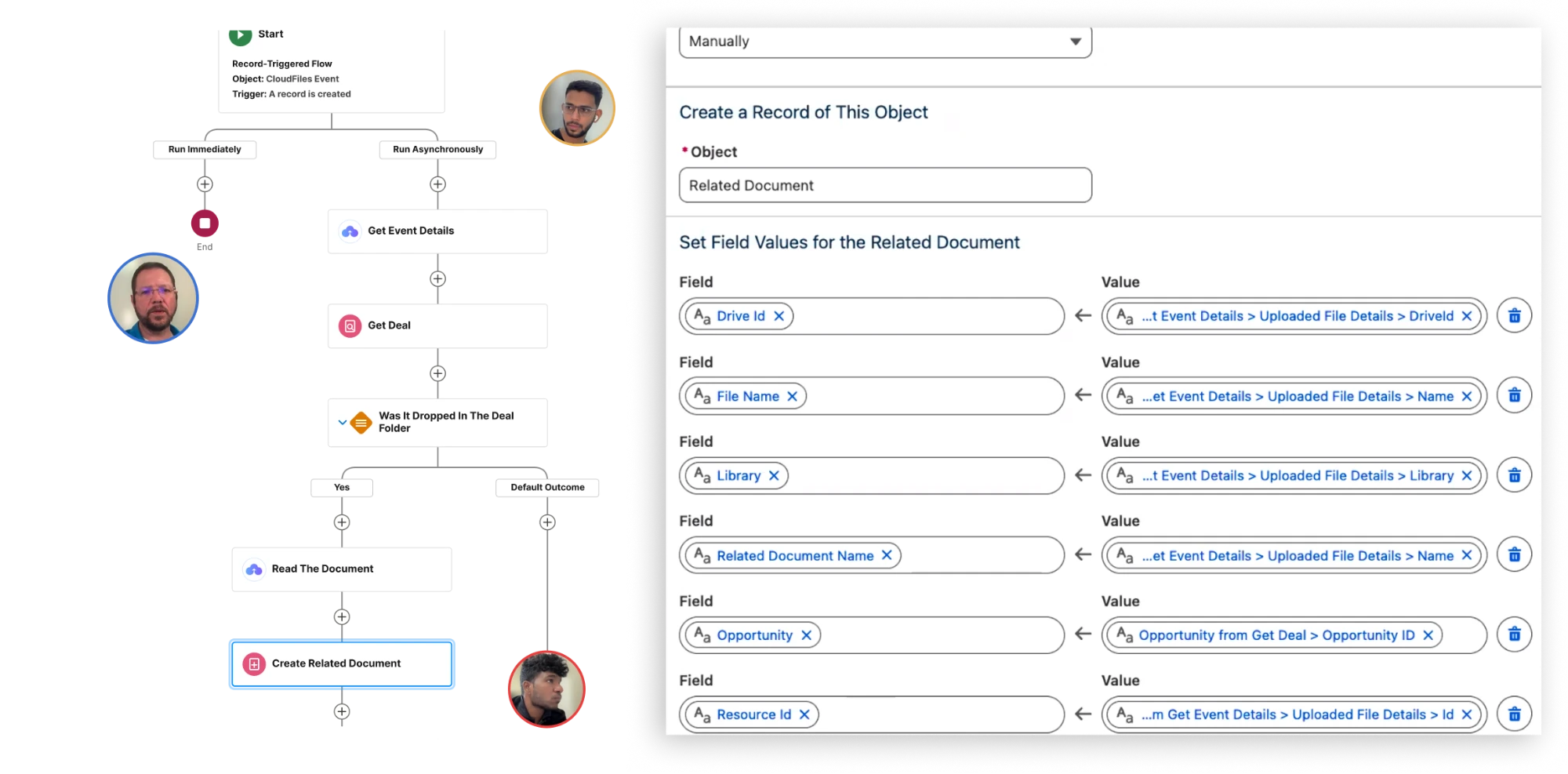
One afternoon, one org each
An equipment lender's deal, from invoice to agreement
Copperline, an invented company built for the exercise, lends small businesses money for equipment. Every deal brings the same documents, and someone types the supplier invoice into Salesforce, then types it again into the finance agreement. Learners built the version where Salesforce does that job.
Every deal, filed, read and written
Each learner built five small flows on the Opportunity, with CloudFiles Document Management, Document AI and Document Generation working together.
Document Management
Flows 1 and 2. A new customer gets its own folder, and a new deal gets a folder with five subfolders, all linked to the Salesforce record.
Document AI
Flows 3 and 4. A file dropped on the deal is read, recognised for what it is, moved to the right subfolder, and the invoice's details are written onto the deal.
Document Generation
Flow 5. One button on the deal builds the finance agreement as a PDF from the record, and files it in the deal's agreement folder.
What the room saw
Michael Sherrod built in a clean Developer Edition org while learners followed in theirs. Adarsh Reddy and Kunwar Dilshad Ali Khan answered the chat for all three hours.
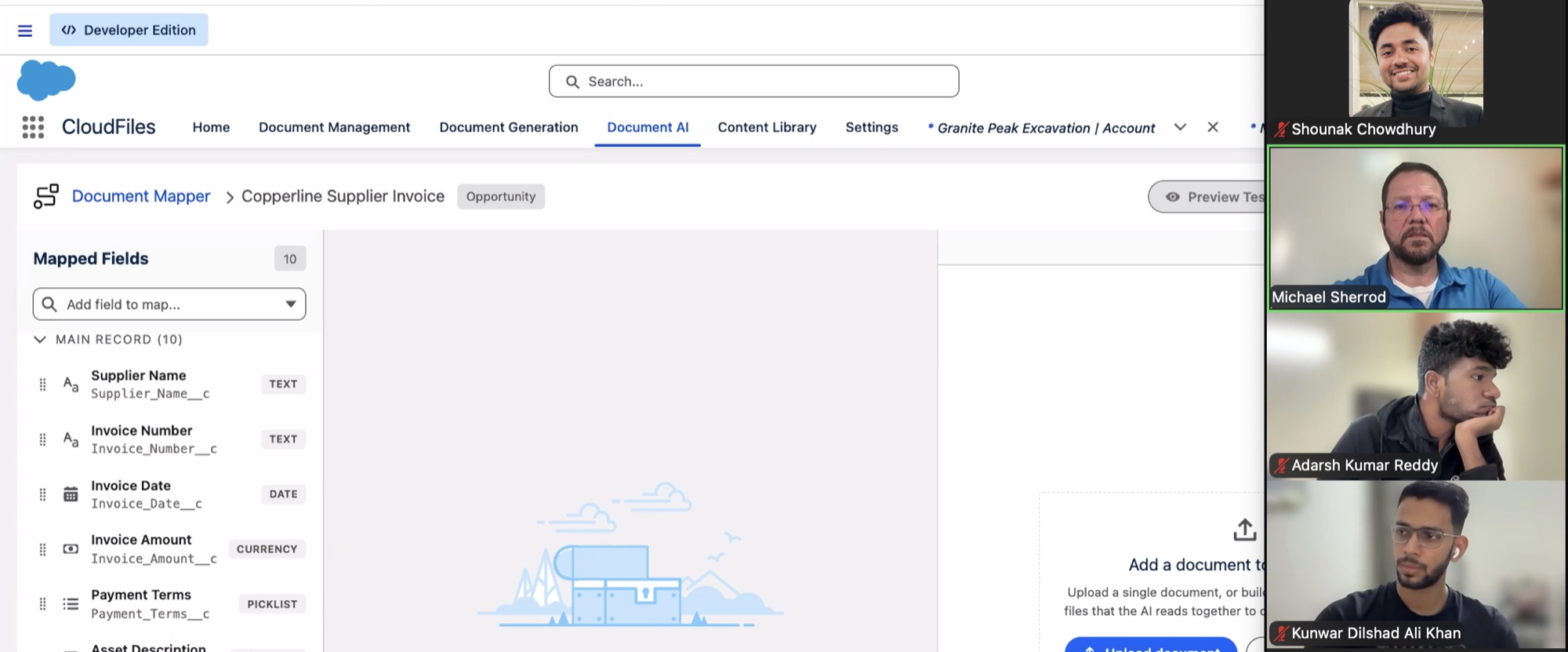
10 invoice fields, mapped once
The mapper tells Document AI where each value on a supplier invoice belongs on the deal: supplier, invoice number, date and amount, payment terms, and the equipment's make, model, serial number and year. Map it once, and every invoice that lands on a deal fills the same fields.
One event, one flow
Each flow reacts to one thing: a customer created, a deal created, a file landing in the deal folder, a document read, a button pressed. When something does not happen, you know exactly which flow to open.
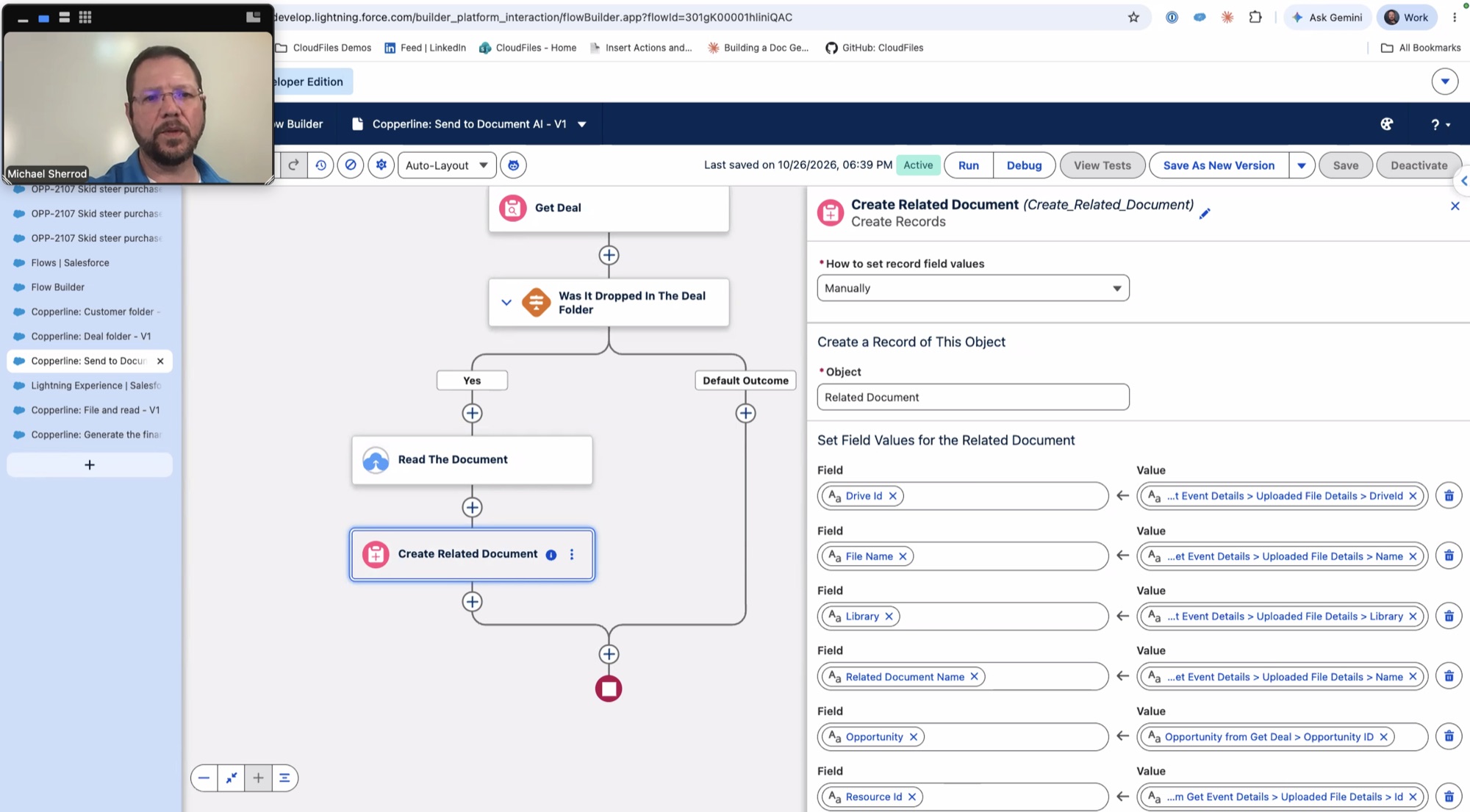
Build it yourself
The build was designed to be done again on your own: the replay, a step-by-step tutorial, and a free CloudFiles org to do it in.
The replay and the tutorial
The full three hours, and the written tutorial for every step, with a troubleshooting table for when a flow will not fire.
The Talent Show
Applied for AppExchange Amplified? Take the build one step further with a sixth requirement and send a short video of it working. An iPad for first, AirPods for second and third, and Salesforce certification vouchers from Talent Stacker. Entries close Tue 3 Nov 2026.
The certificate
Applicants who finish the five flows by Sun 15 Nov 2026 send their Org ID to Talent Stacker, who review the build and issue the certificate.
Thank you for building with us
Thank you to everyone who applied, to everyone who stayed for all three hours and asked the hard questions, and to Bradley Rice and the Talent Stacker team for hosting.



Frequently asked questions
No. Talent Stacker emailed every applicant the replay, the tutorial and the Talent Show details on 28 Oct 2026. The form is here for everyone else, and it is quicker than finding the email.
Yes. Every applicant can do the build, enter the Talent Show and earn the certificate, accepted or not. If you did not apply, you can still follow the replay and the tutorial in your own org; the Talent Show and the certificate are Talent Stacker's, for applicants.
A free Salesforce Developer Edition org and about an hour for the prerequisites: install CloudFiles, connect storage and create the fields the flows use. The prerequisites page walks through every step and ends with submitting your Org ID.
Talent Show entries close Tue 3 Nov 2026, and winners are announced by Fri 6 Nov. Learners' CloudFiles access runs to Sun 15 Nov 2026, so finish the build for the certificate before then.
Talent Stacker judges and picks the winners. CloudFiles gives the iPad and the AirPods, following Talent Stacker's placings.
Into Google Drive, in folders CloudFiles created and linked to each Salesforce record. The same build works with SharePoint or AWS S3.
A Talent Stacker programme in which Salesforce professionals learn an AppExchange product by building with it, live, alongside the team that makes it. CloudFiles was the October 2026 partner. CloudFiles is document automation for Salesforce.
Want this built on your deals?
We can show you
Take 20 minutes with the team that ran the build. Bring your own documents and your own process, and we will show you what the five flows look like on them.