
Every AI roadmap starts with the hardest thing. Start with your documents.
At Dreamforce 2026 we made one argument across three days at booth 536 and twenty minutes on stage: the easiest AI win in your Salesforce org is the documents it already runs on. This is that argument, the demo we played, and what came next.
Your agents can only act on what they can read
Contracts, forms, invoices and signed PDFs sit outside what a flow or an agent can use, so the work stops and waits for a person. That gap has three parts, and document automation for Salesforce closes all three without leaving it.
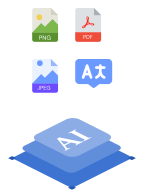
Document AI
Running the process. A document arrives, is understood in your context, goes to the right record and reaches a person only where somebody has to decide.
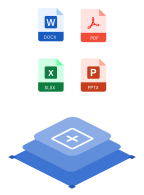
Document Generation
Producing them. Build the quote, the agreement or the report from the data already in Salesforce.
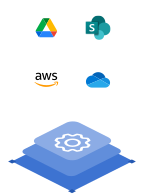
Document Management
Keeping them straight. Leave your files in SharePoint, Google Drive or AWS S3 and handle the filing, the folder structure and the permissions from inside Salesforce.
Not a feature. A system.
In Easiest AI Win in Your Org: Automate Documents in Salesforce, Vishesh Singhal followed one insurance claim through one intake examiner's morning: a broker's email full of attachments, and 50 minutes of opening, retyping, checking, writing and filing before anyone made a decision. None of it was a decision. Then the same morning, with three moves configured in Salesforce. Nothing here is a build project.
Read
The broker's email and its attachments become a claim summary and the fields on the Case. The examiner reviews and confirms them instead of retyping them.
Generate
The acknowledgment letter and the adjuster assignment summary come from those fields, in one click.
File
Every document lands in SharePoint, sorted by type, and the outside appraiser opens the folder they are entitled to without a Salesforce or SharePoint license.
Two of the three moves are not AI
The session in about three minutes: the slides, and the claim running start to finish in a real Salesforce org. On the session's example claim, 50 minutes of typing and filing became 3 minutes of review. That is an illustration, and your numbers come from your own queue.
Diversified Fall Protection
Engineering files stay in SharePoint. Salesforce users preview and update them from the record, and customers see exactly the files shared with them through Experience Cloud, with every access logged for OSHA audits.

The argument did not stay in San Francisco
We built CloudFiles live with Talent Stacker
AppExchange Amplified is a Talent Stacker programme where Salesforce professionals learn a product by building with it. We were the October partner, and Michael Sherrod led three hours of Document Management, Document AI and Document Generation, built on one real use case.
Everything we have shipped
Every release since Dreamforce, product by product, in the release notes.
Thanks for coming to see us
Five of us made the trip. Thank you to everyone who stopped at booth 536 and told us what was slowing their team down. Those conversations are still going.





Missed us at Dreamforce?
We can still talk
Take 20 minutes with us any week of the year. Same demo, same people, your own workflow rather than a sample.