An excellent, easy-to-use app. It quickly solved our Salesforce to SharePoint file transfer challenge with seamless implementation and outstanding support.
Vishal TalpallikarAviva

CloudFiles is a Salesforce document generation app that turns CRM data into finished contracts, quotes, proposals, and invoices. Build a template once, generate from any record or Flow, and keep every file in your own connected storage.
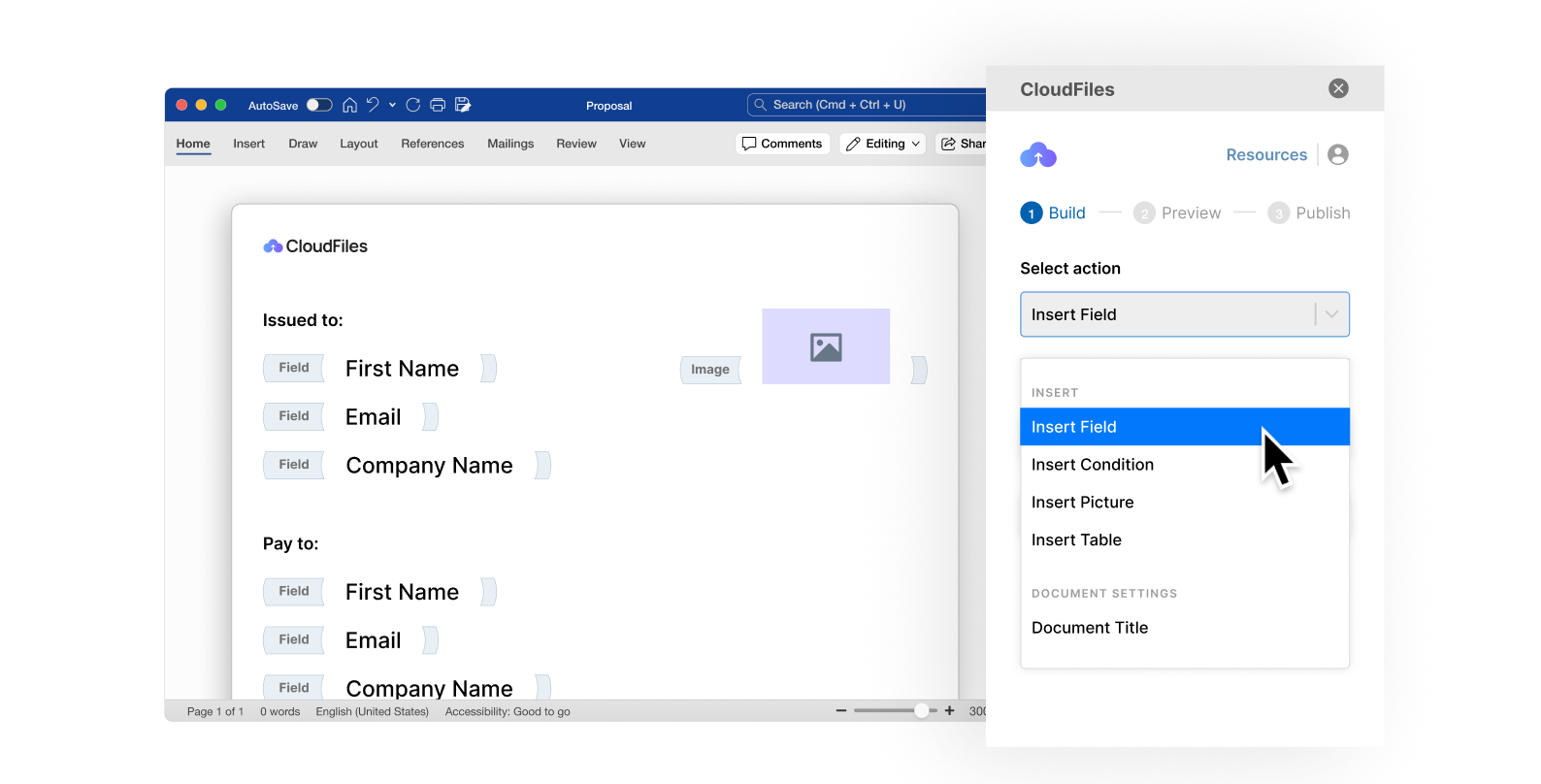


















CloudFiles is a document generation solution built natively for Salesforce, turning CRM data into finished contracts, quotes, proposals, and invoices. Design a template once in Word, Excel, PowerPoint, or PDF, generate on demand or in bulk, and route straight to DocuSign for signature. Every document lands in your own storage, and your Salesforce data is never used to train AI models.
Average rating on the AppExchange
Less manual work generating documents
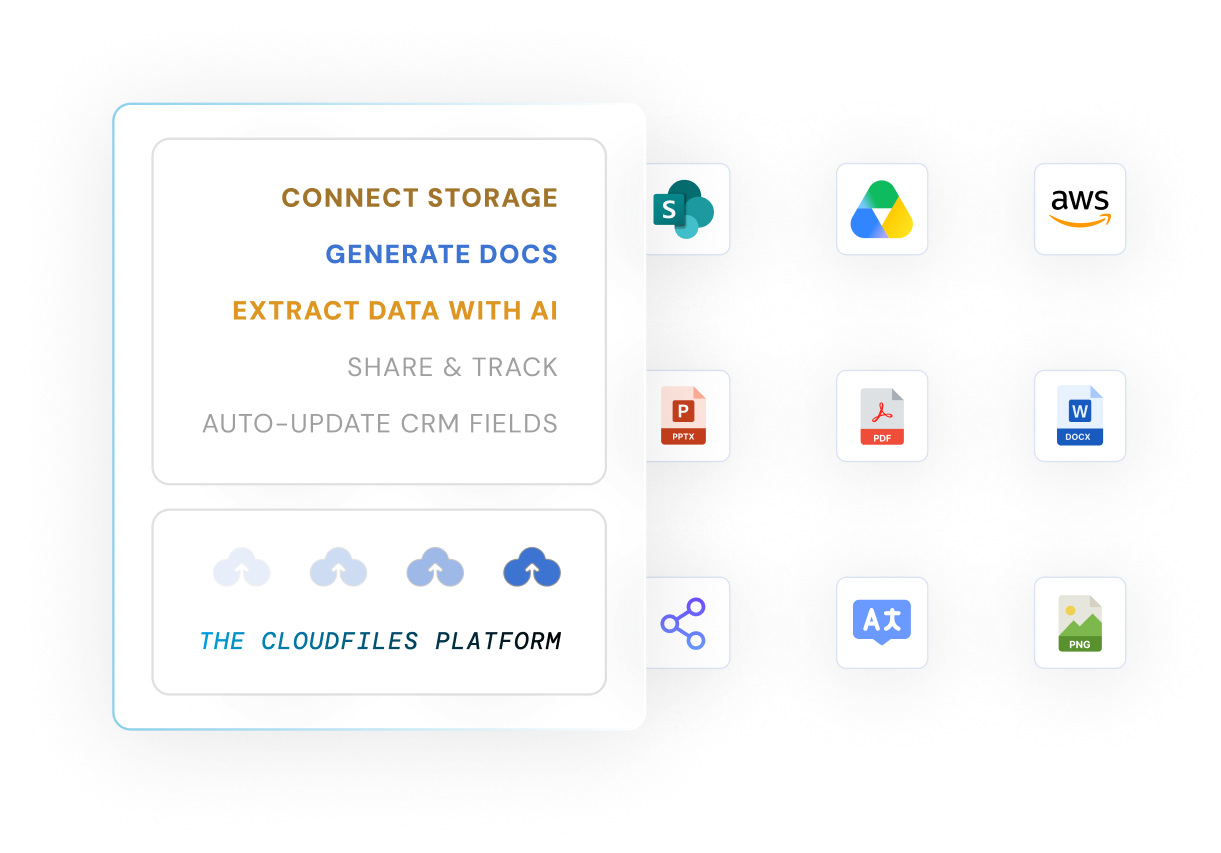
document generation in any format
Native Salesforce gives you fields and records, not a template engine. So documents get built by hand, drift off-brand, and pile up outside the record. CloudFiles changes the starting point.
Design in Word, Excel, PowerPoint, and the Salesforce PDF builder with the CloudFiles Office add-in. Branding, tables, and formatting are preserved automatically.
Pull from any Salesforce object, standard or custom, and render tables, loops, conditions, images, and dynamic titles from live record data.
Generate one document on demand, or thousands in the background. Merge, secure, download, or route the output automatically.
E-signature, Experience Cloud, Salesforce Mobile, FSL, and Agentforce, extensible via Apex, APIs, and events.
Build templates in Word, Excel, PowerPoint, or the Salesforce PDF builder with the CloudFiles add-in. Drop in live Salesforce merge fields, tables, loops, and conditions.
Preview against real record data, validate, and publish with version control, so every team generates from the approved, on-brand version.
Generate on demand from a record, button, or Flow, single or in bulk. Documents land in your own storage, ready to merge, secure, or send for signature.
See how CloudFiles Document Generation builds branded documents from live Salesforce data in one click, or automatically from a Flow.
CloudFiles brings multi-format template design, live Salesforce data, and automated generation into one seamless workflow, so every document is created faster, stays perfectly on-brand, and adapts instantly to real customer context.
Create stunning templates in the formats your teams already use — DOCX, XLSX, PPTX, and PDF — directly inside Microsoft Office and Salesforce. With CloudFiles add-ons and formatting controls, every template stays pixel-perfect, data-ready, and fully on-brand.
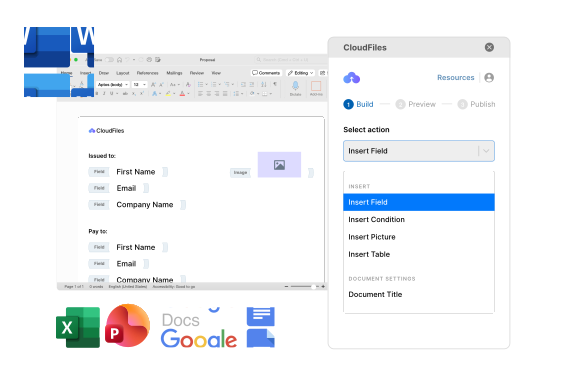
Turn raw Salesforce data into smart, adaptive documents. The dynamic data layer pulls information from any object, shapes it with runtime logic and controls, and renders it into tables, conditions, loops, images, and dynamic titles automatically.
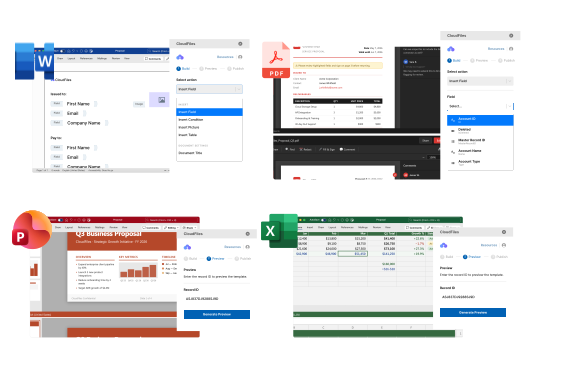
Manage every template from one centralized control zone. The governance hub ensures what goes live is always validated, version-controlled, and trackable, so templates stay accurate, brand-safe, and automation-ready.
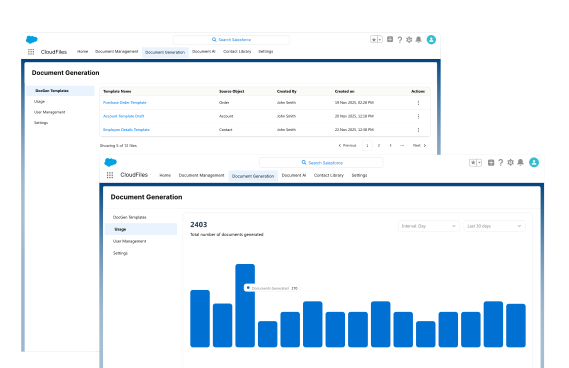
Generate single documents instantly or run high-volume batches in the background, all powered by live Salesforce data. Apply security controls after generation and merge multiple files into one polished output without manual work.
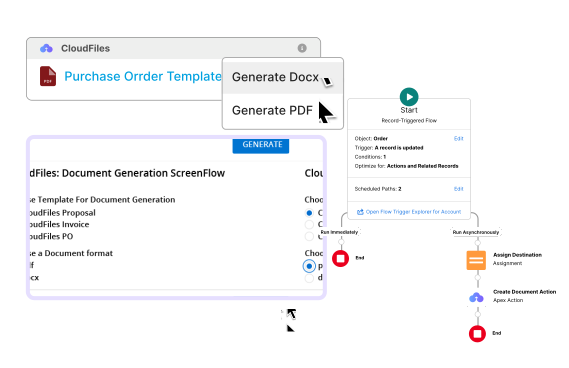
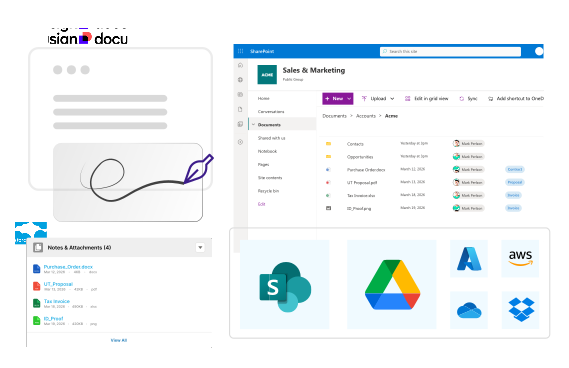
Extend DocGen across your entire ecosystem, from e-signature workflows to Salesforce portals, mobile apps, CloudFiles products, and custom systems. Everything stays connected end-to-end.
Side-by-side with manual generation and other AppExchange DocGen apps.
Design in the format your document needs, each with its own set of CloudFiles actions.
Insert fields, tables, loops, conditions, images, links, and form fields for complex, dynamic documents.
Build fillable PDFs with fields, checkboxes, and form fields - ideal for forms and secured output.
Generate data-rich spreadsheets with fields, tables, and dynamic titles.
Produce on-brand decks with merge fields and dynamic pictures.
Most buyers arrive comparing options. Here is the honest starting point.
CloudFilesLimited
Varies by vendor
All four, designed in Office
No
Varies
Yes, native add-in
Manual
Varies
Built in
Salesforce storage
Often re-hosted or cached
Straight to your SharePoint / Drive / S3
No
Limited
Async, at scale
No
Add-on
Multi-provider
n/a, it is Salesforce itself
Often a separate app to log into
Native, nothing to log into
No
Single-purpose
Yes
From quotes to contracts, and everything in between.
Auto-generate branded invoices and quotes from Salesforce, pulling customer, product, and pricing data for instant, accurate delivery.
Generate contracts and proposals from opportunity data, then send straight for signature, generate-to-sign, without leaving the record.
Run hundreds of renewals, statements, or onboarding packs in the background, and merge multiple documents into one ready-to-send file.
From real-world case studies to actionable guides, dive deeper into document workflows inside Salesforce.
Complete setup guide covering installation, permissions, and storage integration, so you're ready to go in minutes.
Design templates with the CloudFiles add-in for Microsoft Office, map Salesforce fields, preview, and publish per record.
Use the Doc Gen Lightning web component and flow actions to generate Word or PDF documents, manually or automatically.
Word templates, runtime variables, document merging, and secure PDF, learn how to get the most out of CloudFiles Doc Gen.
Real stories, real impact - discover how teams solved complex document challenges with speed and precision.
Explore how CloudFiles handles different document types and formats across industries, seamlessly.
An excellent, easy-to-use app. It quickly solved our Salesforce to SharePoint file transfer challenge with seamless implementation and outstanding support.
The SharePoint integration with Salesforce reduced our data storage costs, simplified document management, and improved efficiency. Outstanding support.
The SharePoint and Salesforce integration is excellent. The team is collaborative, responsive, and knowledgeable, and goes the extra mile for our needs.
CloudFiles integrates Salesforce with SharePoint and handles large files without custom development. Document Generation with Word, Excel, and PDF templates is intuitive, and the Salesforce Flows integration automates workflows without code. Reliable and well supported.
CloudFiles Document AI extracts data and formats it Salesforce-ready before it lands in SF, with proper dates and clean currency values. Document Generation handled appending documents too, and their support made implementation seamless.
CloudFiles Document AI strengthened our Flow-driven document processing in Salesforce, extracting data from complex documents and cutting manual entry. We run document classification, PDF splitting, file routing, and SharePoint sync through Salesforce Flows.
After testing multiple solutions, CloudFiles Document AI was the only one that worked reliably every time. The only dependable Document AI we found, and with white-glove service, expert onboarding, and strong enablement, the experience has been outstanding.
Highly recommend CloudFiles for document generation with strong automation. It took less than a week to migrate from another app. The documentation is genuinely helpful, the support team responsive, and the app is easy to use yet powerful.
In merchant acquiring we prep hundreds of external vendor PDFs, so document generation is core to what we deliver. What took ten to fifteen minutes per document now drops to seconds, with DocuSign signatures and brand IDs handled. Best vendor we've worked with.
CloudFiles is independently audited for SOC 2 Type II, certified to ISO 27001, and compliant with HIPAA and GDPR. Data residency is supported in the US, EU, UK, and AU. The files in your connected storage stay there, and CloudFiles never copies or re-hosts them. Document processing runs in CloudFiles' AWS environment, in the data-residency region you choose, and your files are never used to train our AI models.



Book a free 30-minute CloudFiles audit. We map your document workflow live, show you where manual work and off-brand templates are hiding, and demo the exact setup for your org. You leave with a clear plan, whether or not you buy.
Salesforce document generation is the automatic creation of documents, proposals, contracts, invoices, reports, by merging Salesforce record data into predefined templates. It removes manual copy-paste and produces accurate, on-brand documents in seconds.
Yes. CloudFiles runs inside Salesforce through Flows, Apex, and Lightning components, and installs from the AppExchange. Templates and generation triggers live in your own org, and generation runs in CloudFiles' AWS environment, in the data-residency region you choose.
Generated documents are written to your own connected storage, SharePoint, Google Drive, OneDrive, or AWS S3, and linked back to the Salesforce record. CloudFiles does not re-host your documents, and your Salesforce data is not used to train AI models.
CloudFiles generates Word (DOCX), Excel (XLSX), PowerPoint (PPTX), and PDF. Templates are designed in Microsoft Office or the Salesforce PDF builder, with dynamic tables, loops, conditions, images, and merge fields.
Yes. Documents can be generated automatically from Flows, buttons, or Apex, for example when a deal closes or a record is created, and run in bulk or in the background for high volume.
Yes. CloudFiles supports generate-to-sign workflows with DocuSign and other providers, so a document can be created from Salesforce data and routed for signature without leaving the record.
CloudFiles is native to Salesforce, designs templates directly in Microsoft Office across four formats, and writes generated documents to your own storage instead of re-hosting them. It is also one platform for document generation, Document AI, and document management, not a single-purpose tool.
Yes. CloudFiles supports template governance, bulk and background generation, multi-format output, and external-storage integration, making it suitable for organizations generating large document volumes.
We use cookies to run this site, understand how it is used, and measure our marketing. You choose what we may use. Read our Cookie Policy.
Choose which categories we may use. You can change this any time from “Cookie preferences” in the footer.
Required for the site to work — page delivery, security and bot protection on our forms (Cloudflare Turnstile), and remembering this cookie choice. These never store marketing identifiers and cannot be switched off.
Helps us understand which pages are useful, so we can improve them. Google Analytics 4 and Google Tag Manager (Google Ireland Ltd).
Powers our live chat so you can talk to us and we can keep your conversation history. Gist (Gist Applications Inc). You can always start a chat without this — we load it only when you click.
Lets us measure our advertising and reach people who have shown interest in CloudFiles. LinkedIn Insight Tag (LinkedIn Ireland), Google Ads (Google Ireland Ltd), and — outside the EEA/UK — ZoomInfo WebSights (ZoomInfo Technologies LLC).