An excellent, easy-to-use app. It quickly solved our Salesforce to SharePoint file transfer challenge with seamless implementation and outstanding support.
Vishal TalpallikarAviva

Manage files & folders, generate documents from live record data, and extract their contents with AI, all inside Salesforce. Your files stay in your own storage, under the security and compliance controls your IT team already runs.
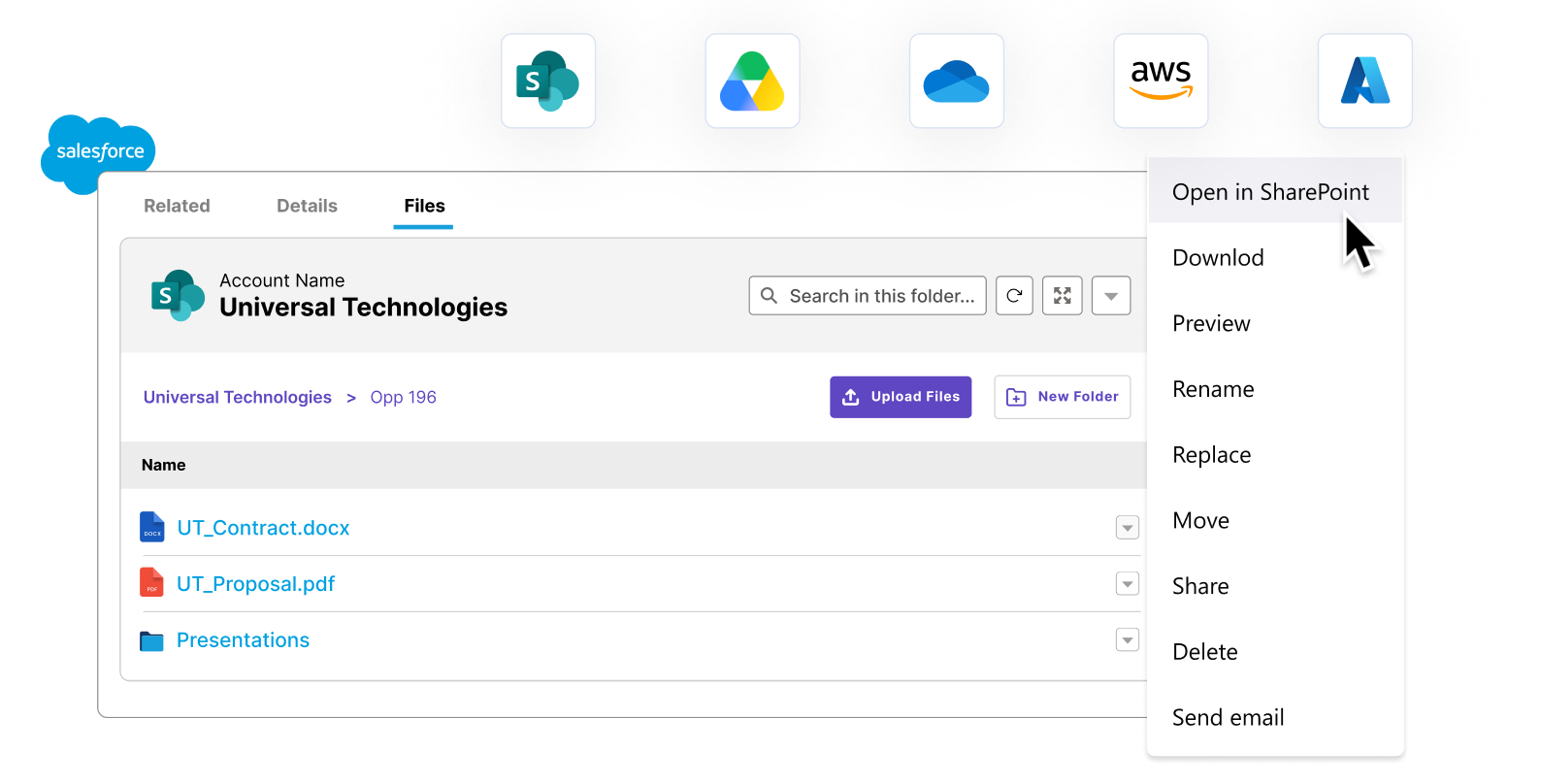
Connect Salesforce with SharePoint, Azure, Google Drive & S3. Automate your document workflows.
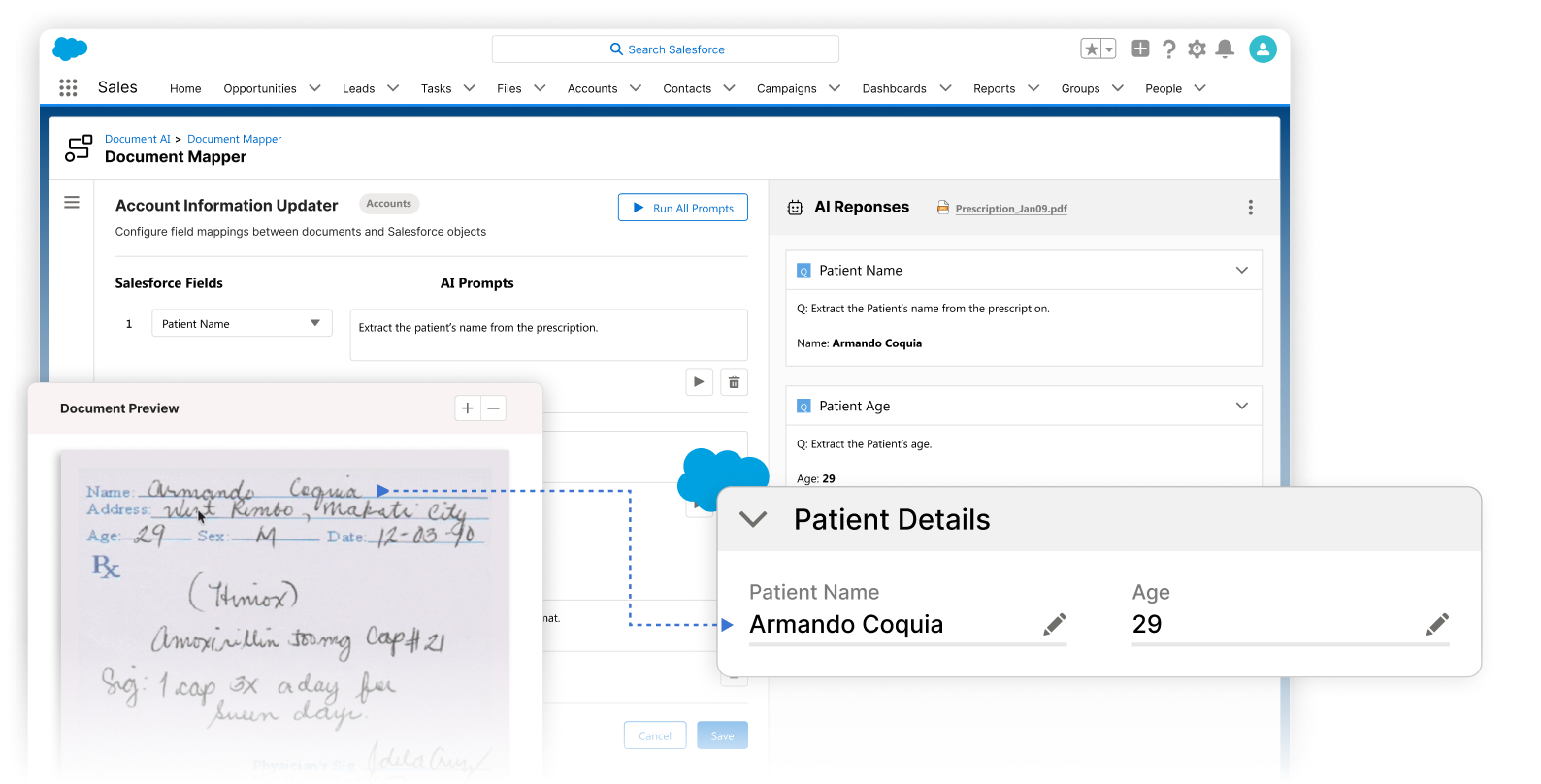
Extract data from your documents, create Salesforce records, automate data entry.
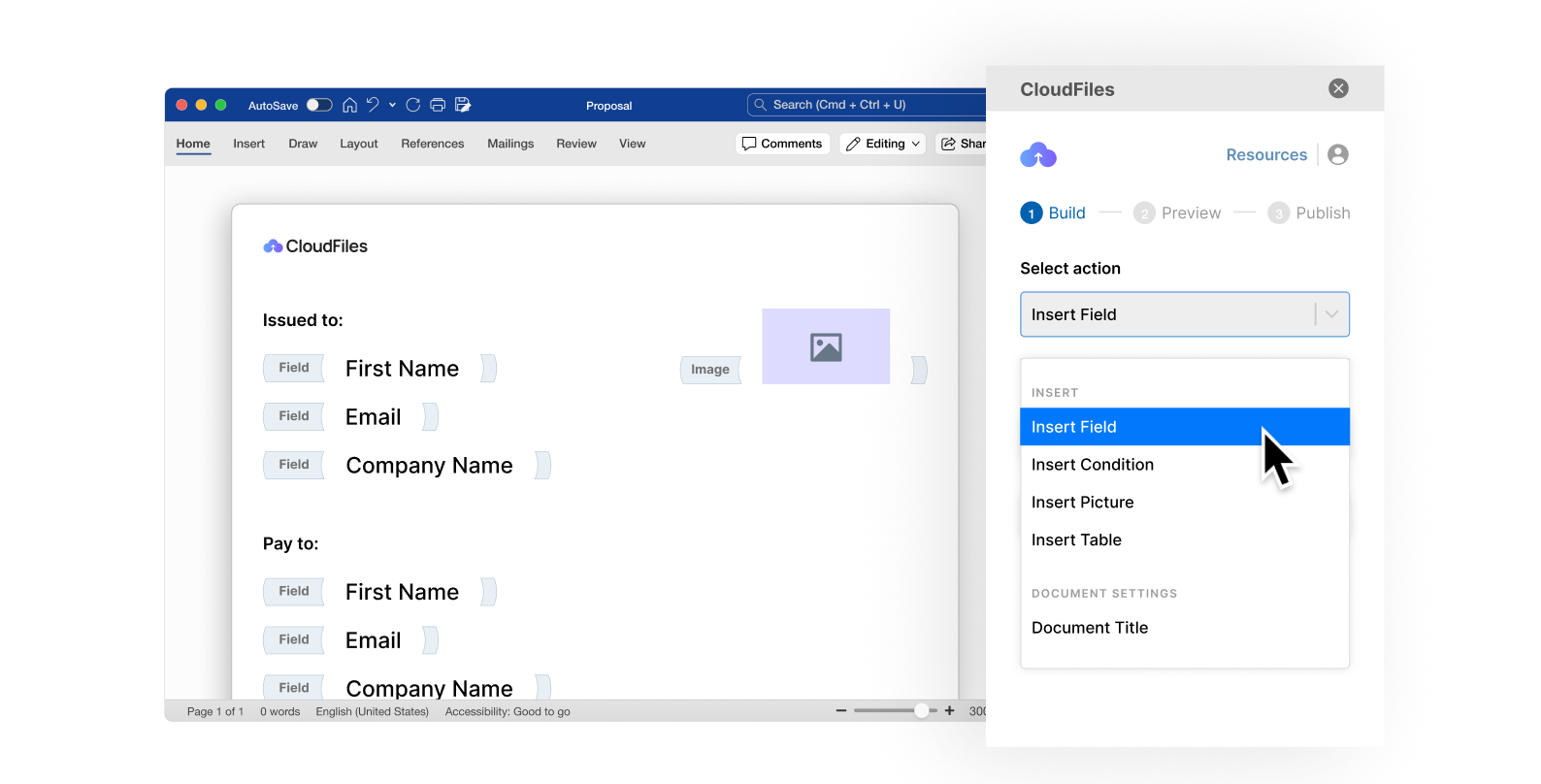
Create on-brand documents using templates and Salesforce data, in one click.


















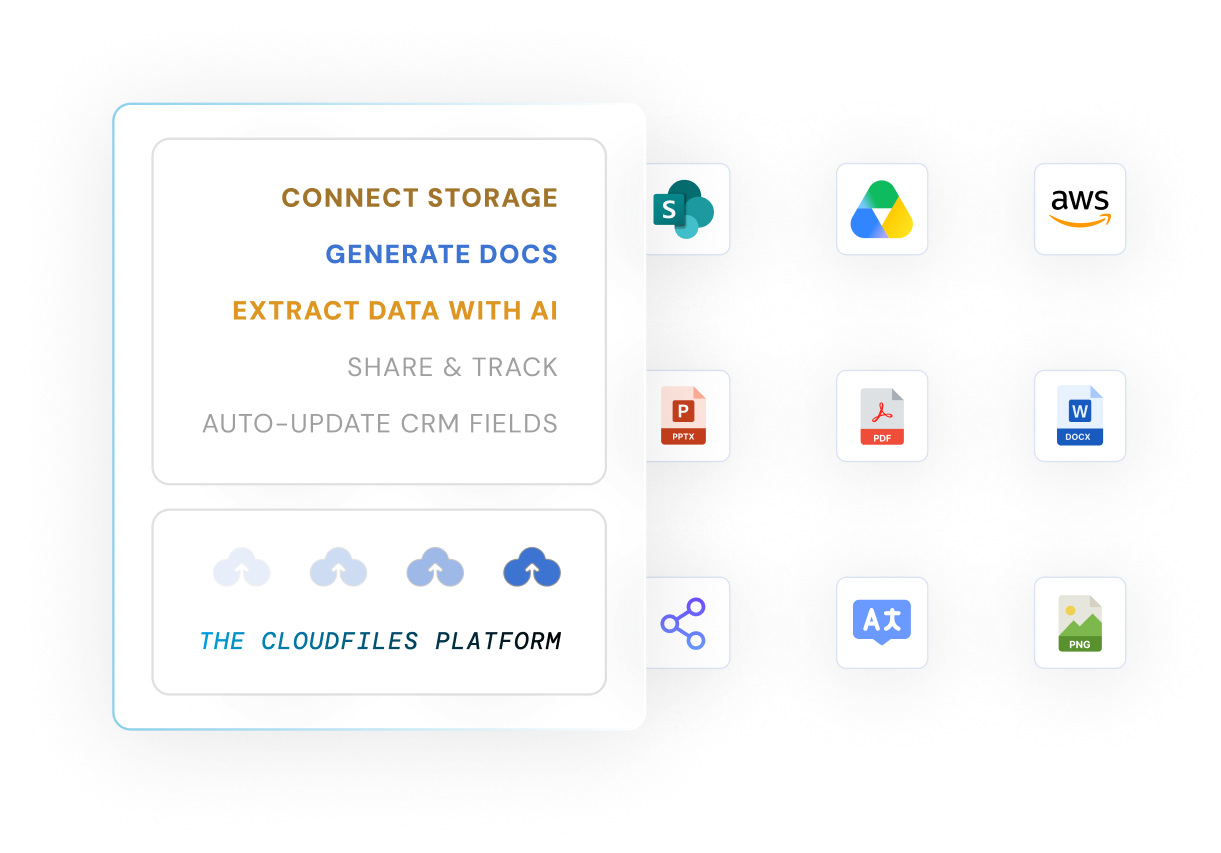
CloudFiles is an enterprise-grade platform that runs natively inside Salesforce, helping teams manage, process, generate, and automate documents without leaving the record. One platform replaces the patchwork of connectors, generation tools, and manual data entry your team fights today. Files stay in your storage, out of Salesforce limits, and are never re-hosted.
Enterprise and regulated teams use CloudFiles for workflows such as KYC verification, quote generation and compliance audit trails.
Salesforce teams trust CloudFiles
Customers we name publicly are enterprise or regulated organizations
Average rating on the AppExchange
Independent certifications: SOC 2, ISO 27001, HIPAA, GDPR
The average Salesforce org runs documents through four or five disconnected systems. Every handoff adds cost, risk, and manual work that never shows up in a single line item.
Files attached directly to Salesforce consume some of the most expensive storage per gigabyte your org pays for.
A doc-gen add-on here, a storage connector there, a separate e-sign tool. Nobody owns the full document workflow.
Reps rebuild the same quotes and proposals by hand and retype data from PDFs that Salesforce already holds.
Files scattered across inboxes and desktops make audits painful and access control nearly impossible to prove.
Adopt one product or run all three together. Everything runs natively inside Salesforce, so your team never changes where they work.

Organize, manage, and share files from SharePoint, OneDrive, Google Drive, and AWS S3 directly on Salesforce records, including with experience and external users. Replaces native Salesforce file storage and standalone connectors.

Extract, classify, and verify document data with AI-powered OCR, then write it straight back to Salesforce fields without manual entry. Replaces manual data entry and separate OCR tooling.

Merge Salesforce data into on-brand contracts, quotes, and proposals from reusable templates, in a single click or fully automated in a flow. Replaces standalone doc-gen add-ons and manual copy-paste.
Your documents may reside in external storage but reps want everything in Salesforce. CloudFiles integrates with all major storages like SharePoint, AWS S3, and Google Drive, giving your team the flexibility to manage, share, and automate documents directly from Salesforce. The files stay in your storage. CloudFiles never copies or re-hosts them.
We do documents in Salesforce, and only that. Here is what that focus buys you.
Trusted by 1,200+ Salesforce teams managing millions of documents every day.
Generation, management, sharing, and AI processing in one platform, under one contract and one support team.
Read documents into Salesforce fields automatically, so your team stops retyping what the CRM should already know.
Used by sales, service, and operations teams worldwide. The reviews speak for the product.
Real onboarding help and responsive support are included, not sold as a separate tier.
Independently audited and certified, with data privacy built into the product and the code.
Most tools own a single step. CloudFiles covers the full path a document takes through your business, inside Salesforce end to end.
Create on-brand documents from Salesforce data and reusable templates.
Store and organize files in your own external storage, surfaced on the record.
Send securely to internal, experience, and external users with tracked access.
Read incoming documents with AI and write the data back to Salesforce fields.
Three standout capabilities, one from each CloudFiles product: Document Management, Document Generation, and Document AI.
Connect SharePoint, OneDrive, Google Drive, and AWS S3 to manage files directly inside Salesforce. Centralize storage, automate file handling, and give every team access to the right documents without leaving the record.
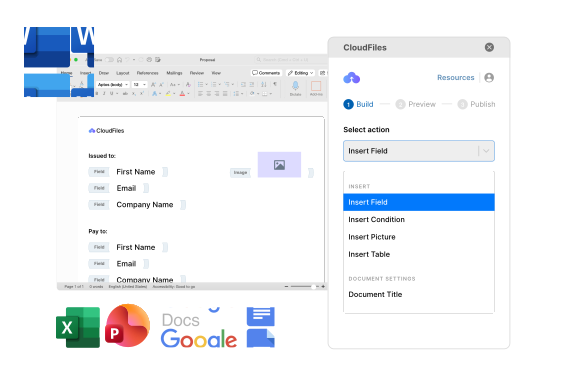
Build reusable templates that pull Salesforce data into contracts, quotes, and invoices. Generate documents on demand or trigger them automatically from a flow, with consistent formatting every time.
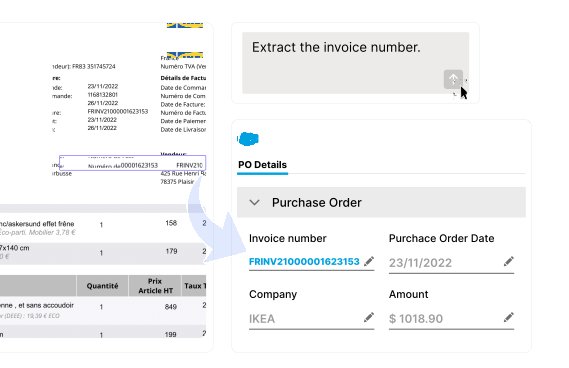
Use OCR and machine learning to extract, classify, and verify document data, then write it straight into Salesforce fields. Turn inbound paperwork into structured CRM data without the manual entry.
You don't have to figure it out alone. Book a 30-minute session with our experts and we'll guide you through what matters for your use case. 87% of people who book a demo get their answers in the very first call.
The value shows up in three places every buyer cares about: what you spend, what your team gets back, and what you no longer worry about.
Move files to your own SharePoint, Google Drive, or S3 and stop paying premium Salesforce storage rates for documents you rarely touch.
Automated generation and AI data entry remove the repetitive document work that eats into selling and service time.
Consolidating document generation, storage, sharing, and OCR into one platform cuts procurement overhead and the cost of stitching tools together.
Most teams start with native Salesforce files or a single point tool, then hit a wall. Here is how the approaches compare on the criteria that matter during evaluation.
CloudFilesNo
Varies
Yes
No
Often
Yes
No
Rarely
Yes
Limited
Varies
Yes
No
No
Yes
Platform-level only
Varies
SOC 2, ISO 27001
CloudFiles is independently audited for SOC 2 Type II, certified to ISO 27001, and compliant with HIPAA and GDPR, with a public Trust Portal and DPA. Data residency is supported in the US, EU, UK, and AU. The files in your connected storage stay there, and CloudFiles never copies or re-hosts them. Each user's own storage permissions are enforced, and admins control access with Salesforce custom permissions. Document processing runs in CloudFiles' AWS environment, in the data-residency region you choose, and your files are never used to train our AI models.



CloudFiles serves enterprise teams in financial services and insurance, healthcare and life sciences, the public sector and manufacturing: the teams that handle the most paperwork and the most scrutiny.
Automate KYC, loan and policy document collection, share files securely, and track client engagement from the CRM. For banks, insurers and wealth managers.
Manage patient data, automate claims, and support HIPAA compliance. Streamline regulated sharing and cut repetitive manual tasks.
Keep sensitive government documents secure and compliant, and speed up regulatory filings for federal, state and defense organizations.
Automate supply-chain paperwork, track approvals and compliance filings, and secure technical documents.
Wealth managers upload, organize, and verify KYC docs from asset records.
Insurance agents share risk collateral with experience users to engage them.
Tech teams create custom records for specific sales uploads for reporting.
Contractors generate accurate quotes from hundreds of formats to get paid quickly.
HR teams generate incident documents from a variety of screen-flow inputs.
Food companies generate meal plans and send them as email attachments.
Hospitals digitize prescriptions by auto-reading them into checklist fields.
Law firms split combined identity documents into usable, separate files.
Adopting CloudFiles is a low-risk change. It installs from the AppExchange and your team keeps working exactly where they already do.
Add CloudFiles to your org directly from the Salesforce AppExchange.
Link SharePoint, Google Drive, OneDrive, or S3 in a guided setup.
Work with our team to configure workflows and implementation.
Go live with responsive support and migration help included.
An excellent, easy-to-use app. It quickly solved our Salesforce to SharePoint file transfer challenge with seamless implementation and outstanding support.
The SharePoint integration with Salesforce reduced our data storage costs, simplified document management, and improved efficiency. Outstanding support.
The SharePoint and Salesforce integration is excellent. The team is collaborative, responsive, and knowledgeable, and goes the extra mile for our needs.
CloudFiles integrates Salesforce with SharePoint and handles large files without custom development. Document Generation with Word, Excel, and PDF templates is intuitive, and the Salesforce Flows integration automates workflows without code. Reliable and well supported.
CloudFiles Document AI extracts data and formats it Salesforce-ready before it lands in SF, with proper dates and clean currency values. Document Generation handled appending documents too, and their support made implementation seamless.
CloudFiles Document AI strengthened our Flow-driven document processing in Salesforce, extracting data from complex documents and cutting manual entry. We run document classification, PDF splitting, file routing, and SharePoint sync through Salesforce Flows.
After testing multiple solutions, CloudFiles Document AI was the only one that worked reliably every time. The only dependable Document AI we found, and with white-glove service, expert onboarding, and strong enablement, the experience has been outstanding.
Highly recommend CloudFiles for document generation with strong automation. It took less than a week to migrate from another app. The documentation is genuinely helpful, the support team responsive, and the app is easy to use yet powerful.
In merchant acquiring we prep hundreds of external vendor PDFs, so document generation is core to what we deliver. What took ten to fifteen minutes per document now drops to seconds, with DocuSign signatures and brand IDs handled. Best vendor we've worked with.
Book a free 30-min CloudFiles audit. We map your workflow live, show you where storage cost and manual work are hiding, and demo the exact setup for your org. You leave with a clear plan, whether or not you buy.
CloudFiles is a Salesforce-native document management and automation platform that lets teams generate, manage, share, and process documents without leaving Salesforce. It combines three products, Document Management and Sharing, Document Generation, and Document AI, so you run the full document lifecycle on one platform instead of stitching together separate tools.
Yes. CloudFiles lets you store documents in external systems such as SharePoint, OneDrive, Google Drive, AWS S3, or Azure Blob while keeping the files accessible from Salesforce. This reduces the amount of file storage you consume inside Salesforce and the cost that comes with it.
Most tools own one step of the document lifecycle. CloudFiles covers generation, management, sharing, and AI processing in a single platform, under one contract and one support team, so you do not have to stitch together several vendors to complete a workflow.
CloudFiles installs from the Salesforce AppExchange and is designed to go live quickly. Guided onboarding and responsive support are included, so your admins configure templates, storage, and automations with help rather than on their own.
CloudFiles is used by Salesforce administrators, sales teams, service teams, operations teams, and enterprise organizations that manage large volumes of documents while keeping control over storage, sharing, and document workflows.
CloudFiles Document Generation merges Salesforce record data into reusable, on-brand templates to produce contracts, quotes, proposals, and invoices. Documents can be generated on demand with a single click or triggered automatically inside Salesforce flows, with consistent formatting every time.
CloudFiles Document AI uses OCR and machine learning to extract, classify, and verify data from documents, then writes the results back into Salesforce fields. It turns inbound paperwork such as IDs, forms, and invoices into structured CRM data and removes repetitive manual data entry.
CloudFiles connects Salesforce to SharePoint so files are stored in SharePoint while staying accessible and manageable directly on Salesforce records. It automates folder creation, file copying, and permissions, and keeps documents out of Salesforce file storage limits to reduce storage costs.
Yes. CloudFiles integrates Salesforce with Google Drive, OneDrive, AWS S3, and Azure Blob in addition to SharePoint. Your files stay in your own external storage while your team manages and shares them from Salesforce, which lowers Salesforce storage consumption and the cost that comes with it.
CloudFiles is independently audited for SOC 2 Type II, certified to ISO 27001, and compliant with HIPAA and GDPR. Your files stay in your own storage — CloudFiles never re-hosts them — and are not used to train AI models, with data residency supported in the US, EU, UK, and AU. This makes it suitable for financial services, healthcare, and other regulated enterprises.
We use cookies to run this site, understand how it is used, and measure our marketing. You choose what we may use. Read our Cookie Policy.
Choose which categories we may use. You can change this any time from “Cookie preferences” in the footer.
Required for the site to work — page delivery, security and bot protection on our forms (Cloudflare Turnstile), and remembering this cookie choice. These never store marketing identifiers and cannot be switched off.
Helps us understand which pages are useful, so we can improve them. Google Analytics 4 and Google Tag Manager (Google Ireland Ltd).
Powers our live chat so you can talk to us and we can keep your conversation history. Gist (Gist Applications Inc). You can always start a chat without this — we load it only when you click.
Lets us measure our advertising and reach people who have shown interest in CloudFiles. LinkedIn Insight Tag (LinkedIn Ireland), Google Ads (Google Ireland Ltd), and — outside the EEA/UK — ZoomInfo WebSights (ZoomInfo Technologies LLC).