
Document AI for HubSpot
Your files are scattered everywhere: cloud and local storage, emails, CRM itself. CloudFiles connects them into a knowledge graph, and delivers intelligence through HubSpot.
A file is a neuron. Alone, it can’t think.
Scattered across cloud and local storage, emails, and your CRM, one file alone has no context. Its history, or the HubSpot deal it belongs to, is what makes it, or a whole collection of files, mean something.
Four steps, no migration
Your files stay exactly where they are.
Install
Add it to HubSpot, where your team already works.
Connect
SharePoint, Drive, email, Slack, CRM, local folders. Nothing moves.
Describe
Tell it what to show; it maps that to fields, views and memory.
Learn
Interact, search, approve or correct. It gets better over time.
What it looks like is up to you
Sync, history, tracking: three capabilities, combined however you need. This is what we’ve imagined so far. Tell us your use-case, and we’ll imagine yours too.
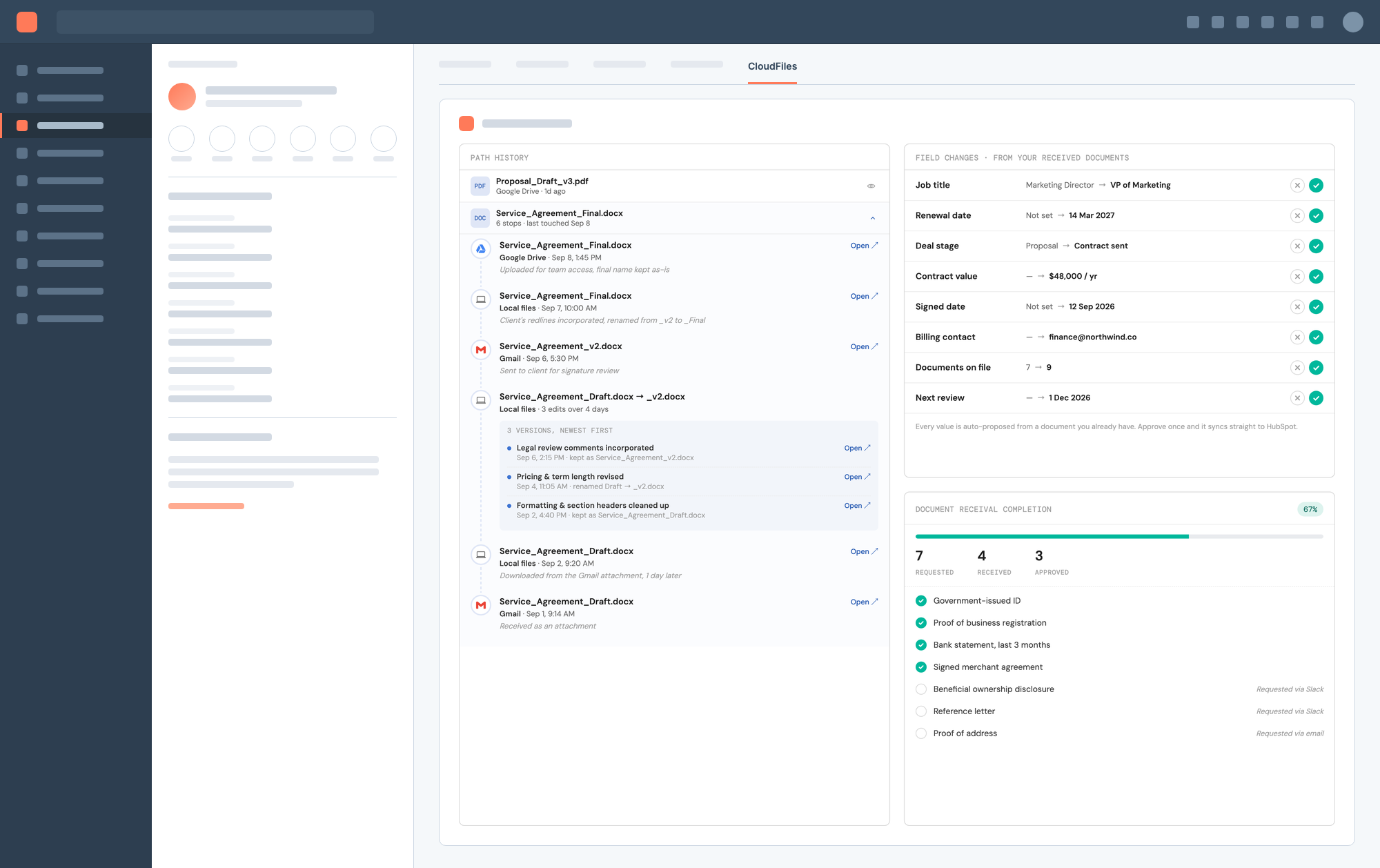
Keep your CRM fields in sync with the documents they come from. E.g. auto-propose a renewal date or contract stage update, pulled straight from a document, for you to approve.
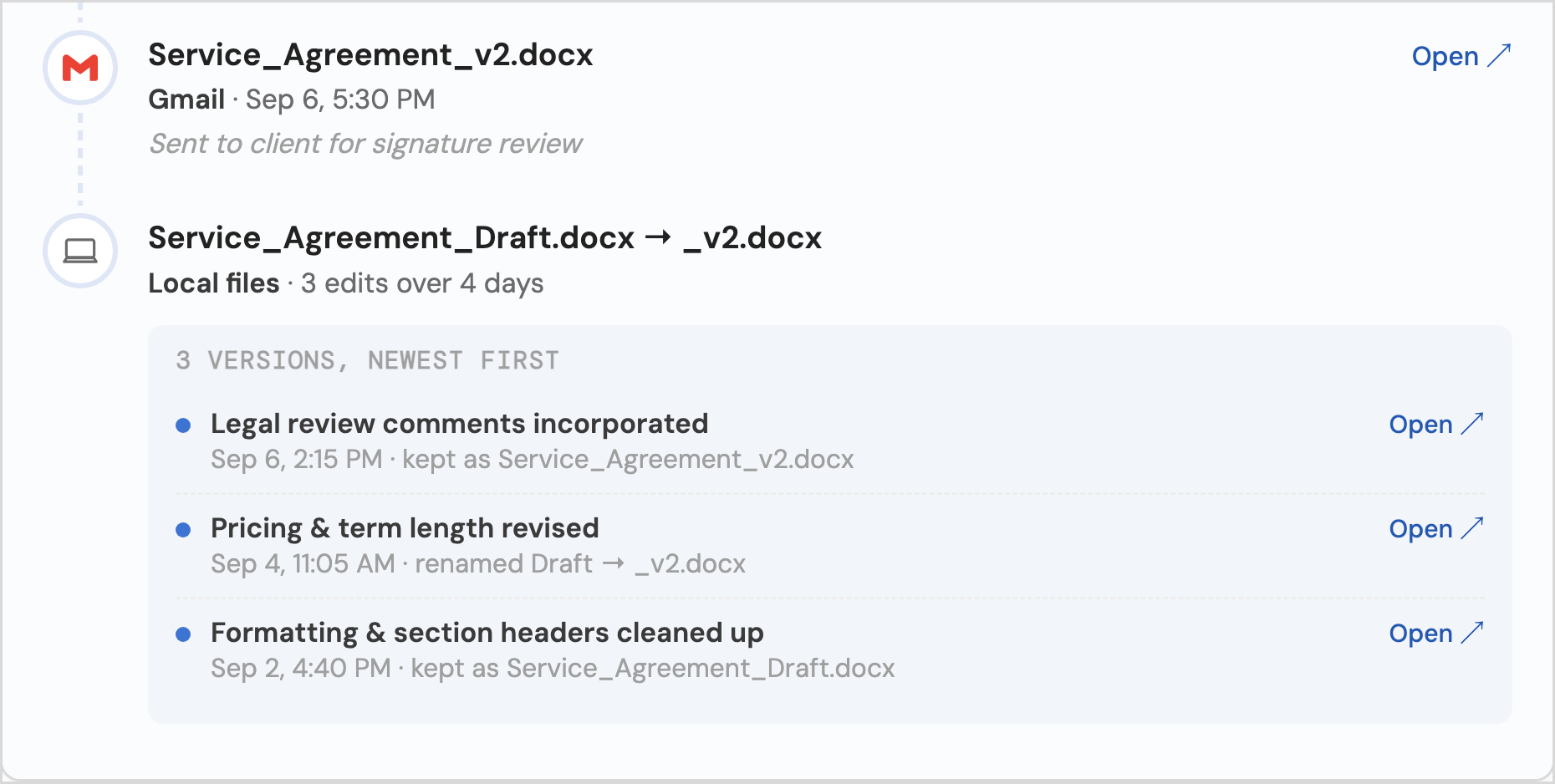
Keep a view of the entire cross-application path history of the file. A true history of the document, not just a superficial version history.
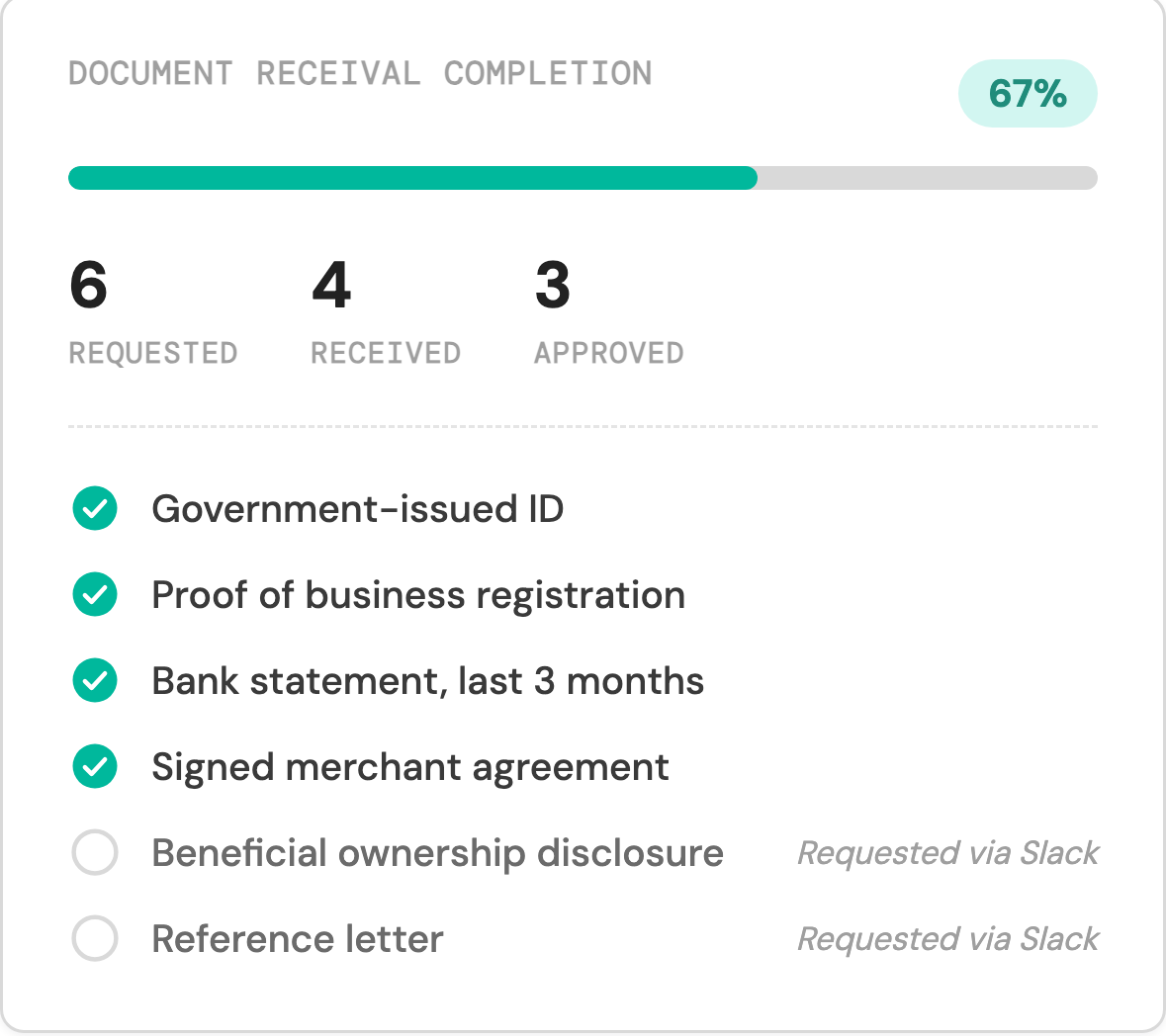
Custom tracking components with alerts and notifications based on what you need. E.g. block deal progress based on document collection in a dataroom.
This can serve infinitely more use-cases. Tell us your use-case, and we’ll build this box around it. Check out the form below to help us shape this product.
A memory built for how you work
Every file it finds becomes part of the record's memory. What that memory does next depends on what it's built from.
Never miss a renewal, or send the wrong draft.
- Renewal dates surface automatically, weeks before a contract lapses.
- The current proposal stays on top; superseded drafts move out of the way.
- Signed agreements land on the deal record, not buried in someone’s inbox.
Compliance documents, tracked to completion.
- Every required document, ID, disclosure, agreement, tracked against what’s still missing.
- Approvals move automatically once a document lands, no manual chasing.
- A complete file is ready before the account officer even asks.
Every property’s paperwork, always current.
- Lease renewals and inspection dates surface before they’re overdue.
- The latest signed lease stays on top of every past draft.
- Closed transactions archive automatically, organized by property, not scattered across someone’s inbox and desktop.
Grab the early bird offer
Find this interesting? Tell us more. Fill out the form below and we'll send you a Blueprint, regular development updates and up to 50% off at launch.
What your Blueprint looks like
A 4-5 page document: what you told us, matched to what we can build. No commitment. Just ideation.
Knowledge graph map
How your files connect into records, fields and statuses.
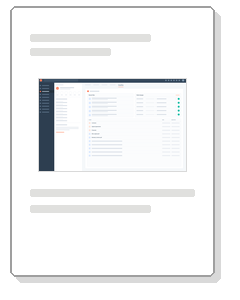
Mock screens
What the record view looks like for your team, before anything is built.
Rollout plan
What ships first, and what to expect at each step.
Want a clearer picture of what you'd actually receive? Open a real sample below, built the same way yours would be, and see all the pages before you fill in anything.
Get your Document AI Blueprint

Your Blueprint is on its way.
We'll review what you told us and send back a personalized Blueprint, a knowledge graph map, mock screens and a rollout plan, within five days.
Common questions, answered
Straight answers on data, files, permissions and pricing. Anything else, ask us on the form.
You set the behavior. Document AI can update fields fully automatically, hold every change for your approval, or run a hybrid of both, different rules for different fields or record types. Nothing is fixed to one mode.
No. Files stay in your library. HubSpot gets the record: status, fields and a link back to the file.
Whatever permissions you've already set in SharePoint or Drive still apply. Nothing is opened up.
Today, HubSpot has no file-to-record sync at all. Salesforce does, through our existing integration, but only one direction: files update the CRM. The knowledge graph changes that. It connects files and CRM data both ways, so a change in HubSpot can flow back into a file too, not just the reverse. That two-way link between files and data is what makes the sync, history, and tracking capabilities described above possible.
As far back as your connected apps show. Every version, every source, not just what changed since yesterday.
No. You choose how far back it starts. From there, it learns and takes in new information as you use it, not in one big sync.
We've been busy building and haven't priced this yet. It might be per user, or per action, we don't know. But one thing's for sure. Early registrants get up to 50% off.