

The problem with document management at scale
There is a particular kind of frustration that lives in manufacturing operations - one that has nothing to do with the machines, the supply chain, or the product itself. It lives in the documents.

A project kicks off. Immediately, the paperwork begins: technical specifications, compliance reports, contracts, and approval sign-offs. Each one needs to be created, formatted, stored, named correctly, and made accessible to the right people at the right time. On paper, it sounds manageable. In practice, at scale, it quietly becomes one of the biggest drains on a team's time and attention.
This is not a niche problem. Any organisation running high volumes of complex, document-heavy projects across Salesforce and SharePoint will recognise the pattern: inconsistent templates, scattered storage, approval bottlenecks, and compliance gaps that widen the faster the team grows.
About this case study
This is the story of how ITW, a global automotive manufacturer, solved that problem.
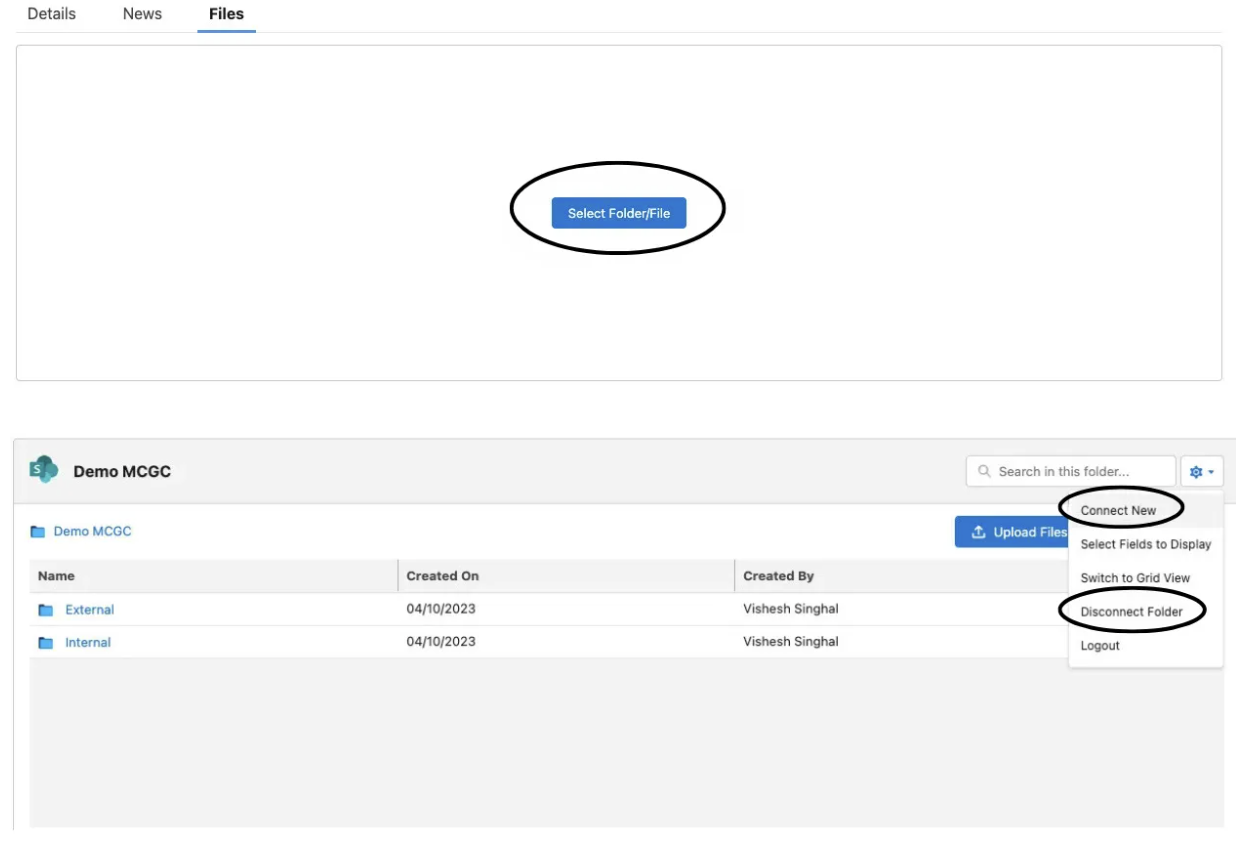
ITW needed documents to be stored in SharePoint while remaining directly accessible from Salesforce. Users had to be able to view, edit, and download files within Salesforce, while preventing uploads outside the designated workflow to mitigate compliance and governance risks.
They deployed CloudFiles Document Management and Document Generation. The results came quickly.
| What changed | The number |
|---|---|
| Project completion time | 40% faster |
| Document management effort per project | 50% reduction |
| Compliance and security posture | 60% improvement |
What challenges did ITW face with document management in Salesforce?
As ITW's project volumes grew, three core problems emerged:
Manual document creation was error-prone and slow
Every project record in Salesforce required multiple documents -technical specifications, compliance reports, contracts, and approvals. Without an automated process, teams created these manually, increasing the risk of formatting errors and inconsistent data. Approvals took longer than necessary because documents were scattered across locations with no structured access.
No standardised templates or centralised storage
Teams used different document formats, leading to branding inconsistencies across deliverables. There was no centralised version control repository, and no structured approach to ensuring that sensitive documents were shared only with the right people.
SharePoint and Salesforce were disconnected
ITW needed documents stored in SharePoint while remaining accessible directly from Salesforce. Users needed to view, edit, and download files within Salesforce - but uploading new documents outside the designated workflow was strictly off-limits, as it posed a threat to both compliance and governance.
To understand how CloudFiles was able to solve these issues, let’s understand CloudFiles.
What is CloudFiles?
CloudFiles is a native Salesforce AppExchange application that connects Salesforce to SharePoint, including other storage options such as Google Drive and Amazon S3, and automates document generation, management, and sharing without requiring users to leave Salesforce.
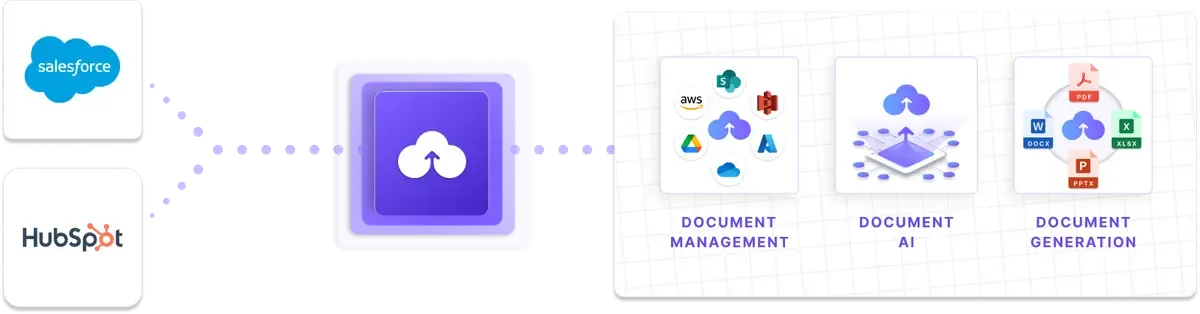
How did CloudFiles solve document management for ITW?
CloudFiles addressed all three problem areas through four core capabilities:
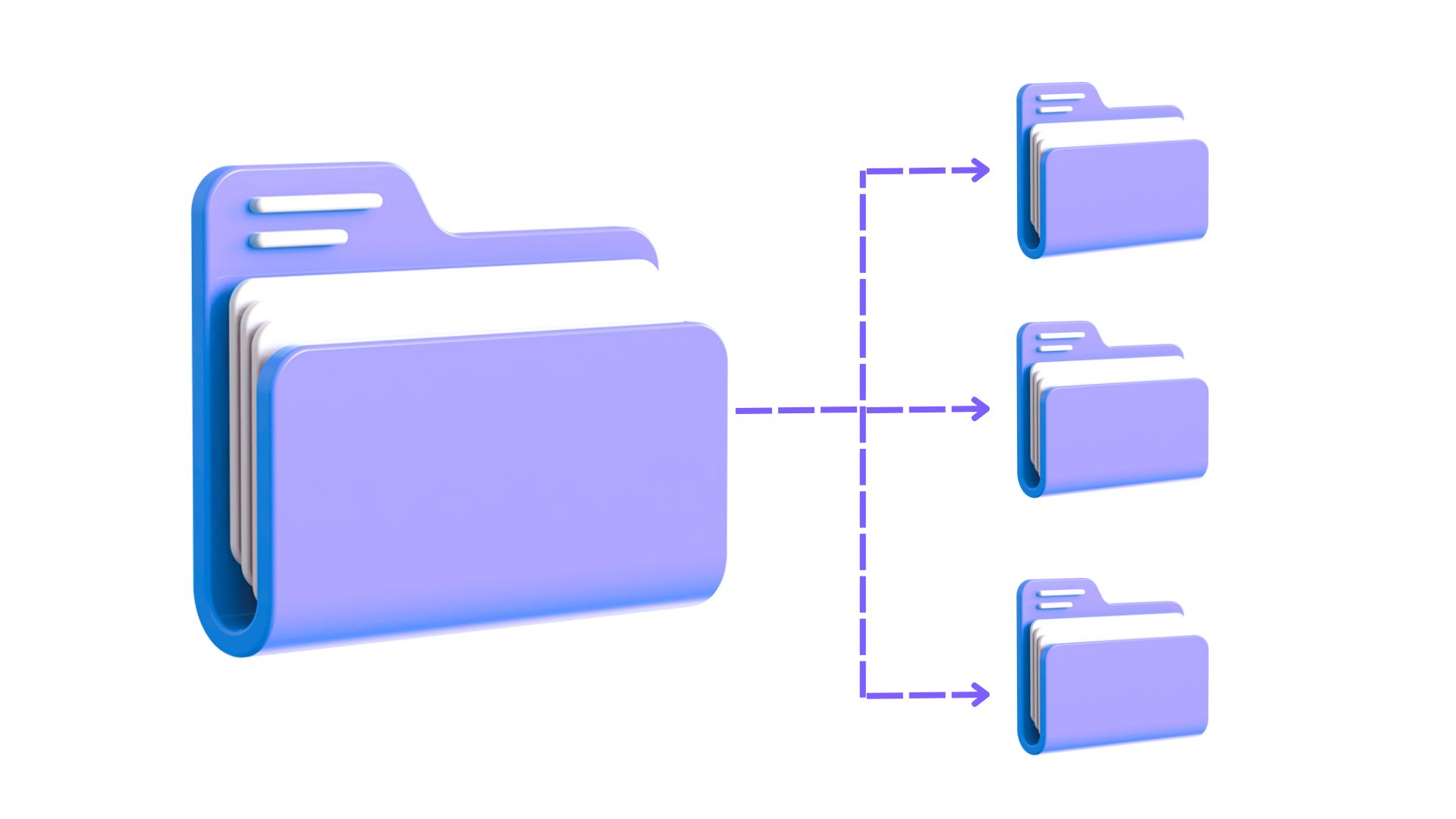
Automated hierarchical folder structuring in SharePoint
CloudFiles automatically creates and organises nested folder hierarchies in SharePoint whenever a new project object or record is created in Salesforce. This ensures every project has a consistent, well-defined hierarchical folder structure -without any manual setup. Users can perform all file operations (preview, upload, edit, delete) via CloudFiles Document Management directly inside Salesforce, without switching tabs.
Automated document generation with pre-built templates
With CloudFiles Document Generation, ITW's teams can create templates in the formats they already use -DOCX, XLSX, PPTX, or PDF -directly inside Microsoft Office and Salesforce. Salesforce record data populates into these templates automatically, maintaining consistent branding, logos, and formatting across all project documents. Templates are assigned dynamically based on record type or decision logic, removing the need to copy-paste data manually.
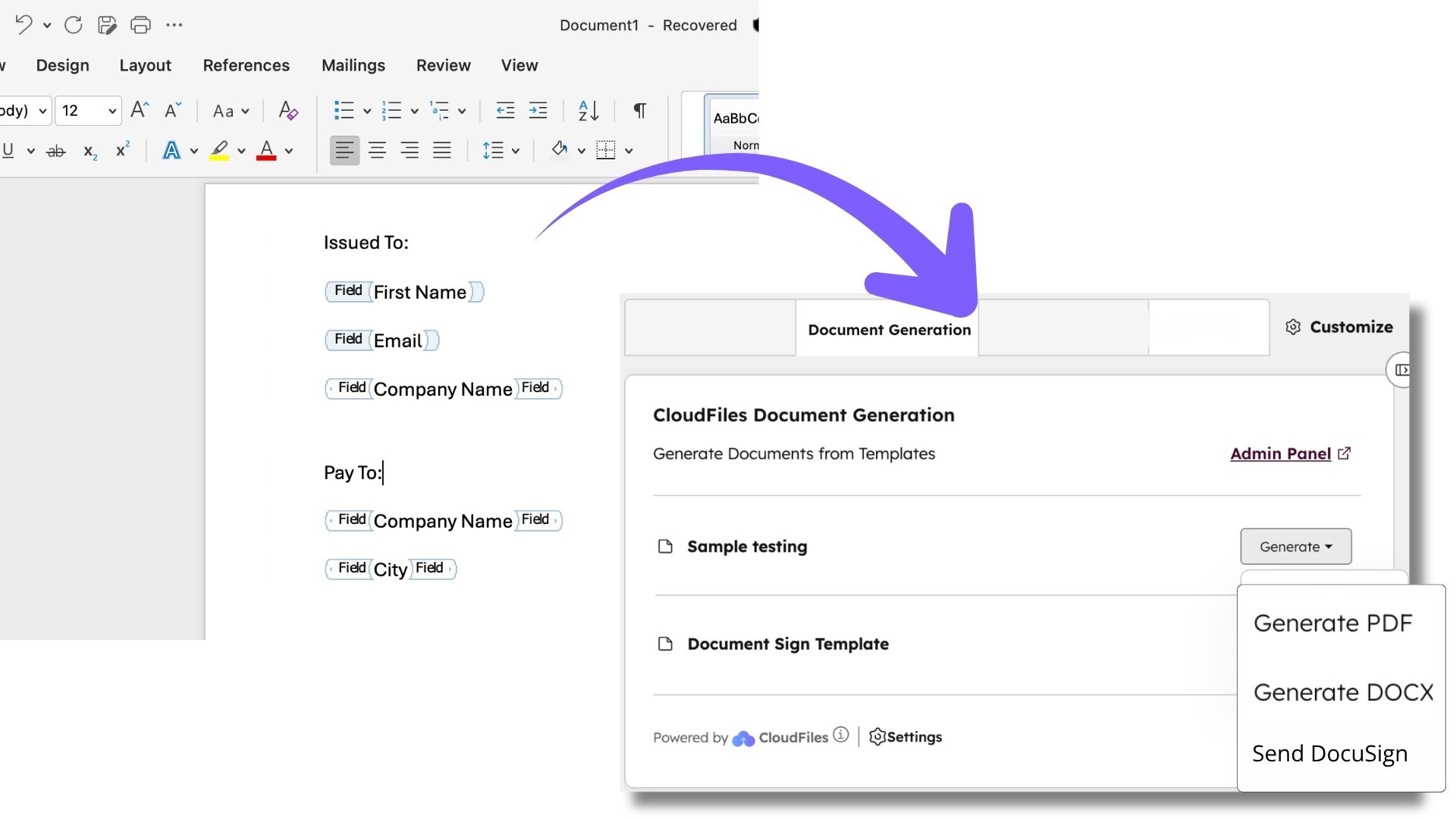
Customisable screen flows for document personalisation
CloudFiles integrates with Salesforce Screen Flows, allowing users to personalise documents before finalising them -toggling sections, adding custom notes, or updating project data -while maintaining structural consistency.
Granular access control and audit logging
CloudFiles offers granular role-based permissions that map directly to Salesforce user profiles. Project documents are stored in designated read-only sub-folders in SharePoint, so users can view, edit, or download files from Salesforce without making structural changes to SharePoint. Automated audit logs track every document action, supporting compliance oversight and preventing unauthorised uploads.
How quickly was CloudFiles deployed at ITW?
- Go-live time: Under one month from initial setup to full adoption
- Documents migrated: Over 15,000 documents migrated within 72 hours, with no data loss
- Compliance readiness: Full audit logs, version control, and access restrictions were active from day one
What were the measurable results?
Want to see the numbers in detail? Check out this document - CloudFiles Case Study.
| Metric | Before CloudFiles | After CloudFiles | Impact |
|---|---|---|---|
| Time per project (document workflow) | 5 days | 3 days | 40% faster project completion |
| Staff time on document formatting & retrieval | 1 hour per project | 30 minutes per project | 50% reduction in document management effort |
| Compliance and security posture | Manual, inconsistent | Automated audit logs + access controls | 60% improvement in compliance and security |
Frequently Asked Questions
Can CloudFiles work with both Salesforce and SharePoint at the same time?
Yes. CloudFiles is a native Salesforce app that connects directly to SharePoint and many other storage platforms (Google Drive, Amazon S3, OneDrive, Dropbox, etc.), keeping SharePoint as the primary source while surfacing all document operations inside Salesforce.
Does CloudFiles support automated folder creation in SharePoint from Salesforce records?
Yes. CloudFiles automatically creates hierarchical folder structures in SharePoint when new Salesforce objects or records are created, including nested sub-folders based on project relationships.
How does CloudFiles prevent unauthorised document uploads in SharePoint?
CloudFiles applies granular, role-based permissions that ensure users can only view, edit, or download documents via Salesforce. Uploads outside the designated workflow are blocked, and all actions are logged in an automated audit trail.
How long does it take to deploy CloudFiles?
ITW went live in under a month. CloudFiles also migrated over 15,000 existing documents into the new SharePoint structure within 72 hours.
What document formats does CloudFiles support for automated generation?
CloudFiles supports DOCX, XLSX, PPTX, and PDF templates, created directly inside Microsoft Office and Salesforce.
Related case studies
- How BDA Partners Boosted Sales Productivity by 25% using CloudFiles with Salesforce
- Sales-to-service handover efficiency up by 35% with CloudFiles -Professional Services
- Document Approval Efficiency up by 50% -Manufacturing
- Firm Cuts Approval Time 50% with CloudFiles Document AI -Healthcare
- Medical Legal Firm Achieves 99.9% Faster Processing, Extracts 100+ Data Points with CloudFiles
- Media Giant Improved Sales Data Accuracy by 25% Using CloudFiles Document AI
- Workforce Services Firm Achieves 40% Faster Approvals with CloudFiles Line Item Extraction