24Files vs CloudFiles: The Evidence
24Files and CloudFiles compared item by item on our published method: every score traced to its public source, dated, quoted and rechecked each cycle.

24Files and CloudFiles compared item by item on our published method: every score traced to its public source, dated, quoted and rechecked each cycle.
Explore all of CloudFiles' articles — everything you might want to know about the Salesforce & HubSpot ecosystem. Filter by tag, or use the search bar.
Showing 68 of 68 articles
24Files and CloudFiles compared item by item on our published method: every score traced to its public source, dated, quoted and rechecked each cycle.
CloudFiles, 24Files, XfilesPro, Share Connect and sFiles scored on one published method: how each app's position is built, what decides it, and where to read every item of evidence.
Share Connect and CloudFiles compared item by item on our published method: every score traced to its public source, dated, quoted and rechecked each cycle.
XfilesPro and CloudFiles compared item by item on our published method: every score traced to its public source, dated, quoted and rechecked each cycle.
sFiles and CloudFiles compared item by item on our published method: every score traced to its public source, dated, quoted and rechecked each cycle.
CloudFiles' own evidence for every document management comparison signal, written once, dated and sourced, and linked from every head-to-head post instead of repeated in each.
The method behind every CloudFiles comparison page: one matrix, public sources only, scores you can trace, and a reliability grade for the data itself.
The 18 features we score for Salesforce document management apps: what each one means, its Kano class, the three dealbreakers, and which features are rated for automation.

Compare MuleSoft IDP & CloudFiles Document AI for Salesforce, including setup, record mapping, file support, licensing, pricing, & best-fit use cases
See how CloudFiles & Box compare for Salesforce document management-where file lives, record folder, migration, AI extraction, & enterprise compliance

See how CloudFiles and PDF Butler compare on Salesforce document generation, e-signature, file management, AI extraction, migration, and pricing.

CloudFiles vs Nintex DocGen compared: pricing, reliability, storage, AI extraction, and setup for Salesforce document generation.

CloudFiles vs Formstack Documents compared: SharePoint delivery, file management, AI, security, and pricing for Salesforce teams.

CloudFiles vs Mambo Merge compared: free-tier limits, annual contracts, storage, AI extraction, and pricing for Salesforce document generation.

CloudFiles vs Merge Connect compared: SharePoint, AI extraction, storage, and pricing for Salesforce document generation tools.

CloudFiles vs MergeUp compared: storage, SharePoint, AI extraction, and pricing for Salesforce document generation tools.

CloudFiles vs Docomotion compared: Office Add-Ins, storage, e-signature, AI extraction, and pricing for Salesforce document generation.

CloudFiles vs Docs Made Easy compared: storage, e-signature, security, and hidden costs behind the free plan for Salesforce document generation.

CloudFiles vs Documill compared: storage, AI extraction, e-signature, collaboration, security, and pricing for Salesforce document platforms.

CloudFiles vs 360 SmartDocs compared: generation, storage, AI extraction, migration, and pricing for Salesforce teams choosing a document platform.
Use SharePoint as external document storage for Salesforce. Reduce storage costs, improve governance, and manage files with CloudFiles.

Manage SharePoint files in Salesforce with CloudFiles. Automate folders, file operations, secure sharing, analytics, and AI workflows.

Securely share SharePoint files from Salesforce with branded links, access controls, and engagement analytics using CloudFiles.
Migrate Salesforce Files to SharePoint or Box without broken links. CloudFiles automates migration, folder structure, and storage savings.

Enable bidirectional SharePoint sync for Salesforce custom objects. Sync files, folders, and updates in real time with CloudFiles.

Integrate SharePoint or Box with Salesforce Sales Cloud. Automate file management, folder creation, sharing, and document tracking

Stop creating SharePoint folders manually. See how CloudFiles automates folder setup for new Salesforce Accounts with subfolders in under 10 minutes.

Automatically create and link SharePoint folders from Salesforce Opportunities using CloudFiles - no code, no manual setup required
Eliminate Salesforce storage overage costs by moving files to SharePoint with CloudFiles while keeping everything accessible in Salesforce.

Automatically create SharePoint folders for new Salesforce Accounts with CloudFiles. Set up nested folders and automated folder hierarchies with Flows

Sync Salesforce attachments to SharePoint or Google Drive in real time with CloudFiles and reduce storage costs by up to 90%.
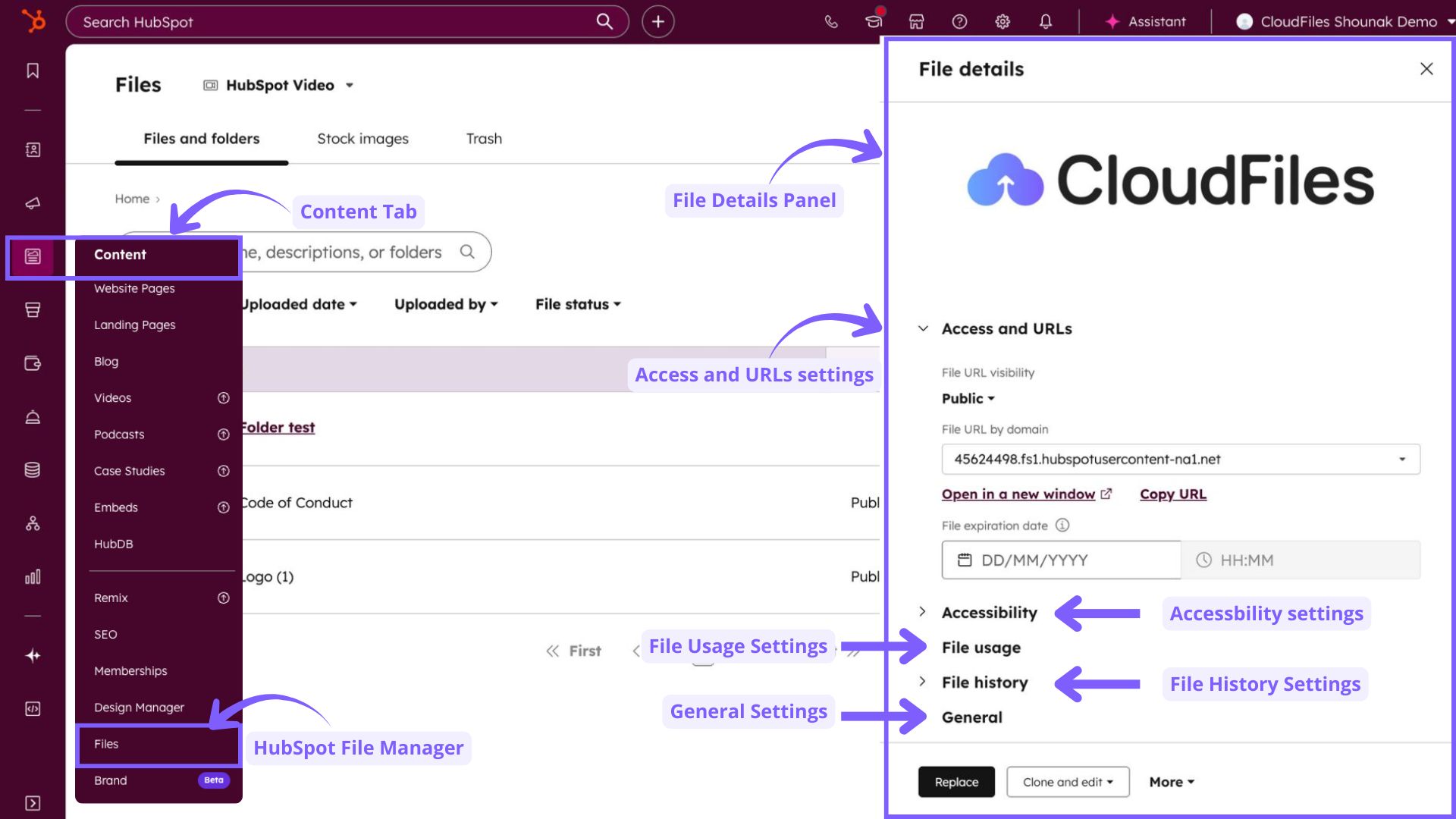
Master HubSpot File Manager with organisation, SEO, governance, and discover how CloudFiles boosts sharing, security, and document analytics.

What's the best Document AI for Salesforce? A practical 2026 comparison of top tools, native options, and what actually works inside the Salesforce

See how ITW Automotive cut document management effort by 50% and completed projects 40% faster using CloudFiles in Salesforce.
Looking for the best document generation tool for Salesforce? CloudFiles automates proposals, e-signatures & document tracking from your CRM.

Compare CloudFiles, Conga, S-Docs, Docomotion, Nintex, PDF Butler. Features, pricing, pros & cons. Find the best Salesforce doc gen tool for your team
Learn how Salesforce SharePoint integration works in this quick 10-minute guide. Explore key methods, benefits, and best practices-without the fluff.

Salesforce SharePoint integration made simple! CloudFiles helps manage files, automate workflows, & enhance collaboration directly within Salesforce.

Why Files Connect falls short and how CloudFiles fixes it. Real-time sync, AI extraction, HIPAA compliant. Setup in under 30 minutes, no code.
Streamline Salesforce–SharePoint workflows with CloudFiles: manage, share and automate documents seamlessly for peak productivity.
A thorough guide to Salesforce Files Connect covering external storage integration, permissions, limitations, and extension patterns for organisations

Candid conversation with Bill Heffelfinger on becoming an accidental DBA, adopting Salesforce for measurable impact, & why documents are messy
Explore Salesforce CRM Content: Libraries, permissions, ContentVersion, Deliveries, and how it compares to Salesforce Files, Notes & Attachments.
Salesforce Files explained: architecture (ContentDocument/Version/Link), sharing, versions, Files Connect, APIs, and smart tips to cut storage costs.
Discover the key differences between Salesforce Files and Notes & Attachments, storage limits, migration steps, and why Files are the future in 2026.
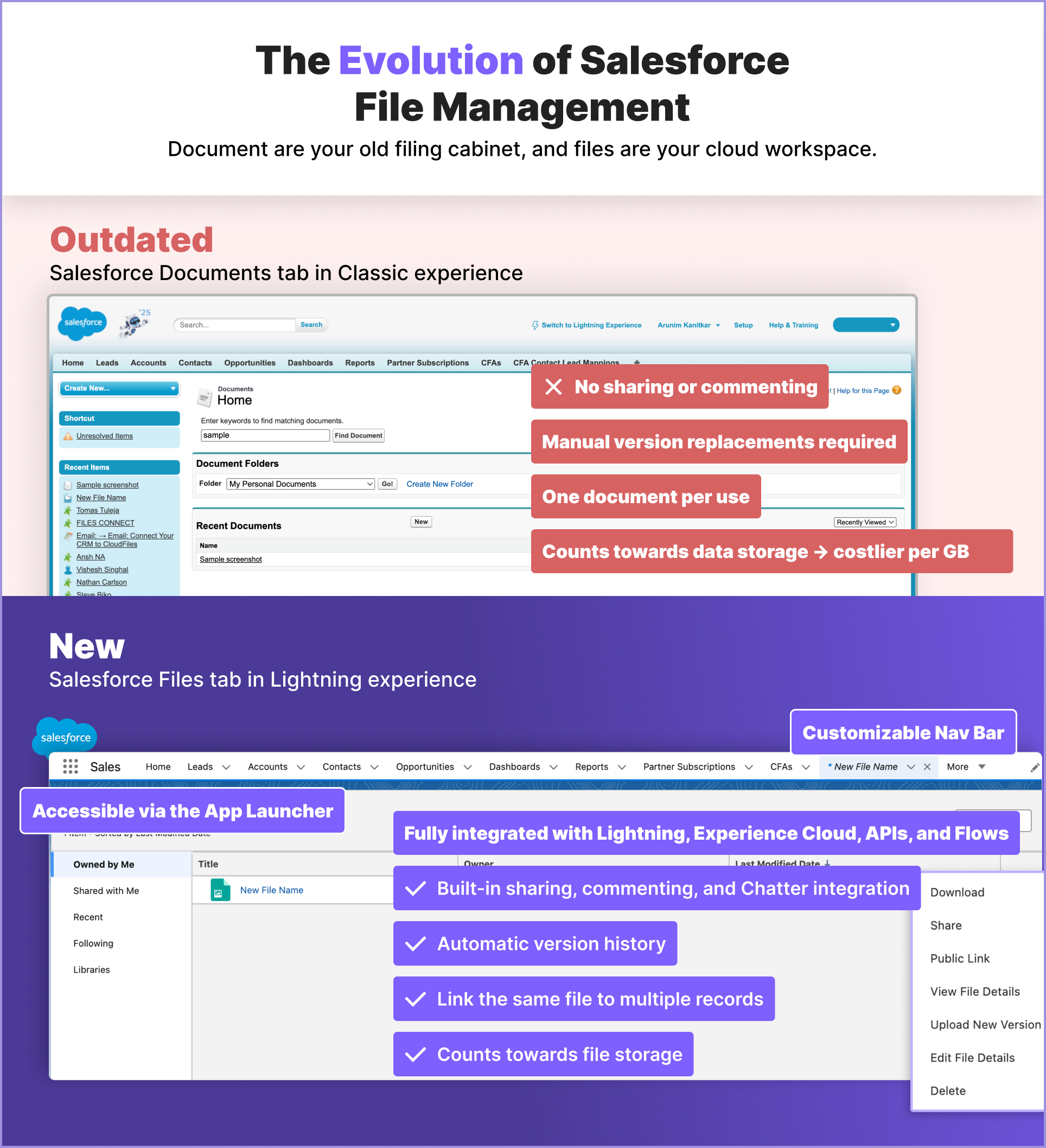
Learn the key differences between Salesforce Files and Documents. Explore storage, costs, and migration tips in this guide for admins & architects.

Transform legal document workflows in Salesforce. Automate intake, matter management, eDiscovery, contracts, FOIA & billing with CloudFiles.

BDA Partners boosted sales productivity by 25% by integrating CloudFiles into Salesforce—streamlining SharePoint workflows and compliance.

Discover Salesforce Experience Cloud: build secure, branded portals with collaboration, customisation & seamless CRM integration.

Gain full visibility into email attachments in HubSpot—track opens, views, downloads & engagement with CloudFiles analytics.
Seamlessly integrate Salesforce with Google Drive using CloudFiles for 2‑way sync, folder linking, secure sharing & analytics.

Businesses today cannot function smoothly without CRMs due to operational challenges and the widening customer landscape. In this article, we will explore the top CRM software ruling the business world.

In this article, we discuss the costs associated with Salesforce storage. Salesforce comes with limited storage which gets expensive quickly.
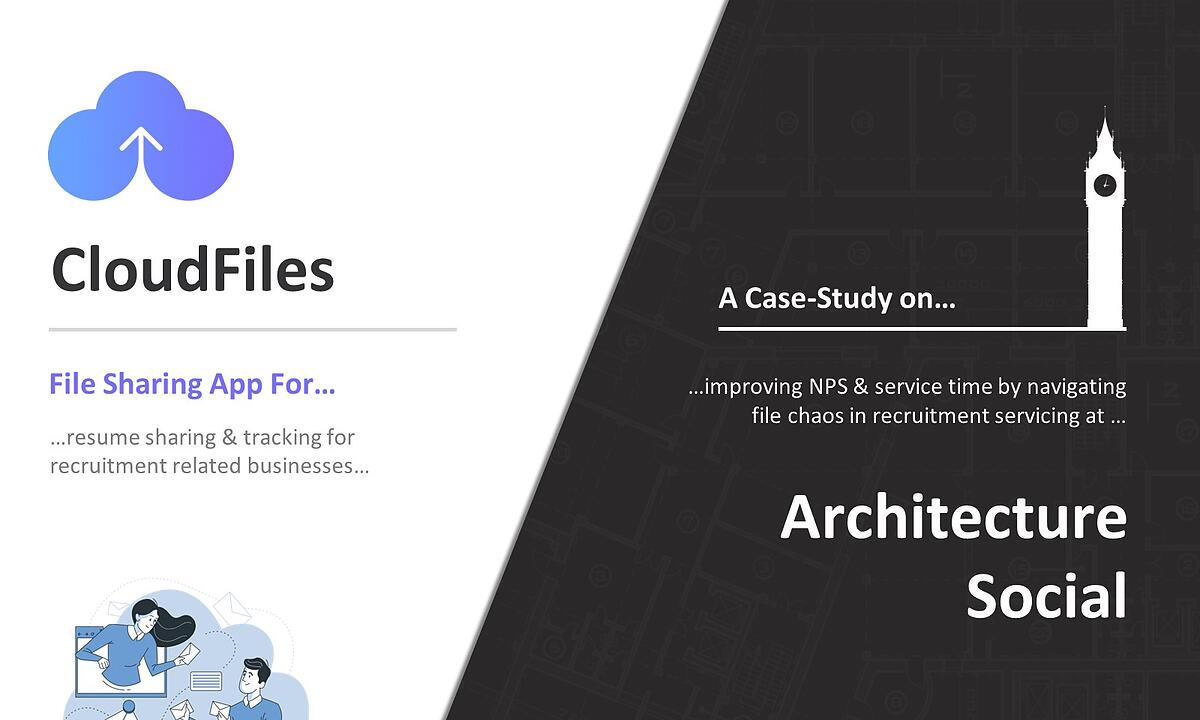
Join us to study an architectural recruitment agency - Arch Social through the eyes of Stephen on how he solved his problems of dealing with files associated with multiple agencies and recruits using CloudFiles resulting in an increase in NPS, from 7.5 to 9.2, & a 30% reduction in service time.
Traditionally businesses have been relying on ERP systems as a one stop solution for all their business processes. With the advent of CRM softwares which are hyper specialized towards customers, many firms are making the system. Let's understand the basic differences between them in this article.
Explore 27 ways to integrate HubSpot with OneDrive—sync files, share links, automate workflows & streamline collaboration seamlessly.

Sync SharePoint files into HubSpot with CloudFiles—secure sharing, analytics, automations, folder widgets & file request workflows.
CRMS are the best-in-class softwares for businesses to manage their customers. If you are in business and wondering if CRMs are a fit for you, then get acquainted with the underlying concepts for you to get started.

Explore 32 ways to integrate HubSpot with Google Drive—sync, share, automate & access files inside CRM using UI, action & data tools.

Trace CRM’s journey from Rolodex and paper logs in the 1950s to modern AI‑powered platforms—centralizing data, automating tasks & boosting growth.

Neighbourhood eliminated proposal blindness with CloudFiles analytics, enabling lead insight & automated follow‑ups to boost conversions 20%.

Enhance HubSpot marketing with 10 top plugins—Hotjar, SurveyMonkey, Unbounce, Seventh Sense, Wistia, SnapApp, Rybbon, CloudFiles & more.
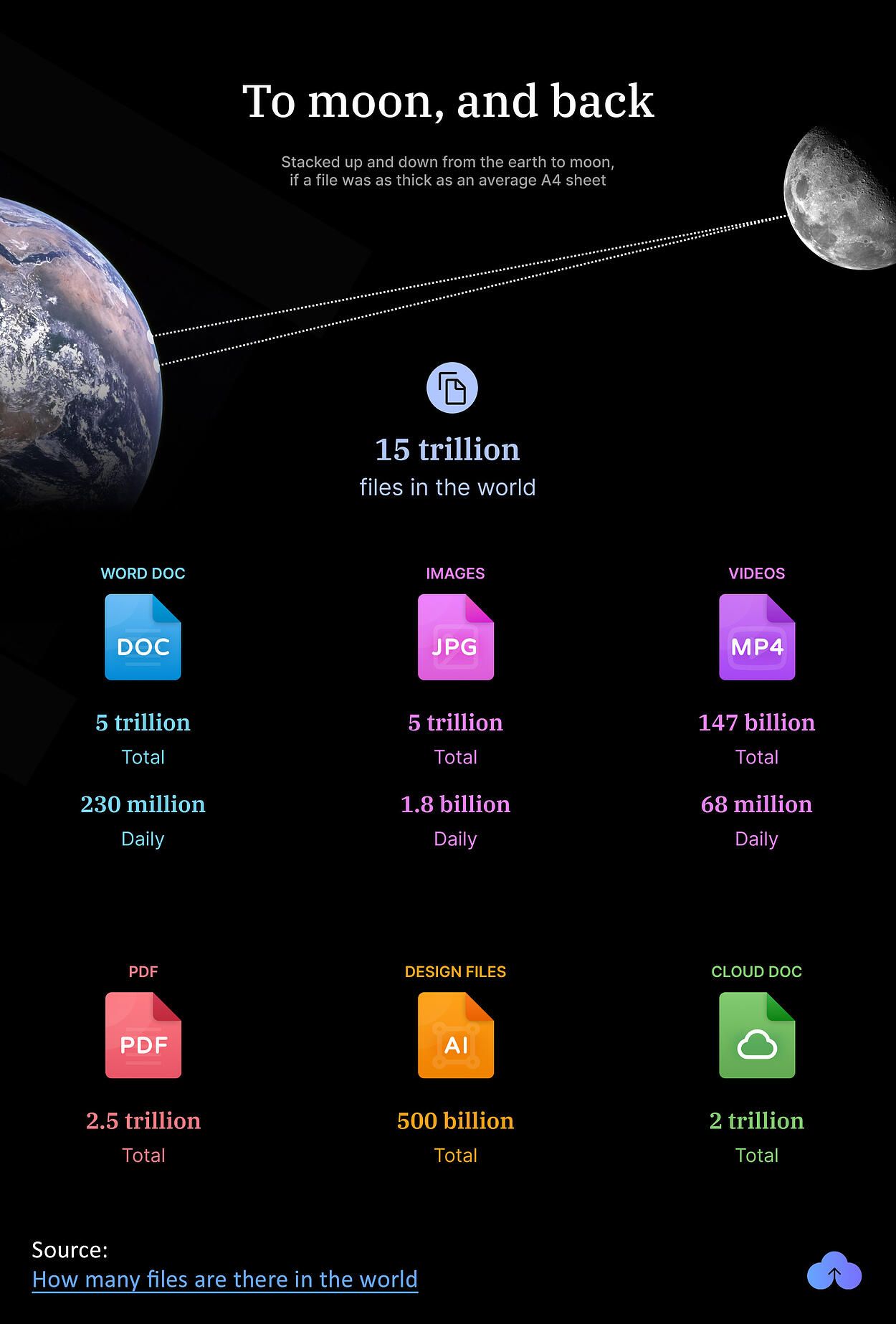
In the horde of various emerging technologies, "Cloud" is one such creation that has exploded the total number of digital files in the world. At a conservative estimate, there are 15 trillion files in the world. Check out our breakdown on these.

Email attachments are a pain. Identifying the correct file, wait for it to upload it on the email, and if you are on the receiving end, viruses can compromise email security. Sending links instead of attachments is now being considered among email security best practices.
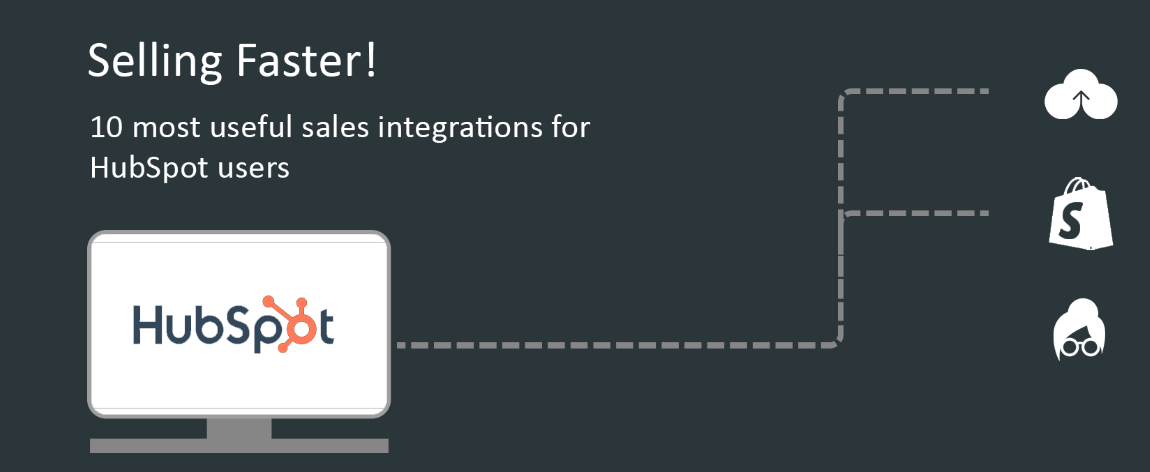
HubSpot works in close collaboration with other SaaS products to achieve maximum efficiency. We have identified 4 key categories of features in which further optimization can lead to better processes. Document Management, Lead Generation & Prospect Management, Customer Engagement & Emailing.
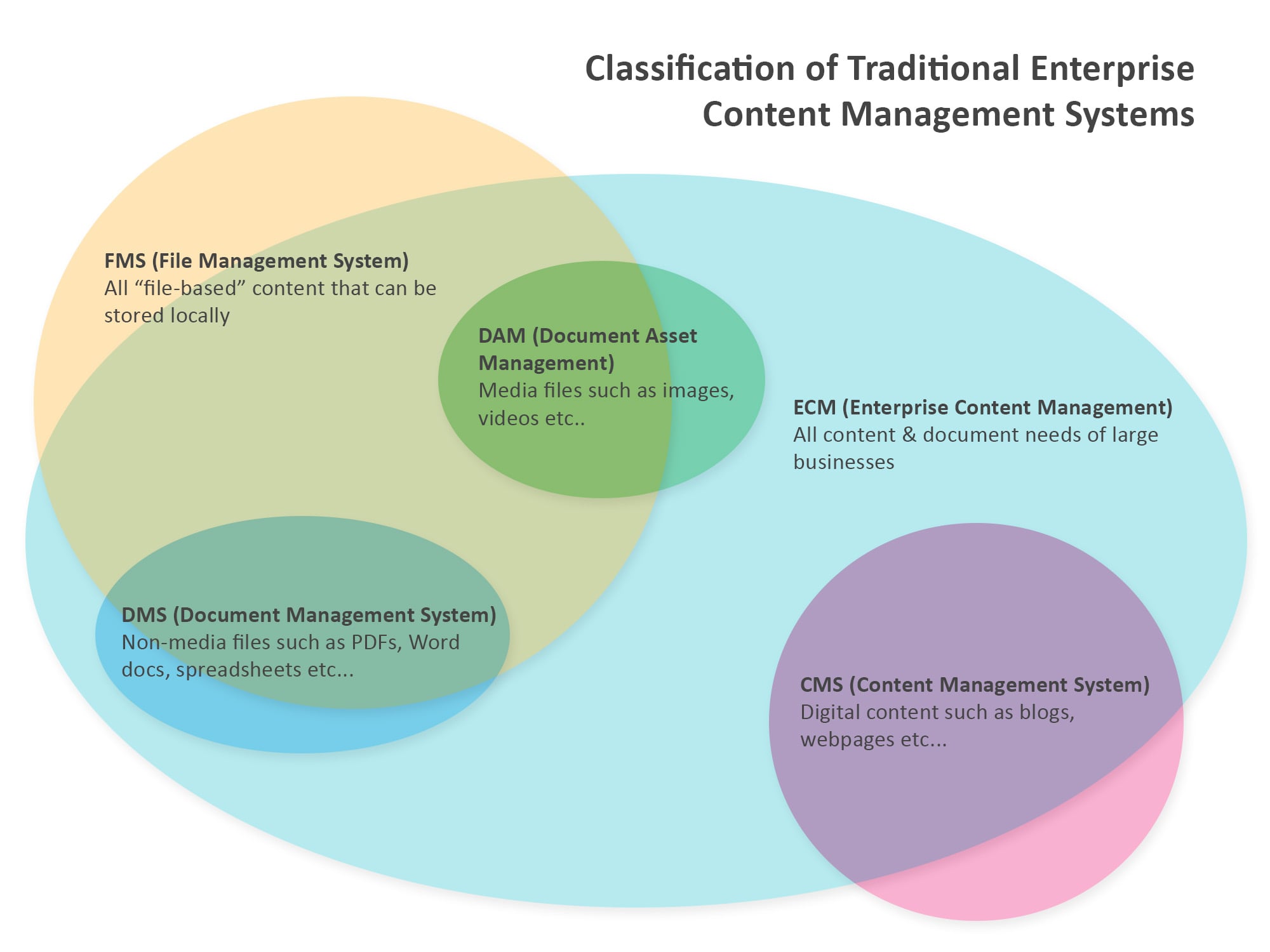
Learn the difference between DAM (Digital Asset Management), DMS (Document Management System), CMS (Content Management System), FMS (File Management system), ECM (Enterprise Content Management) and so many more…
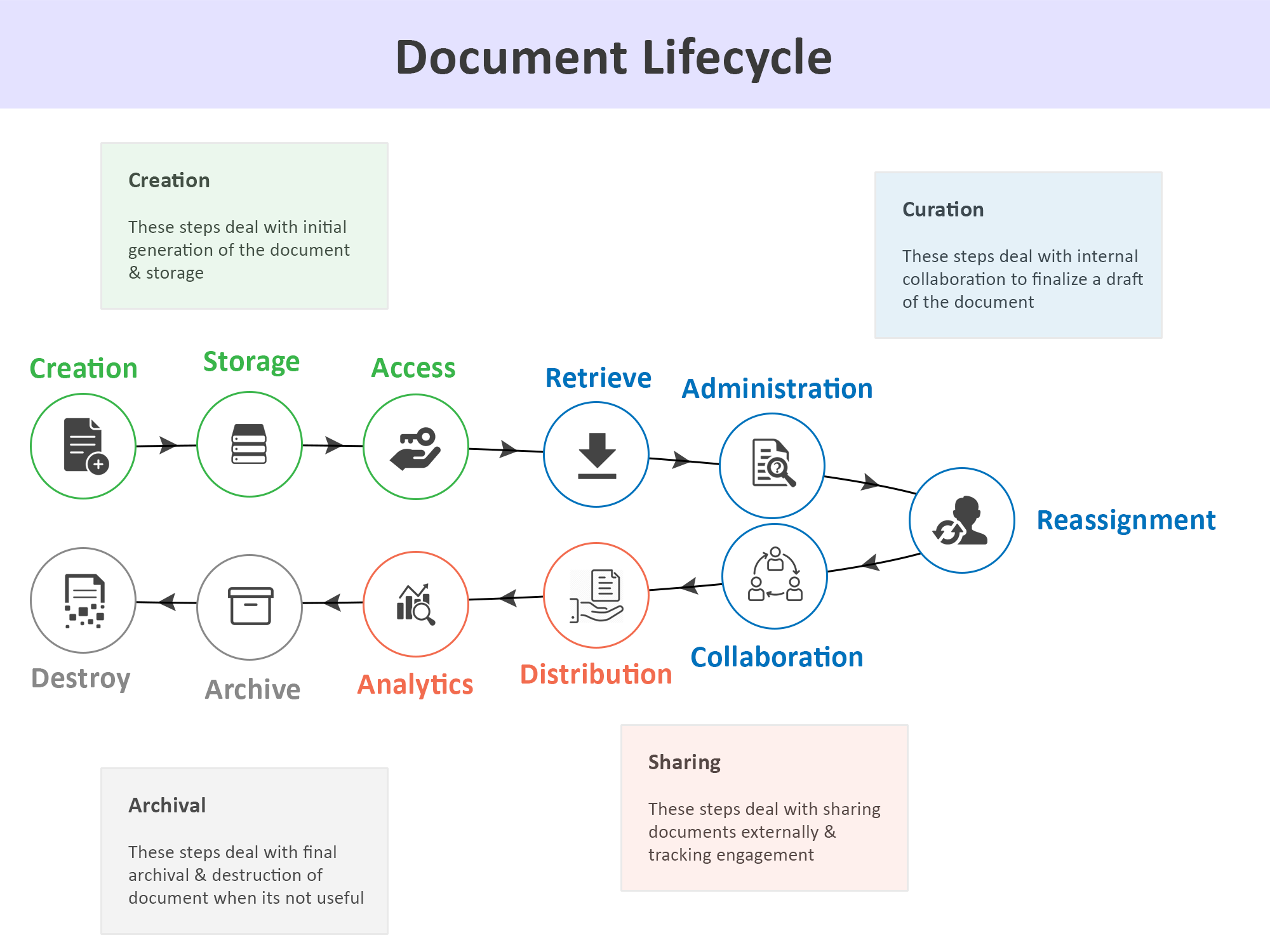
Document Workflow Management Framework is an alternate way of thinking about business document management in four stages of content creation, curation, sharing & archival. This focus on document lifecycle rather than file types makes file management easier and intuitive for businesses.
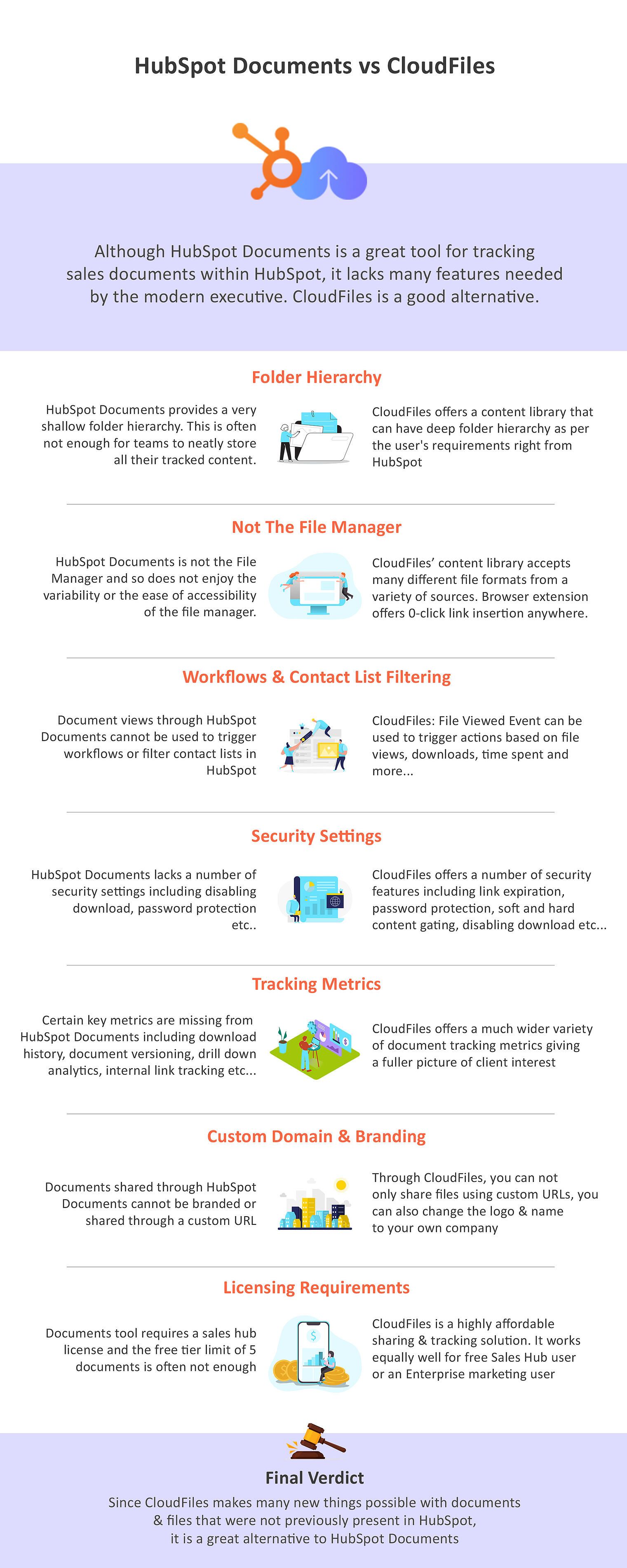
While the HubSpot Documents tracking tool is a great addition to the CRM, it lacks certain basic features that make it unfit for advanced sales, marketing & service use-cases. CloudFiles on the other hand provides a plethora of features all within HubSpot that can make the job easy.
No articles match your filters.
We use cookies to run this site, understand how it is used, and measure our marketing. You choose what we may use. Read our Cookie Policy.
Choose which categories we may use. You can change this any time from “Cookie preferences” in the footer.
Required for the site to work — page delivery, security and bot protection on our forms (Cloudflare Turnstile), and remembering this cookie choice. These never store marketing identifiers and cannot be switched off.
Helps us understand which pages are useful, so we can improve them. Google Analytics 4 and Google Tag Manager (Google Ireland Ltd).
Powers our live chat so you can talk to us and we can keep your conversation history. Gist (Gist Applications Inc). You can always start a chat without this — we load it only when you click.
Lets us measure our advertising and reach people who have shown interest in CloudFiles. LinkedIn Insight Tag (LinkedIn Ireland), Google Ads (Google Ireland Ltd), and — outside the EEA/UK — ZoomInfo WebSights (ZoomInfo Technologies LLC).