

The Salesforce Document Problem No One Talks About Enough
If you've spent any decent amount of time working inside Salesforce, you already know the drill. You close a deal, or you're midway through a complex sales cycle, and then comes the document part - the proposals, the quotes, the NDAs, the onboarding packs. What should be a five-minute task turns into an hour of copy-pasting data, formatting tables in Word, hunting down the latest version of the company letterhead, and praying the numbers didn't change while you were at it.
It's a productivity leak that most organisations quietly accept. They shouldn't.
Teams using Salesforce have started paying closer attention to document generation - not as a nice-to-have, but as a genuine workflow bottleneck. Once teams begin measuring the time their sales reps, account managers, or customer success folks spend on document creation, the numbers are often uncomfortable.
That is where document generation tools have started gaining serious traction.
Related: See how BDA Partners boosted sales productivity by 25%
What is Document Generation for Salesforce?
At its core, document generation refers to the automated or semi-automated creation of business documents - quotes, proposals, contracts, invoices, service agreements, and more-by pulling live data directly from Salesforce records and populating it into pre-built templates. The idea is simple: instead of sales reps manually entering a customer's name, address, deal value, and product list into a Word file, the system does it for them, using the data that already lives in Salesforce.
If this process is done well, then it:
- Eliminates manual data entry and the errors that come with it
- Ensures brand consistency across every document your team sends out
- Dramatically reduces the time between "deal progressed" and "document sent"
- Creates a clear, auditable trail of what was sent, when, and to whom
Done poorly, it’s a nightmare!
Why do most teams struggle with this?
The honest answer is that Salesforce's native document capabilities are limited. Salesforce offers built-in tools, but generating polished, professionally formatted documents with dynamic content, conditional sections, and multi-object data merges is not something it can handle elegantly out of the box.
Most companies end up cobbling together workarounds - Word templates maintained on SharePoint, manual copy-paste from Salesforce into Excel, or older-generation document tools that were built before the modern Salesforce ecosystem matured. The result is fragmentation: documents live outside the CRM, version control is a mess, and there's no visibility into whether a customer actually opened that proposal you sent three days ago.
What is CloudFiles?
CloudFiles is a document generation and management platform built specifically for Salesforce, and it approaches the problem from a sensible angle. Rather than asking teams to learn an entirely new system, it integrates directly into the Salesforce environment, meaning reps and account managers can generate, send, and track documents without ever leaving the CRM.
Now, let’s understand more about what CloudFiles has to offer
Native Salesforce Integration
This is arguably the most important thing to understand about CloudFiles. It's not a standalone app that syncs with Salesforce; it operates natively within Salesforce. The integration means data from any Salesforce object (Opportunities, Contacts, Accounts, Custom Objects) can be pulled directly into document templates without any manual mapping step each time.
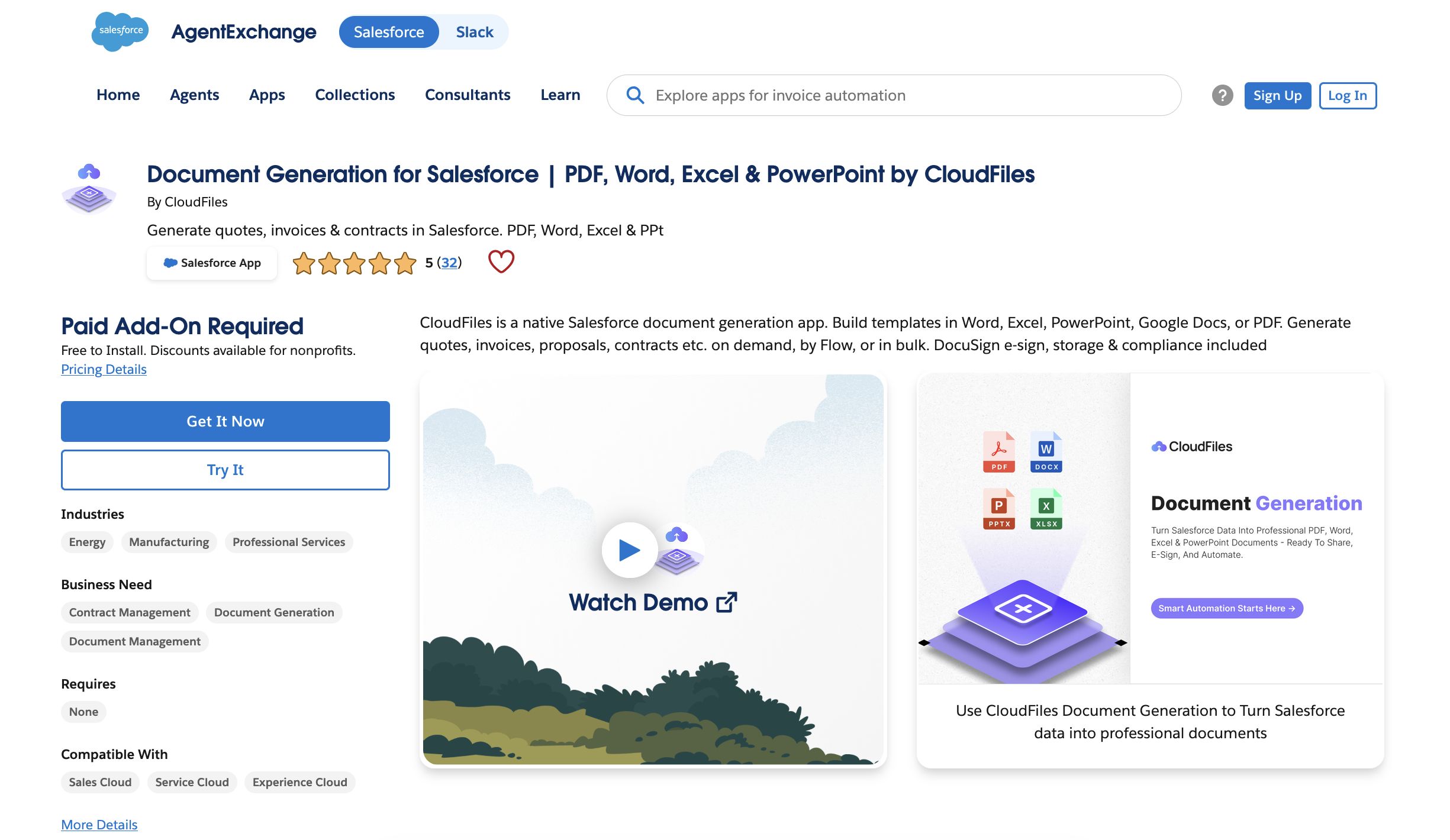
For operations teams and admins, this matters enormously. You're not managing two systems; you're managing one. Document generation becomes a step inside your existing Salesforce flows, not an external detour.
Multi-Format Designer
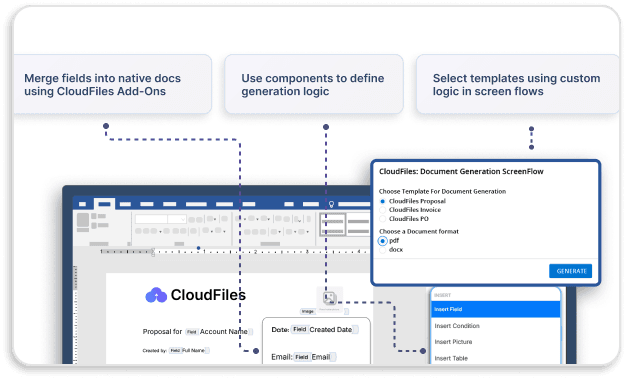
CloudFiles lets teams create templates in the formats they already use - DOCX, XLSX, PPTX, and PDF - directly inside Microsoft Office and Salesforce. This is a quietly important detail. Most document generation tools ask you to learn a proprietary editor or rebuild your templates from scratch in some custom interface. CloudFiles avoids that friction entirely by meeting your team where it already works - in Word, Excel, or PowerPoint - through a dedicated add-in.
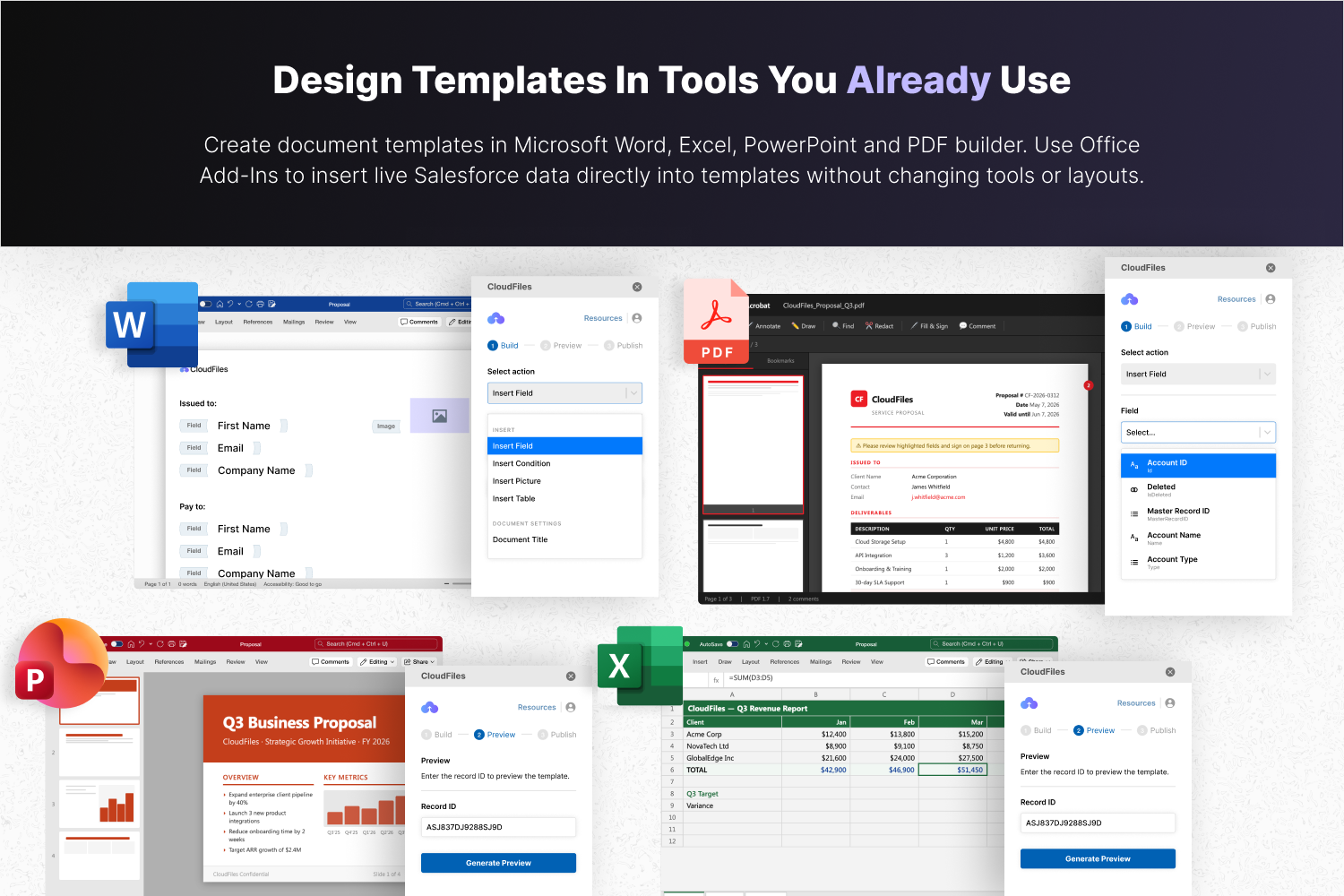
Using the All-Format Designer, every template stays perfect, data-ready, and fully on-brand, with styling, tables, branding, and data formatting preserved automatically across formats. So the carefully designed quote template your team spent time on doesn't lose its formatting when it gets populated with Salesforce data.
Dynamic Data Layer
The Dynamic Data Layer pulls information from any Salesforce object - standard or custom - and shapes it with runtime logic and controls, rendering it into tables, conditions, loops, images, and dynamic titles automatically. In practical terms, this means a section of a contract can appear only when a specific product type is selected, a pricing table can expand to reflect however many line items are on the Opportunity, or a custom clause can be included or excluded based on the deal tier - all without anyone touching the document manually.
Data can be controlled precisely with resources, runtime variables, filtering, sorting, and grouping, while content blocks auto-build to expand, hide, or repeat based on live data.
Template Governance Hub
One aspect that’s rarely discussed in document generation conversations is template lifecycle management: what happens when a template needs to be updated? Which version is currently live? Who made the changes, and when were they made?
CloudFiles' Template Governance Hub manages every template from a centralised control zone - with the ability to preview and validate templates using real record data before publishing, publish updates cleanly with structured version and release control, and track usage and audit activity for reporting and governance.
For larger teams or regulated industries, this isn't a nice-to-have. Sending out a contract built on a stale or incorrectly edited template is a real operational risk. Having a single governed hub for templates means that risk is managed.
Dynamic Document Generation Engine
CloudFiles can generate single documents instantly or run high-volume batches in the background - all powered by live Salesforce data. For a sales rep closing a single deal, that means generating a proposal in seconds from a record button. For an operations team running end-of-month renewals, it means kicking off a batch run asynchronously without anyone having to sit and watch a progress bar.
After generation, teams can apply security controls, preview, download, or merge multiple outputs into one ready-to-send package - without any manual work.
Connected Ecosystem Layer - E-Sign, Portals, and Beyond
CloudFiles extends document generation across the entire Salesforce ecosystem - covering generate-to-sign workflows with multi-provider e-signature support, native access across Experience Cloud, Salesforce Mobile, FSL, and Agentforce actions, and the ability to plug into Doc Management, Document AI, or any external system via Apex, APIs, and events.
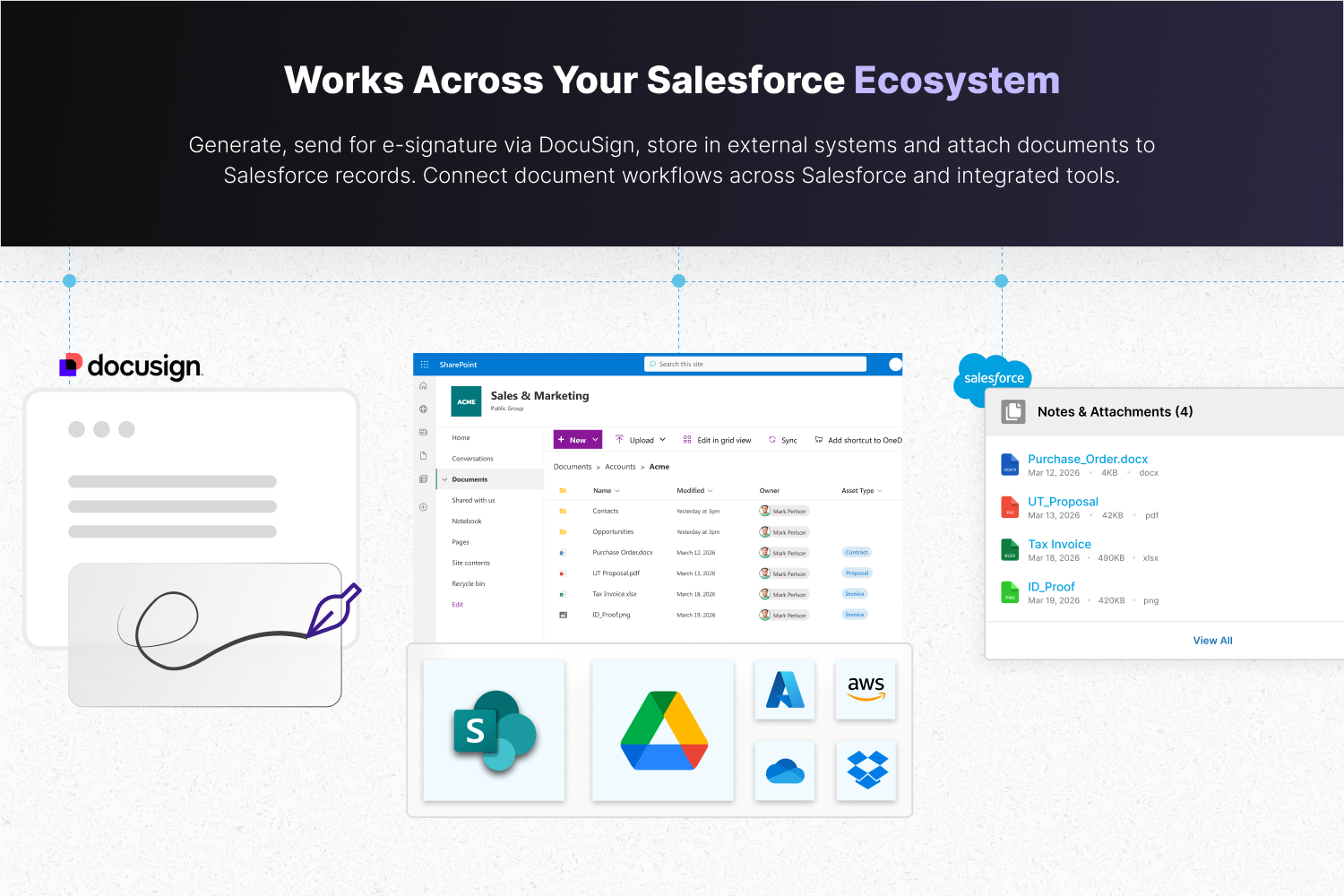
See how DocuSign integrates with CloudFiles.
The generate-to-sign workflow deserves a specific mention here. Teams can personalise and send contracts or proposals with one click while staying compliant, meaning the full loop from document creation to a signed copy stored back in Salesforce can happen without leaving the CRM or switching tools.
Compliance and Security Built In
CloudFiles is independently audited and certified against leading standards, with data residency supported in the US, EU, UK, and AU. For teams in financial services, healthcare, or any sector where document security and data residency are non-negotiable, this matters. The platform is independently audited for SOC 2 Type II, certified to ISO 27001, and compliant with HIPAA and GDPR.

Who Is CloudFiles Best Suited For?
CloudFiles works across a range of use cases, but it tends to deliver the clearest value in a few specific situations:
Sales teams with high document volume
If your reps regularly generate quotes, proposals, or order forms, the time savings from automating document generation are immediate and compound over time.
Related: See how organisations have benefited from using CloudFiles: CloudFiles-Salesforce Case Studies
Teams with strong brand requirements
Organisations that need documents aligned with brand guidelines, approved legal language, and consistent formatting standards across large teams will find the template management system valuable.
Customer success and account management
Teams that regularly share renewal documents, QBR reports, onboarding packs, or client-specific content can use CloudFiles to streamline and professionalise these touchpoints.
Industries with compliance considerations
Financial services, SaaS, healthcare, and legal sectors where document access controls and audit trails matter.
How It Compares to Alternatives
The Salesforce document generation space includes well-known players such as Conga and S-Docs. What sets CloudFiles apart is the combination of document generation, document tracking, content portals, and storage management within a single, natively integrated platform.
Many alternatives do one or two of these things well. CloudFiles attempts to handle the full document lifecycle - from template to generation to delivery to tracking to storage - in one connected system. For teams that want to avoid managing multiple point solutions, this has obvious appeal.
Conclusion
The gap between what Salesforce can do and what most teams actually get out of it is often a document problem. The CRM has the data; the team needs the documents, and the tools to bridge that gap cleanly make the difference between a streamlined revenue operation and a messy, manual one.
CloudFiles occupies an interesting position in this space, a platform designed specifically for the Salesforce ecosystem, that covers enough of the document lifecycle that teams can genuinely consolidate what might otherwise be three or four different tools. Whether it's the right fit depends on your team's volume, use cases, and how deeply you want document workflows integrated into your CRM.
Frequently Asked Questions
What is the best document generation tool for Salesforce?
Several tools exist, including Conga, S-Docs, and CloudFiles. CloudFiles is increasingly preferred by teams seeking an end-to-end solution that covers document generation, tracking, e-signature, and storage all natively within Salesforce.
Does CloudFiles work with all Salesforce editions?
CloudFiles integrates with Salesforce and is typically compatible with Sales Cloud, Service Cloud, and other standard Salesforce editions. Checking compatibility with your specific Salesforce configuration during the evaluation process is always recommended.
Can CloudFiles generate PDFs from Salesforce data?
Yes. CloudFiles supports PDF generation using data pulled directly from Salesforce records and objects.
Is document tracking available in Salesforce document generation tools?
Standard Salesforce document tools don't offer document engagement tracking. CloudFiles provides this natively, including open tracking, page-level engagement, and time spent on documents.
How does CloudFiles handle e-signatures?
CloudFiles integrates with e-signature providers, allowing the full contract workflow from generation to signature to storage to be managed within Salesforce.