

Picture this: a new client has just signed on. Their onboarding form, ID proof, and signed contract land in your inbox as PDFs. Someone on your team opens each file, reads through it, and manually types the relevant details - name, address, contract value, expiry date - into the Salesforce record. It takes maybe ten minutes. Not a big deal for one client.
Now imagine that happening fifty times a week. Or five hundred.
This is the document problem that thousands of Salesforce teams live with every day. Not because they lack the right CRM - Salesforce is exceptional at managing structured data. The problem is that most business information is not structured. It arrives as documents: invoices, contracts, onboarding packets, government IDs, purchase orders, and bank statements. Salesforce can store these files, but it cannot read them. The data inside stays locked away, disconnected from the workflows your team depends on.
That gap - between documents sitting as static attachments and the structured CRM data your business actually needs - is exactly what Document AI is built to close.
What Is Document AI for Salesforce?
Document AI for Salesforce refers to software that uses artificial intelligence - typically a combination of OCR (Optical Character Recognition), NLP (Natural Language Processing), and machine learning - to read, interpret, and extract structured data from unstructured documents, and then map that data directly into Salesforce records.
Rather than treating a PDF or scanned invoice as a passive file attachment, Document AI treats it as a live source of business data. It can identify document types, extract specific fields such as dates, names, amounts, and contract terms, validate what it finds, and trigger downstream workflows in Salesforce - without a human needing to open the file at all.
Think of it as the intelligence layer that sits between your documents and your CRM. Instead of files sitting inert on a record, they become automation triggers, data enrichment sources, and workflow drivers - the moment they arrive.
Does Salesforce Have Its Own Document AI?
Yes, Salesforce has introduced several tools over the years to address document processing. Understanding what is available natively helps you make a more informed decision about whether you need a third-party solution.
Einstein Vision & Language was an early suite of AI APIs that included basic text detection from images and PDFs. However, Salesforce has officially retired this offering and directed customers to explore alternatives.
Intelligent Document Reader uses Amazon Textract under the hood to extract text from uploaded documents and map it into Salesforce fields. It reduces manual data entry for known document types and supports basic field mapping. That said, it is primarily an OCR-led, template-oriented tool. It works well for structured, predictable document formats, but struggles with the variability you encounter in real enterprise environments - inconsistent layouts, handwritten content, multi-page contracts, or mixed document bundles.
Intelligent Document Automation (Intelligent Form Reader) is designed for form-centric extraction within specific Salesforce Industries workflows. It is useful in those contexts, but is not positioned as a general-purpose document-intelligence solution.
Document AI in Data 360 is the most advanced native option. It supports both real-time and batch processing and is designed to extract structured data from unstructured documents like invoices, lab reports, and purchase orders. It is a meaningful step forward. However, it is tied to the Data Cloud / Data 360 architecture, which introduces platform and implementation complexity that not every Salesforce team can manage. For organisations not already operating within that ecosystem, the overhead can be substantial.
The honest summary: Salesforce's native tools are useful for specific, well-defined use cases. For teams managing high volumes of variable documents and deep automation within core CRM workflows, they often fall short of what a purpose-built Document AI platform can deliver.
The Three Leading Document AI Tools for Salesforce
Many Document AI platforms can connect to Salesforce, but most are standalone tools that treat Salesforce as just one of many integrations. The solutions below are the most relevant options for Salesforce-centric organisations in 2026.
CloudFiles Document AI
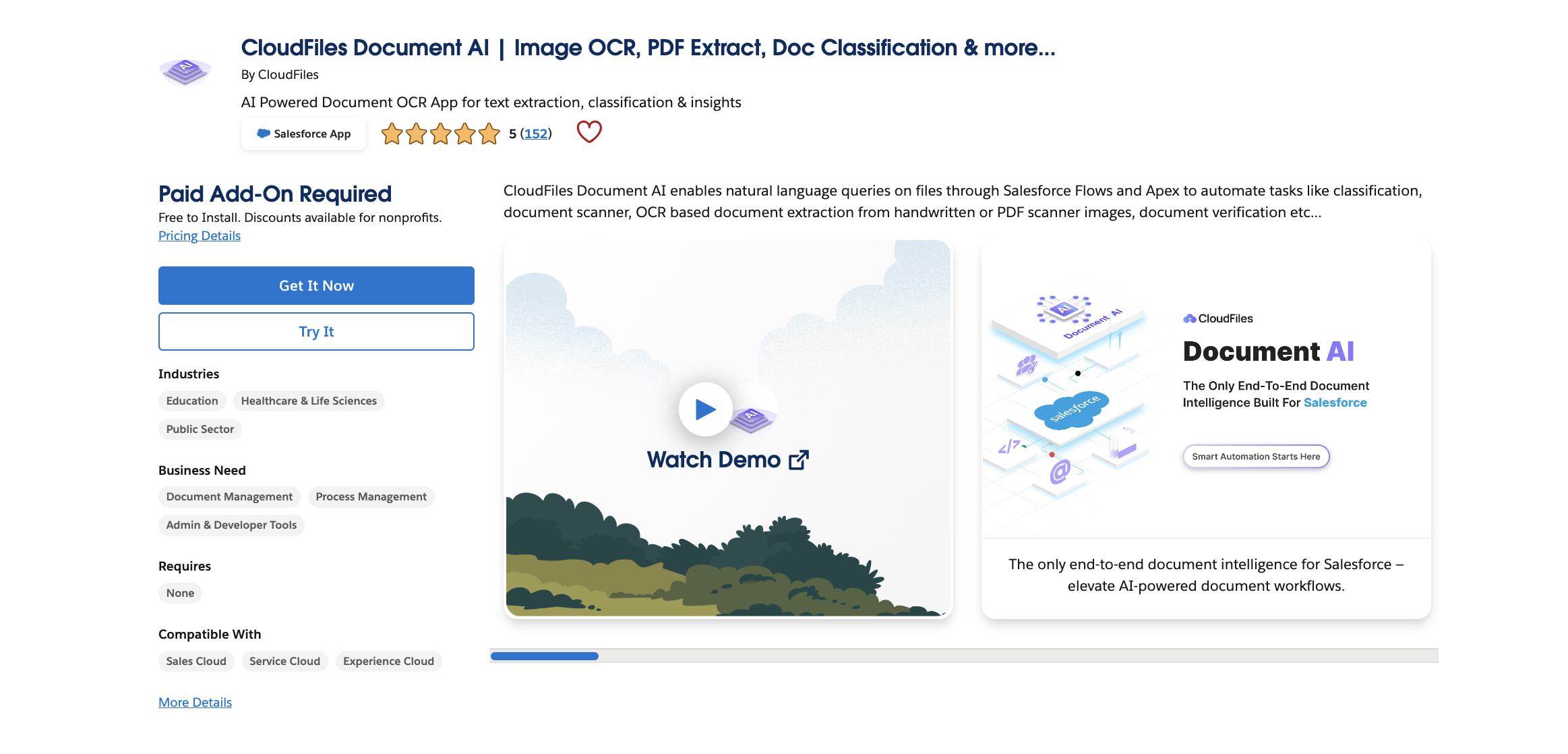
CloudFiles is a native Salesforce application, available directly on the AppExchange, built specifically for teams that live and work inside Salesforce. Unlike most document processing tools that operate externally and push data into the CRM via API, CloudFiles runs within the Salesforce environment itself.
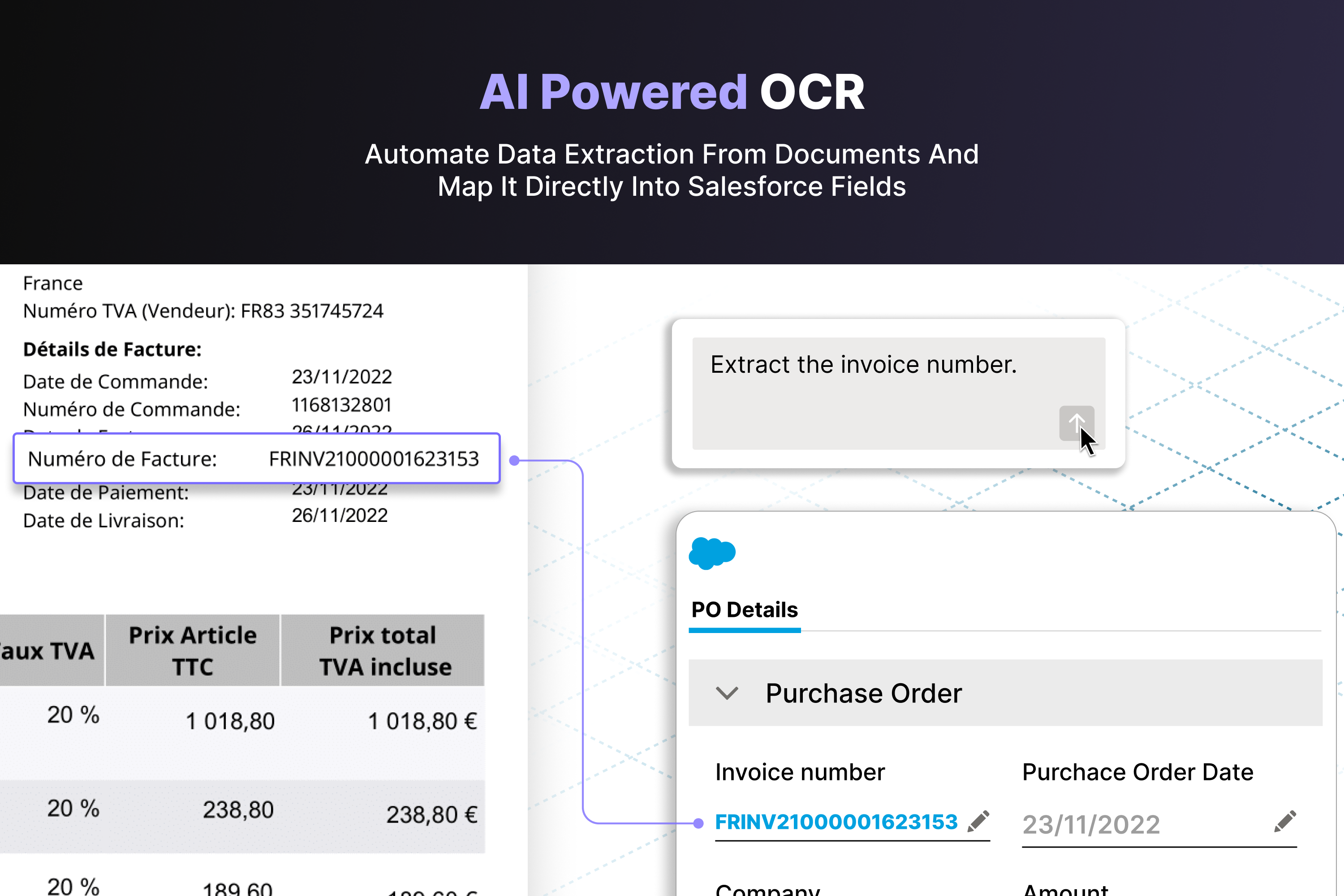
How it works: CloudFiles uses a combination of OCR, NLP, and multi-agent AI to read documents of virtually any type - PDFs, scanned images, Word files, Excel spreadsheets, PowerPoint presentations - and extract structured data that maps directly to Salesforce records. It supports handwritten content, printed text, multilingual documents, and complex layouts.
Key capabilities include:
- NLP-powered Q&A: Users can ask questions about a document in plain English and receive precise answers. This is particularly valuable for reviewing contracts or lengthy reports without scanning through every single page.
- Multi-Agent AI architecture: CloudFiles uses specialised AI agents for different tasks - document querying, direct querying, and document processing. These agents can work independently or in combination, increasing accuracy on complex documents.
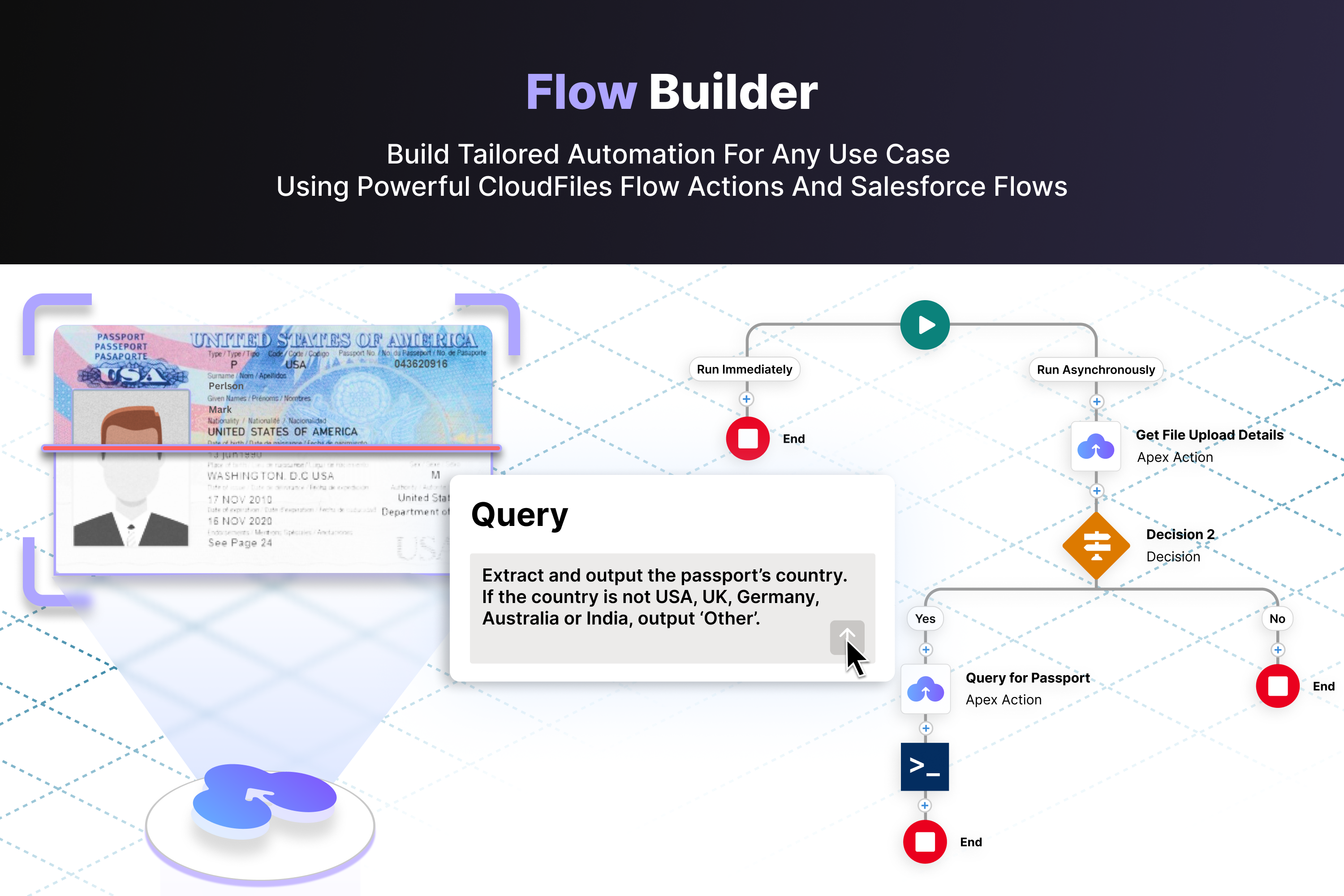
- AI Flow Actions: CloudFiles integrates deeply with Salesforce Flow, meaning document events can trigger automated workflows - updating records, sending notifications, initiating approvals, generating follow-up documents - all without custom code.
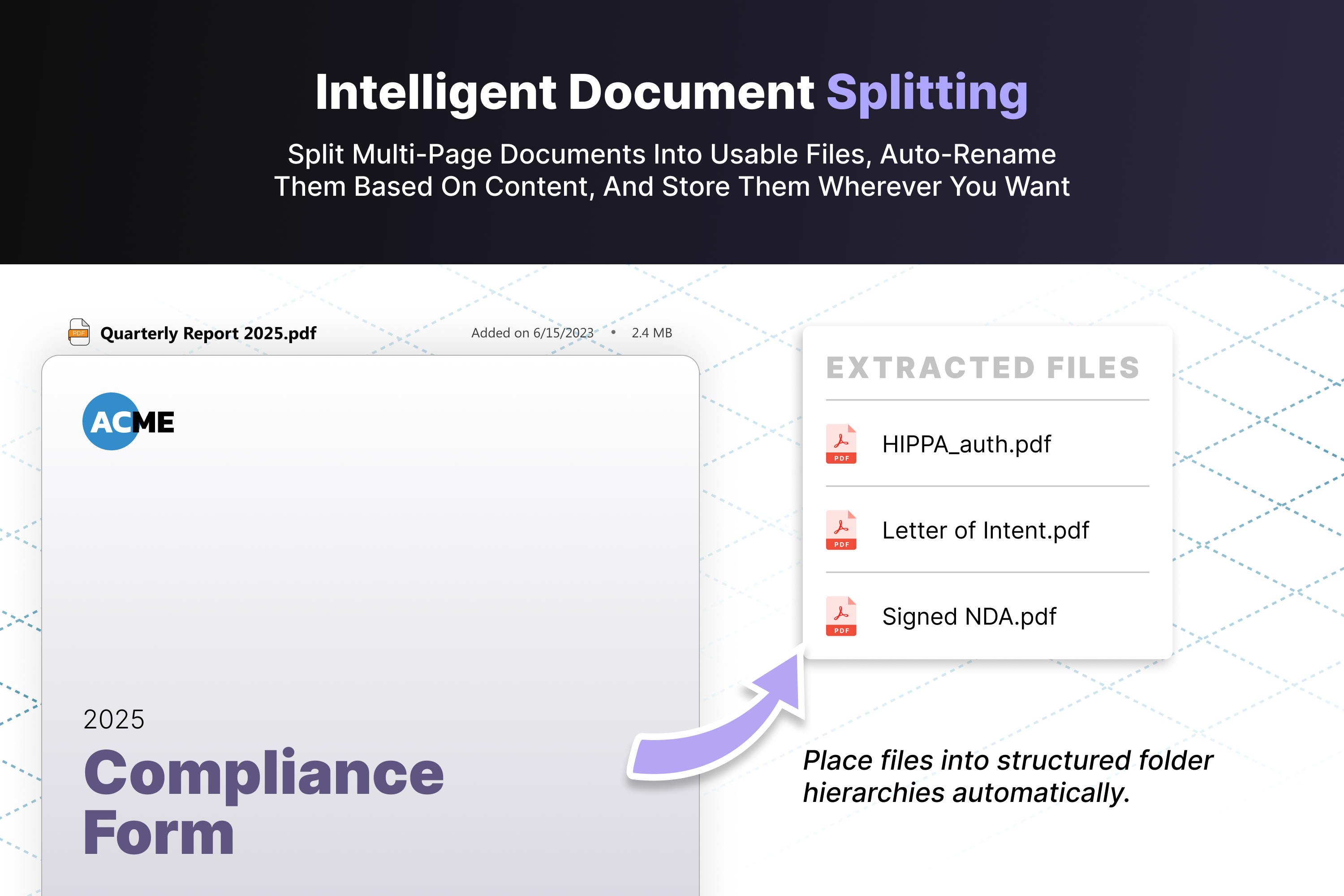
- Document splitting: Large merged PDFs, such as scanned bundles of invoices or multi-document contract packets, can be automatically split and classified into individual files.
- Multi-source triggers: AI processing can be triggered when a file is uploaded to Salesforce, added to connected cloud storage (SharePoint, Google Drive, OneDrive, AWS S3), received via integration, or initiated manually.
- Developer flexibility: For technical teams, CloudFiles supports Salesforce Apex, REST API, and AgentForce script triggers, making it straightforward to embed document intelligence into custom workflows.
Where CloudFiles stands out is in how it handles the full document lifecycle within Salesforce - not just extraction, but classification, routing, automation, and governance. Because it is native to the platform, it inherits Salesforce's permission model, audit trails, and compliance controls. Data residency and security settings align with the organisation’s configuration.
For teams already running their business on Salesforce, the absence of middleware or external data pipelines is a meaningful operational advantage. There is nothing to integrate, no webhook configuration, no separate admin console to maintain.
Best suited for Salesforce-native organisations, RevOps and Sales Ops teams, businesses processing high document volumes, teams that need automation embedded directly into CRM workflows, and regulated industries where data residency and compliance are important.
Docsumo
Docsumo is a standalone document intelligence platform that specialises in data extraction from complex, unstructured documents. It is particularly strong in financial services, where document layouts vary significantly, and extraction accuracy is critical.
Key capabilities include:
- Pre-trained models covering a wide range of document types, from bank statements to utility bills
- The ability to train custom models on as few as 20 sample documents
- Smart table extraction that handles multi-page PDFs and non-standard layouts
- Human-in-the-loop review, which allows users to verify uncertain extractions before data flows downstream
- Automatic document classification with the option for manual correction
Where Docsumo performs well is in pure extraction accuracy. Its pre-trained models are sophisticated, and its ability to handle variable formats is a genuine strength. If your primary challenge is cleaning data out of highly inconsistent documents, Docsumo is a strong performer.
The limitation for Salesforce teams is that Docsumo is not natively built for Salesforce. Connecting it to the CRM requires platform access, webhook configuration, custom metadata setup, and authentication management. This is manageable for teams with dedicated IT support, but adds meaningful setup overhead and an ongoing maintenance dependency. Automation within Salesforce workflows requires additional integration layers.
Best suited for: Finance-heavy document extraction, businesses that need a standalone extraction engine, and teams with the technical resources to manage API-based integrations.
Docparser
Docparser is a cloud-based document parsing tool built around custom parsing rules. Users define rules - by zone, keyword, pattern, or position - that tell the system where to find specific data in a document. Once set up, it processes incoming files automatically and exports the extracted data to destinations including Salesforce, Excel, CSV, JSON, and XML.
Key capabilities include:
- Zonal OCR that extracts data from defined regions within a document
- Table extraction for line-item data
- Powerful custom parsing rules for specific, repeatable document formats
- Auto-import from email, cloud storage, and API, with auto-export to multiple formats
- Integration with tools like Zapier for workflow automation and connections to external cloud storage for document ingestion
Where Docparser performs well is in structured, predictable document environments. If you receive the same invoice layout from the same supplier every week, Docparser handles that efficiently and reliably.
The limitation becomes apparent with variability. Rule-based systems require maintenance as documents change, and they are not well-suited to documents that do not conform to expected patterns. There is no native Salesforce application; integration typically runs through middleware. Workflow automation within Salesforce itself is limited compared to native solutions.
Best suited for: Structured document formats with consistent layouts, teams comfortable with rule-based configuration, and lower-complexity parsing requirements.
Side-by-Side Comparison
| Factor | CloudFiles | Docsumo | Docparser |
|---|---|---|---|
| Salesforce-native app | Yes (AppExchange) | Partial (AppExchange listing; deeper automation via API/webhook) | No (middleware) |
| AI extraction accuracy | High across common enterprise docs | Very high, especially for finance | Moderate - rule-dependent |
| Multi-document intelligence | Yes (split, classify, cross-check) | Yes | Limited |
| Workflow automation in Salesforce | Deep (Flow, Apex, AgentForce) | Requires integration layers | Limited |
| Trigger flexibility | Flow, Apex, REST API, events | Webhook-based | API and webhook |
| Connected storage | SharePoint, Google Drive, OneDrive, S3, Azure Blob, Dropbox, Box | Cloud ingestion via API | Strong export integrations |
| Implementation complexity | Low (native install, Flow config) | Medium–high | Low–medium |
| Compliance and governance | SOC 2 Type II, ISO 27001, GDPR, HIPAA | SOC 2 Type II, GDPR, HIPAA | GDPR, CCPA, ISO27001 (servers) |
| Pricing model | Platform model | Usage/credit-based | Credit-based |
Questions to Ask Before You Commit
Before investing in any Document AI solution, it is worth working through a few practical questions:
What document types do you process most frequently? Some tools perform better on specific formats - invoices, contracts, government IDs, or forms. Confirm that the solution you are evaluating has been tested against your actual document portfolio.
How much variation exists in your documents? Rule-based tools work well when layouts are consistent. AI-based tools handle variability better. If you receive similar documents from multiple sources with different formatting, this matters.
What does success look like beyond extraction? Extraction is only the first step. What happens to the data after it is extracted? Does it need to update specific Salesforce fields, trigger a workflow, route a document for review, or feed a report? Map out the full process before evaluating tools.
Who will maintain it? Some platforms require ongoing rule maintenance or integration management. Others, particularly native AppExchange apps, are largely maintained within the Salesforce admin workflow most teams already have.
What are your compliance requirements? If you operate in a regulated industry and handle sensitive documents - healthcare records, financial data, identity documents - confirm that any solution you consider meets the relevant standards and keeps data within your required jurisdictions.
The Bigger Picture: Document AI as a CRM Strategy
The shift toward Document AI in Salesforce is not simply about saving time on data entry, though that benefit is real and measurable. It is about changing how documents function within a CRM.
When a contract triggers a renewal workflow, when a submitted invoice automatically updates an account record and routes for approval, when an onboarding form populates a new customer profile without anyone touching a keyboard, the CRM becomes more accurate, more responsive, and more useful.
Organisations that treat document processing as a peripheral task tend to accumulate data quality problems over time. Fields left blank, records updated late, information living in file attachments instead of searchable CRM fields - these inefficiencies grow quietly but compound meaningfully.
Document AI is increasingly the practical answer to that problem. The question for most teams is not whether to adopt it, but which solution fits and how they actually work.
Frequently Asked Questions
What is the difference between OCR and Document AI?
OCR (Optical Character Recognition) converts images and scanned documents into machine-readable text. Document AI goes further; it understands the meaning and structure of that text, classifies document types, maps extracted data to the right fields, validates information, and triggers downstream processes. OCR is a component of Document AI, not a substitute for it.
Can Salesforce extract data from PDFs on its own?
Salesforce has tools like Intelligent Document Reader and Document AI in Data 360 that offer some extraction capability. However, these are either template-based and limited in scope, or tied to specific platform architectures (Data Cloud) that not every team uses. For comprehensive, flexible document extraction within standard Salesforce workflows, most teams supplement native tools with AppExchange solutions.
Is Document AI secure for sensitive documents?
The security profile varies by vendor. For highly sensitive documents, look for SOC 2 Type II certification, GDPR compliance, HIPAA alignment (if applicable), and clarity on data residency. Native Salesforce apps have the advantage of processing data within the Salesforce environment, inheriting existing security and permission controls.
How long does it take to implement Document AI in Salesforce?
For native AppExchange applications, implementation typically involves installation, configuration of extraction templates or AI agents, and connection to Salesforce Flows. This can be completed in days for standard use cases. API-based integrations with external tools may take longer, depending on technical complexity and the number of workflows involved.
What file types does Document AI support?
Most solutions support PDFs, JPEGs, and PNGs. More capable platforms also handle Word documents (.docx), Excel files (.xlsx), PowerPoint presentations, and multi-page scanned bundles. Confirm file type support against your actual document inventory before selecting a tool.